A conventional budget might tell you that housing costs $1,200, groceries cost $450, and transportation costs $250. A calendar adds another layer: perhaps the housing payment leaves the account near the beginning of the month, groceries are spread across several weeks, and a subscription renews near the end. The difference matters because cash can be tight even when the overall monthly budget appears balanced.
The best calendar-based system is not necessarily the most complicated one. A useful template can be a paper worksheet, a spreadsheet, a PDF, or a shared digital document. The essential requirement is that it makes expected cash movements visible and gives you a consistent place to record what actually happened.
This guide explains how to choose a format, build your own calendar, organize income and expenses, handle irregular costs, compare planned and actual spending, and turn the calendar into a practical monthly review system. It also explains when Excel, Google Sheets, PDF, printable, weekly, monthly, and yearly formats make the most sense.
Whether you are budgeting household expenses, organizing a freelance income cycle, planning a small project, or simply trying to stop forgetting payment dates, the objective is the same: create a clear financial timeline that supports better decisions before money leaves your account.

What Is a Budget Planning Calendar Template?
A budget planning calendar template is a structured planning tool that places financial events on a calendar timeline. Those events can include paydays, recurring bills, debt payments, planned purchases, savings transfers, subscriptions, and other predictable transactions. The calendar may also contain fields for expected amounts, actual amounts, payment status, and running balances.
The important distinction between a normal budget and a calendar budget is timing. A category budget answers, “How much can I spend on this?” A calendar budget also asks, “When will that money be available, and when will it leave?” That makes the calendar particularly useful for people whose income and expenses do not arrive on the same schedule.
A simple template might have a seven-column calendar with one box for each day. A more advanced spreadsheet can include an income table, recurring-bill database, daily balance calculation, category totals, and a dashboard. The format should match the level of detail you can realistically maintain.
A calendar should not be treated as a prediction that will always be correct. It is a planning model. Income may change, a utility bill may vary, a purchase may be postponed, or an unexpected expense may occur. The value comes from updating the plan when circumstances change rather than abandoning it because the original forecast was imperfect.
For that reason, the strongest system separates planned values from actual values. Planned numbers tell you what you expected. Actual numbers tell you what happened. Comparing them creates useful information for the next planning cycle.
Why Calendar-Based Budgeting Matters
Budgeting problems are often caused by timing rather than by a complete lack of planning. Someone may have enough income for all monthly obligations but still face a difficult week because several large payments occur before the next paycheck. A calendar makes those clusters visible before they become surprises.
A calendar also reduces the cognitive load of remembering recurring transactions. Instead of keeping payment dates in your head, you place them on a visible schedule. The Consumer Financial Protection Bureau describes a bill calendar as a way to track what is owed and when payments are due, reinforcing the practical value of connecting financial amounts with dates.
Another benefit is prioritization. Once income and essential bills are mapped, you can identify which remaining days are appropriate for flexible spending, savings transfers, or planned purchases. The calendar therefore becomes a decision-making tool rather than merely a record of past transactions.
Calendar budgeting can also help with irregular income. A freelancer, contractor, seasonal worker, or small business owner may not receive the same amount on the same date every month. In that situation, the calendar can show expected income separately from confirmed income and highlight periods where spending should remain conservative.
Finally, the visual structure encourages regular review. A budget that is never opened cannot influence behavior. A calendar placed in a frequently used spreadsheet, planner, or printed binder creates a natural opportunity to check upcoming obligations and update the plan.

Key Components of an Effective Budget Calendar
The first component is an income section. Record the expected date, source, and amount for every dependable income event. If income varies, use an estimate and clearly distinguish it from money that has already arrived. This prevents an optimistic forecast from being mistaken for available cash.
The second component is a bill and obligation list. Include rent or mortgage payments, utilities, insurance, debt payments, subscriptions, school costs, transportation payments, and other recurring commitments. For each item, record the expected date and amount, and optionally include a payment-status field.
The third component is flexible spending. Groceries, fuel, dining, entertainment, personal purchases, and similar categories may not have fixed dates. You can assign weekly spending allowances or record transactions as they happen. This helps turn a broad monthly category into a sequence of manageable decisions.
The fourth component is savings and financial goals. A calendar can show when money should move into savings, an emergency fund, a sinking fund, or another planned goal. Treating these transfers as scheduled events can make them easier to protect from competing spending.
The fifth component is a balance or remaining-budget field. This is where the calendar becomes more powerful. Starting balance plus income minus expenses produces a projected balance, while actual transactions can produce an actual balance. Reviewing the difference helps identify whether the plan needs adjustment.

Starting Balance
Begin with the amount that is genuinely available for the planning period rather than an amount you merely expect to receive. If several accounts are involved, decide whether the calendar covers one account or a combined household position. Consistency is more important than choosing one universal method.
Income Timing
Enter each expected income date separately. A monthly salary might require only one or two entries, while weekly or irregular income needs more. For variable income, consider using a conservative planning estimate and replacing it with the actual amount once received.
Fixed Expenses
Fixed expenses are obligations whose amounts are relatively stable, such as rent, scheduled loan payments, or recurring service charges. Their predictable nature makes them ideal calendar entries because both the date and amount can often be entered before the month begins.
Variable Expenses
Variable expenses need more flexible treatment. Instead of pretending that every purchase can be predicted exactly, set reasonable category limits and record actual spending. A calendar can then show whether spending is accumulating faster than planned.
Irregular Expenses
Annual insurance, school fees, repairs, gifts, travel, maintenance, and seasonal purchases can disrupt an otherwise balanced monthly plan. A good template includes a separate area for these expenses so they do not disappear simply because they are not monthly.
How to Build a Budget Planning Calendar Template From Scratch
Start by selecting the planning period. A monthly calendar is usually the easiest starting point because most recurring bills are monthly. If you need a longer horizon, create a yearly summary that connects to individual monthly pages or worksheets.
Next, gather historical information. Review recent bank statements, receipts, invoices, payment confirmations, and previous budgets. The objective is not to create a perfect financial history but to identify recurring dates, categories, and approximate amounts that should appear in the planning model.
Then separate transactions into income, essential expenses, flexible expenses, savings, debt payments, and irregular obligations. The categories should be detailed enough to support decisions but not so detailed that maintaining the calendar becomes a burden.
After categories are established, place predictable transactions on their dates. Mark paydays first, then fixed bills, debt payments, scheduled savings transfers, and known large purchases. Once those events are visible, fill in flexible spending allowances around them.
Finally, add a review mechanism. At minimum, compare the planned total with the actual total. In a spreadsheet, formulas can calculate differences automatically. On paper, a simple planned-versus-actual column is sufficient.

Step-by-Step Monthly Setup
Step 1: Enter the month and starting balance. The starting balance provides the baseline for the projected cash position. If you are using multiple accounts, document which balances are included so that the number is not misunderstood later.
Step 2: Add confirmed and expected income. Record the date and amount of each expected deposit. If an amount is uncertain, label it as an estimate rather than treating it as guaranteed cash.
Step 3: Add fixed obligations. Enter recurring payments on their expected dates. Include the full amount when known and leave room for updates when bills vary.
Step 4: Add flexible spending allowances. Divide monthly limits into weekly or date-based amounts when useful. This creates a practical spending rhythm and makes it easier to notice an unusually expensive week.
Step 5: Add savings and sinking-fund transfers. Put planned transfers on the calendar as financial events. This makes goals visible alongside bills instead of treating savings as whatever happens to remain at the end of the month.

Choosing Between Monthly, Weekly, and Yearly Views
A monthly view is the core format for most users. It provides enough detail to show individual due dates while keeping the entire period visible. Monthly calendars work especially well for recurring household bills and ordinary personal budgeting.
A weekly view is useful when transactions are frequent or income arrives every week. Instead of looking at thirty days at once, the user can focus on the next seven days and make smaller spending decisions. Weekly planning can also be combined with a monthly budget rather than replacing it.
A yearly view is best for trends and irregular expenses. It can show expected annual income, recurring costs, savings targets, insurance renewals, holidays, school periods, and other seasonal events. The yearly view should generally remain high-level so it does not become too crowded.
The most effective system may combine all three. Use a yearly overview for long-range planning, a monthly calendar for bills and cash flow, and a weekly check-in for day-to-day decisions. The same financial information can therefore be viewed at different levels of detail.
There is no requirement that every calendar use the same layout. A household with stable monthly salaries may prefer a simple monthly grid, while a freelancer may benefit from a transaction table with a projected running balance. The best format is the one that makes important decisions easier.

Budget Calendar Template Excel Options
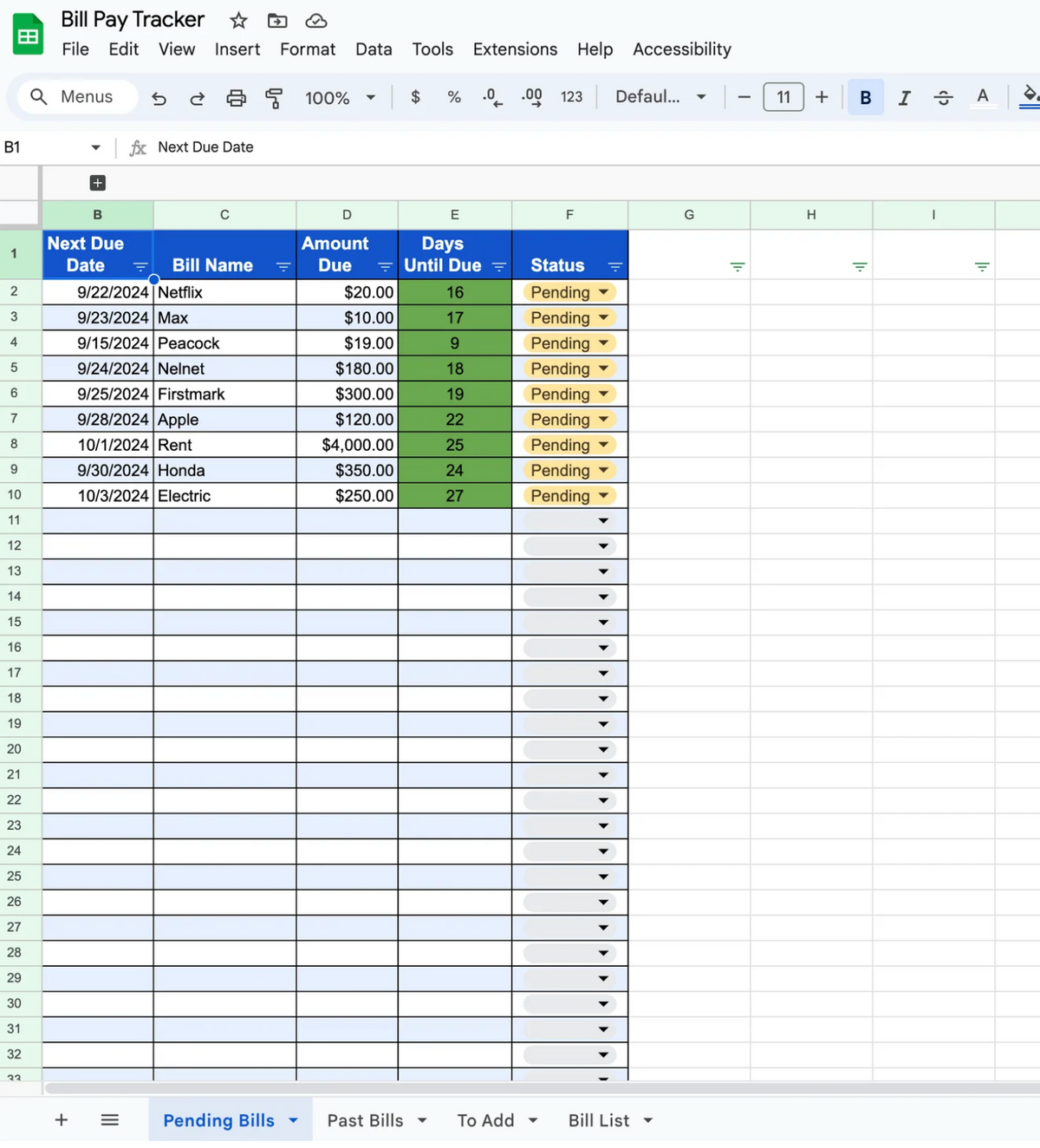
Excel is a strong choice when you want formulas, structured tables, filters, conditional formatting, and more control over calculations. Microsoft provides budget and calendar templates that can be adapted for personal planning, and Excel supports both monthly budget worksheets and broader calendar layouts.
A spreadsheet can calculate projected balances automatically. For example, if cell values represent starting cash, income, and expenses, the basic relationship is straightforward: projected ending balance equals starting balance plus income minus expenses. More advanced models can carry the ending balance of one period into the starting balance of the next.
Excel also makes it practical to maintain a separate transaction table. Each row can contain a date, description, category, amount, type, and status. A calendar view can then summarize those transactions by date while a dashboard summarizes totals by category.
Conditional formatting can make exceptions easier to see. A payment that is overdue, a projected balance below a chosen threshold, or a category that has exceeded its planned amount can receive a visual warning. The purpose is not to create a complicated dashboard but to direct attention to decisions that require action.
When building a spreadsheet, protect the formula cells and clearly distinguish input cells from calculated cells. A beautiful workbook becomes unreliable if users accidentally overwrite formulas or enter expenses with inconsistent signs.
Budget Planning Calendar Template Google Sheets Workflows
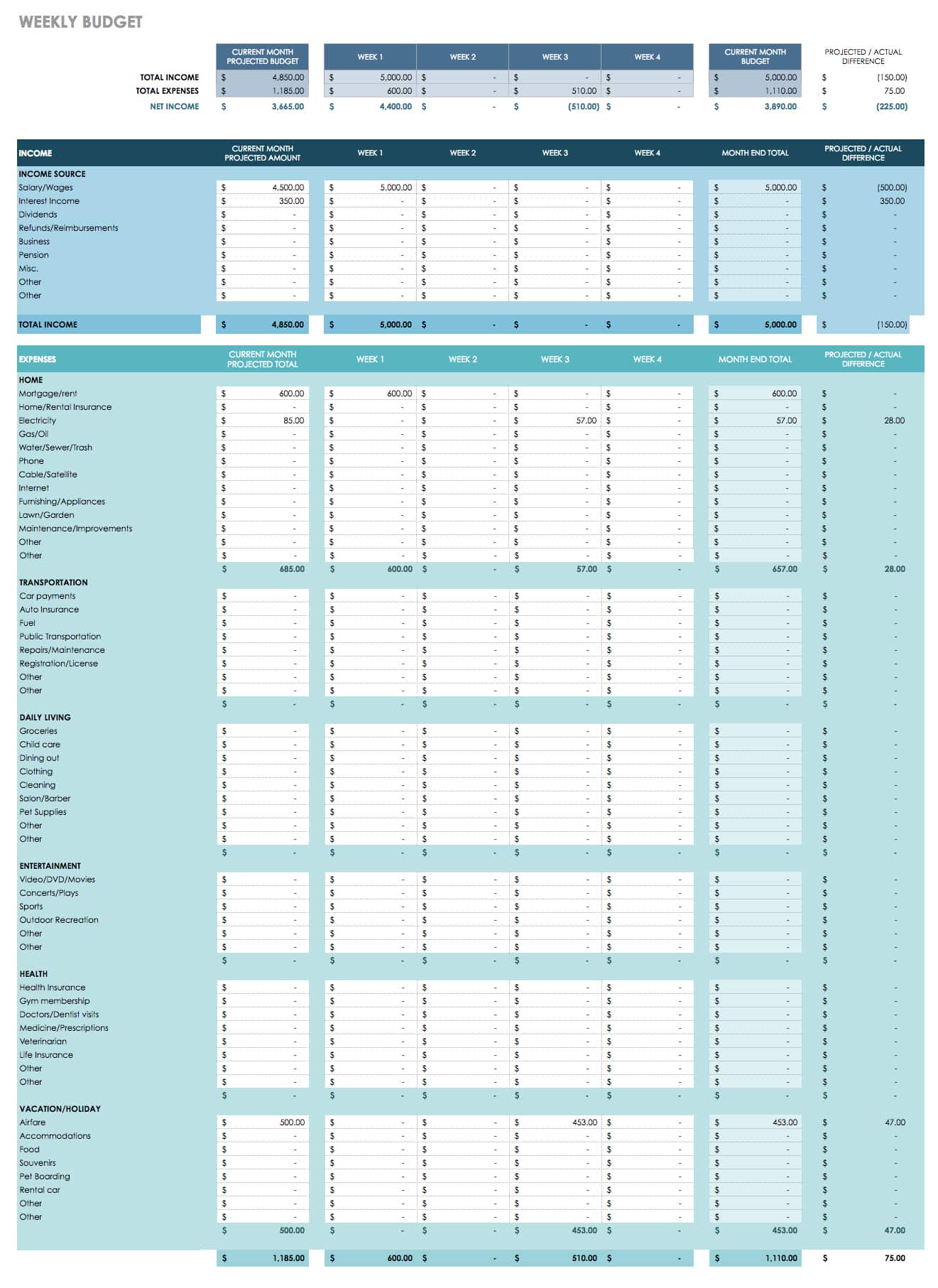
Google Sheets is particularly useful when more than one person needs access to the same budget. A household can maintain one shared workbook, while a freelancer can use the same file from different devices. Google also provides a template gallery through its productivity applications.
A Google Sheets calendar can use the same basic structure as an Excel workbook: dates, income, expenses, categories, planned amounts, actual amounts, and balances. The advantage is the ease of sharing and maintaining a single working copy rather than passing files back and forth.
For collaborative budgeting, decide who is responsible for entering transactions and who reviews the plan. Without a clear routine, shared spreadsheets can become inconsistent. A simple weekly check can be enough to verify that new expenses have been entered and upcoming obligations remain covered.
Version history can also be useful when an amount is changed accidentally. However, version history should not replace good data-entry practices. Keep categories consistent, avoid unnecessary duplicate rows, and document unusual transactions in a notes column.
If a workbook becomes very complex, consider separating the transaction log, calendar view, and summary dashboard into different sheets. This keeps the calendar visually clean while preserving detailed records in the background.
When a PDF or Printable Calendar Makes Sense
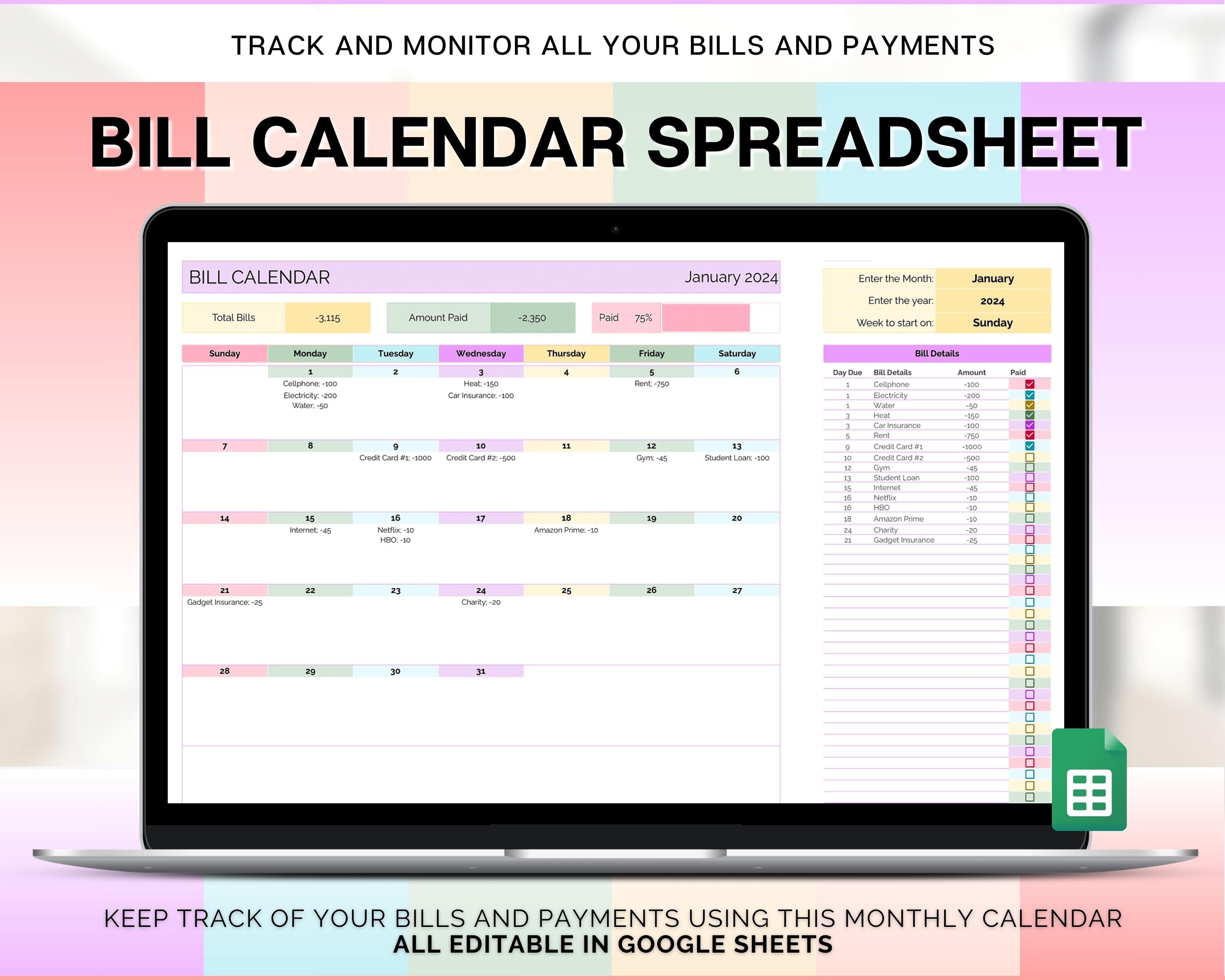
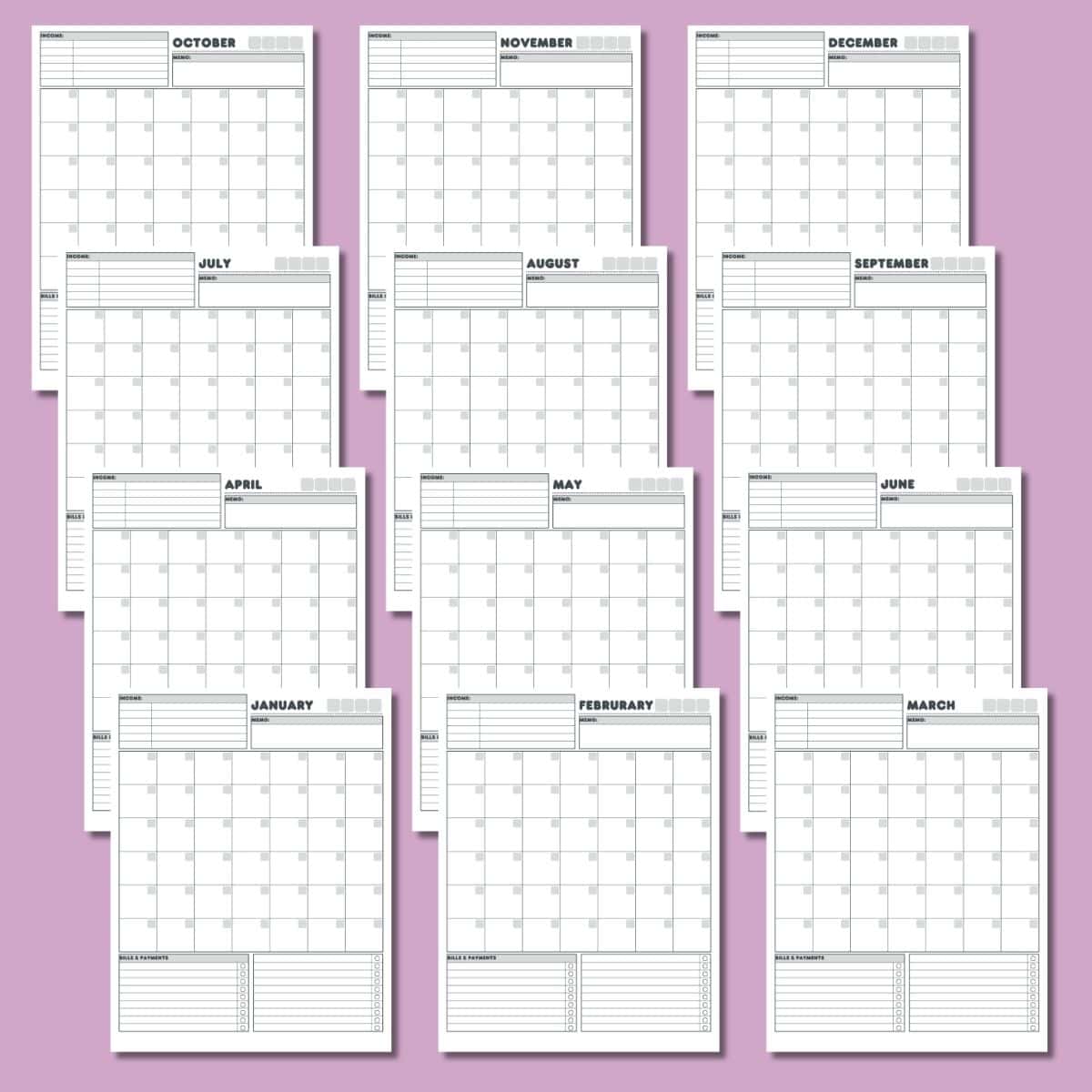
A PDF format is useful when the primary goal is printing, handwriting, archiving, or sharing a fixed version of a plan. It is especially appropriate for people who prefer paper-based budgeting and do not need automatic calculations.
A printable calendar should have enough writing space for the intended information. A calendar with tiny boxes may technically fit an entire month but become frustrating when several bills or notes must be recorded on the same date.
For a paper system, consider keeping a separate transaction list if the calendar becomes crowded. The calendar can then function as the schedule, while the transaction sheet acts as the detailed record. This separation often keeps both pages easier to use.
Before printing, check page orientation, paper size, margins, and whether all calendar columns remain readable. A spreadsheet that looks excellent on a monitor may become difficult to read when scaled to one printed page.
A paper calendar also benefits from a consistent review routine. For example, upcoming bills can be reviewed at the beginning of each week, while completed payments can be marked immediately after they are made. This keeps the calendar current rather than turning it into a static planning document.

How to Organize Income and Expenses
Income should generally be recorded according to when money becomes available, not merely when it is earned. This distinction is important for cash-flow planning because an invoice issued today may not produce spendable money today.
Expenses should generally be recorded according to the date money is expected to leave the account. For a bill with a known due date, use that date as the planning point. If a payment is normally made earlier than the due date, use the actual intended payment date.
Separate fixed, variable, and irregular expenses. Fixed expenses provide the strongest forecasting confidence. Variable expenses require a range or allowance. Irregular expenses should be anticipated through sinking funds or a separate annual planning section.
Do not hide small recurring expenses simply because each one is inexpensive. Subscriptions, service fees, app charges, and other small payments can become meaningful when repeated throughout a year. Recording them on the calendar also makes renewal dates easier to notice.
For households, use categories that everyone understands. A category such as “household extras” may be too vague if several people interpret it differently. Clear categories improve both the quality of the calendar and the usefulness of later analysis.
Using a Running Balance
A running balance estimates how much money remains after each scheduled transaction. It is one of the most valuable features of a calendar because it connects individual dates to the overall cash position.
Suppose an example household begins a period with $2,500, expects $3,000 of income, and has $4,600 of scheduled expenses. The monthly ending position would be $900 before considering any other transactions. The calendar then shows when the balance rises and falls rather than presenting only the final number.
The running balance should distinguish between expected and confirmed transactions when uncertainty is significant. An expected paycheck can be shown as planned, while a received paycheck can be marked actual. This prevents projected money from being mistaken for money that is already available.
When a projected balance becomes uncomfortable, the calendar provides a practical opportunity to adjust timing or spending. A planned purchase might be postponed, a flexible category might be reduced, or a savings transfer might be rescheduled when appropriate. The calendar helps identify the decision point before the cash position becomes difficult.
A running balance should never be treated as a substitute for checking the actual account balance. It is a planning figure. Reconcile it periodically with real transactions so that small differences do not accumulate into a misleading forecast.
Creating a Budget Calendar Template Monthly Review
At the end of each month, compare planned income with actual income. If the difference is large, determine whether the change was temporary or likely to repeat. This helps improve the next month’s assumptions without turning one unusual period into a permanent budget rule.
Next, compare planned expenses with actual expenses by category. Look for meaningful patterns rather than judging every small difference. A category that repeatedly exceeds its allowance may need a more realistic target, a spending adjustment, or a clearer definition.
Review the timing of transactions as well. A month can be within its total spending limit while still having a difficult cash-flow week. If that happens repeatedly, the problem may be scheduling rather than the overall spending amount.
Then review irregular expenses. Identify which costs appeared unexpectedly and which were predictable but forgotten. Predictable annual expenses should generally be added to the yearly plan so that future monthly calendars can include appropriate preparation.
Finish by writing two or three practical adjustments for the next period. A short action list is more useful than a long commentary. The goal of a monthly review is to improve the next plan, not simply explain the previous one.

Data Collection for a More Accurate Budget Calendar
Good budgeting starts with good inputs. Collect recent transaction information from bank statements, payment records, receipts, invoices, and existing financial worksheets. The purpose is to understand actual behavior before deciding what future spending should look like.
When collecting data, record dates and amounts separately. A category total without dates cannot support calendar planning. Likewise, dates without amounts cannot show whether a particular week creates a cash-flow problem.
Recurring transactions deserve special attention. Record the normal date, typical amount, and frequency. If the amount varies, use a realistic planning range or recent average rather than pretending that the payment is fixed.
For variable income, distinguish recurring sources from occasional sources. Regular income can support predictable obligations more confidently than irregular income. Treating uncertain income as guaranteed can make the calendar appear safer than it really is.
Finally, document assumptions. If a utility bill is estimated, mark it as estimated. If a payment date may move, record that uncertainty. Transparent assumptions make the template easier to update and easier for another person to understand.

Data Analysis: Turning the Calendar Into Useful Information
The first useful measure is variance: the difference between planned and actual values. For an expense, a positive variance may indicate that actual spending exceeded the plan, depending on the sign convention used. Choose one convention and apply it consistently.
The second useful measure is spending concentration. Look for weeks or dates containing multiple large obligations. A calendar can reveal clusters that are invisible in a simple monthly category summary.
The third measure is forecast accuracy. Compare projected ending balances with actual ending balances. Large repeated differences usually indicate that an income assumption, expense estimate, transaction date, or missing category needs attention.
The fourth measure is category stability. Some categories are naturally predictable, while others fluctuate. Stable categories can be planned precisely, whereas volatile categories may be better managed through ranges and regular review.
The fifth measure is progress toward goals. If the calendar includes savings or debt targets, compare scheduled contributions with actual contributions. The purpose is not to create pressure but to determine whether the current plan is realistic and sustainable.

Using a Yearly Budget Calendar Template
A yearly calendar should begin with major predictable events. These might include annual insurance, school costs, memberships, holidays, planned travel, taxes, business renewals, maintenance, or other expenses that do not appear every month.
Next, create a twelve-month income and expense overview. The objective is to identify seasonal patterns, not to place every daily transaction on one giant page. Daily detail belongs in monthly worksheets.
Annual planning is also useful for sinking funds. If an example annual expense is expected to be $1,200 and the household wants to prepare evenly, the planning model could allocate $100 per month. That example is illustrative rather than a universal recommendation.
Businesses can use the same principle for recurring operating expenses, project periods, annual subscriptions, and planned capital purchases. The categories and approval procedures will differ from personal budgeting, but the calendar concept remains useful.
Once the yearly plan exists, monthly calendars can inherit the relevant events. This reduces the chance that a predictable annual expense will be forgotten when an individual month is planned.

Weekly Budget Calendar Template Uses
A weekly calendar is particularly useful for people who receive income weekly or who want tighter control over discretionary spending. Instead of asking whether a monthly category has been exceeded, the user can ask whether the current week is progressing within its allowance.
Weekly planning can also support grocery and transportation budgets. For example, a monthly allowance can be divided into four or five weekly targets, with adjustments when a calendar month contains more than four full weeks.
Another useful approach is the weekly cash-flow meeting. Once a week, review the next seven days, confirm upcoming bills, check expected income, record completed transactions, and identify unusual expenses. This routine can take only a few minutes once the system is established.
Weekly planning should still connect to the monthly budget. A weekly limit that looks reasonable in isolation may become too generous when multiplied across an entire month. The monthly view provides the broader constraint while the weekly view provides practical control.
For households, weekly reviews can also clarify responsibilities. One person can update transactions while another reviews upcoming bills. The exact workflow should be simple enough that it can continue during busy weeks.

Common Mistakes to Avoid
Ignoring payment dates. A category-only budget may look balanced while several large payments arrive before income. Always include timing when cash availability matters.
Using optimistic income estimates. Expected income should not automatically be treated as guaranteed. Separate confirmed amounts from estimates, particularly when income varies.
Forgetting irregular expenses. Annual or seasonal costs can make a monthly plan look successful until the expense arrives. Include predictable irregular expenses in a yearly planning layer.
Making the template too complicated. A spreadsheet with dozens of tabs and formulas may look sophisticated but fail if it takes too long to update. Complexity should solve a real problem.
Failing to reconcile actual transactions. A forecast becomes less useful when the starting balance is never corrected for reality. Update actual income and expenses regularly and use the resulting information to improve future forecasts.

Best Practices for a Sustainable Budget Calendar
Keep the input process fast. If recording one transaction requires several minutes of categorization, people are likely to postpone entries. Use a practical number of categories and make common entries easy to identify.
Use consistent naming. “Groceries,” “Food Shopping,” and “Supermarket” may all describe the same category, but inconsistent labels make later analysis harder. Establish category names once and use them consistently.
Separate planning from reporting. The calendar is primarily a planning interface, while a transaction log or summary sheet can provide detailed reporting. Keeping those functions distinct often makes the overall system easier to maintain.
Review upcoming transactions rather than only looking backward. A budget calendar becomes more valuable when it answers what is likely to happen next week or next month. Future visibility is one of the main reasons to use a calendar format.
Keep an archive of completed periods when useful. Monthly copies can show how forecasts improve over time, reveal recurring seasonal patterns, and provide reference material when setting future targets.

Practical Solution: Build a Simple System You Will Actually Use
The most practical solution is to start with one monthly calendar rather than attempting to create a complete financial-management system on the first day. Add only the information necessary to answer three questions: what money is expected to arrive, what money is expected to leave, and what should remain afterward.
Use a five-part setup. First, record the starting balance. Second, add expected income. Third, add essential bills and obligations. Fourth, add flexible spending and savings plans. Fifth, calculate or estimate the balance after each important transaction.
During the month, update actual transactions as they occur. If a planned amount changes, preserve the original plan when possible and record the actual amount separately. This creates a useful history instead of continuously rewriting the forecast until it matches reality.
Once the basic system works, add improvements one at a time. A category summary may be useful next. Then add recurring transactions, a yearly overview, conditional warnings, or a dashboard if those features genuinely save time or improve decisions.
A practical review workflow can be as simple as this: once a week, inspect the next seven days; once a month, compare planned and actual totals; once a quarter, examine recurring patterns; and once a year, update annual and irregular-expense assumptions. The system should support your life rather than become another administrative task.
Reference Examples
The following reference examples illustrate different formats and visual approaches for calendar-based budgeting, including spreadsheets, printable layouts, planning tables, and financial tracking views.
budget planning calendar template excel
Source: Template.net
budget planning calendar template google sheets
Source: Creative Cashflow
budget planning calendar template free
Source: Printablee
budget planning calendar template pdf

Source: Printables for Life
budget planning calendar template free download

Source: gDoc
budget planning calendar template printable
Source: Printablee
budget calendar free template
Source: Kevin’s Templates
budget calendar template monthly
Source: Tiller Community
yearly budget calendar template
Source: Wikimedia Commons
weekly budget calendar template
Source: Wikimedia Commons
printable monthly budget calendar template
Source: Wikimedia Commons
budget calendar template excel
Source: Wikimedia Commons
Frequently Asked Questions
What is the purpose of a budget planning calendar template?
The main purpose is to connect financial planning with dates. It shows when income is expected, when bills and other expenses are scheduled, and how those events may affect the available balance during the period.
Is a calendar budget better than a normal monthly budget?
They solve slightly different problems. A monthly budget is excellent for category limits and overall totals, while a calendar adds timing. Many people benefit from using both together.
Can I create a budget planning calendar template in Excel?
Yes. Excel is well suited to calendar-based budgeting because it supports formulas, tables, filters, conditional formatting, and separate worksheets for transactions, monthly calendars, and annual summaries.
Can Google Sheets be used for a shared household budget?
Yes. A shared spreadsheet can allow multiple people to work from the same current version. Establish consistent categories and a simple review routine so changes remain understandable.
Should I use a printable calendar or a spreadsheet?
Choose the format that you will actually maintain. A printable version is useful for handwriting and quick visual planning, while a spreadsheet is better when you want automatic calculations, sorting, sharing, and historical analysis.
What should I put on a monthly budget calendar?
Start with the opening balance, income dates, recurring bills, debt payments, savings transfers, flexible spending allowances, irregular expenses, and notes about unusual transactions. Add more detail only when it improves decisions.
How often should a budget calendar be updated?
Upcoming transactions can be reviewed weekly, while actual transactions should ideally be recorded soon after they occur. A more detailed monthly review can then compare the original plan with actual results.
How do I handle irregular income?
Record expected income separately from confirmed income. Use conservative assumptions when amounts are uncertain, and avoid relying on money that has not actually become available to cover essential obligations.
How do I handle annual expenses?
List predictable annual expenses in a yearly planning view and then reflect the relevant preparation or payment dates in monthly calendars. Sinking funds can be used as a planning mechanism for known future costs.
What is the difference between a budget calendar and a bill calendar?
A bill calendar focuses mainly on payment dates and amounts. A budget calendar can include those bills while also showing income, flexible spending, savings, debt payments, goals, and projected balances.
Conclusion
A well-designed budget planning calendar template does more than list expenses. It creates a financial timeline that connects income, bills, spending, savings, and balances. Whether you choose Excel, Google Sheets, PDF, or paper, the strongest system is the one that clearly separates planned and actual amounts, accounts for timing, includes irregular costs, and can be updated without excessive effort. Start with a simple monthly structure, review it consistently, and add advanced features only when they solve a real planning problem. If you want a visual companion, I can also create an image showing how a budget calendar flows from income to bills, spending, savings, and the remaining balance.
