The best template is not necessarily the one with the most columns. It is the one that captures the information people actually need, keeps records consistent, makes common tasks fast, and can evolve as the business grows. A small service company may need only contact details, status, and follow-up dates, while a larger sales operation may need account ownership, opportunities, communication history, payment information, and segmentation fields.
Templates are particularly useful because they reduce the amount of design work required before data entry begins. A spreadsheet can provide predefined headings, filters, formulas, and formatting, while a database application can add forms, queries, relationships, and reports. Microsoft Access, for example, supports templates, forms, queries, and reports for structured database work, while Google Sheets provides tables and reusable structures for organized spreadsheet data.
This guide explains how to design a customer database template, which fields matter most, how to choose between Excel, Google Sheets, Word, PDF, Access, and CRM-style solutions, and how to keep the resulting database accurate. It also covers invoicing, customer research, reporting, privacy, maintenance, and practical workflows that can turn a simple customer list into a useful business information system.
The goal is not simply to create a file that looks professional. The goal is to create a customer database template that remains understandable and useful after hundreds of records, multiple updates, changing customer statuses, and routine business activity have accumulated.

What Is a Customer Database Template?
A customer database template is a pre-structured document or data system designed to store customer records in a consistent format. In a basic spreadsheet, each row represents a customer and each column represents a field such as customer ID, name, email, phone number, company, location, status, or notes.
The word “template” matters because the structure exists before the actual customer information is entered. Instead of deciding every column while working with live data, the business establishes a standard record format first. This makes data entry more predictable and reduces the chance that one employee records a phone number in one place while another puts it inside a general notes field.
A useful database normally separates the concepts of records and fields. A record represents one customer or account, while a field represents one category of information shared across records. Keeping this distinction clear makes sorting, filtering, searching, reporting, and exporting much easier.
A template can be extremely simple or highly sophisticated. A basic customer list may contain six to ten columns. A CRM-style workbook might have separate sheets for customers, opportunities, activities, settings, and dashboards. A relational database can go further by connecting customers to orders, invoices, products, appointments, and communications.
The right level of complexity depends on the business problem. Adding fields merely because they seem useful can make a database harder to maintain. A strong customer database template begins with the decisions and workflows the business needs to support, then adds only the information necessary to make those workflows work reliably.

Why a Structured Customer Database Matters
Customer information becomes difficult to manage when it exists in disconnected spreadsheets, email conversations, notebooks, invoices, contact applications, and personal files. Even when every individual file is accurate, the overall picture can become inconsistent because different versions contain different information.
A structured database creates a common reference point. Sales staff can find current contact information, service teams can review customer notes, billing staff can locate invoice-related details, and managers can segment records without rebuilding a list from scratch each time.
Consistency also improves reporting. If every customer has a clearly defined status, the business can count active accounts, prospects, inactive customers, or follow-up opportunities. If every record has a standardized acquisition source, management can compare where customers came from without interpreting dozens of different descriptions.
Another advantage is continuity. When an employee changes roles or leaves the business, customer knowledge should not disappear with their personal spreadsheet. A shared structure makes important information easier to transfer and reduces dependence on individual memory.
Good organization also improves efficiency without requiring sophisticated software. Sorting by last contact date can reveal accounts that need attention. Filtering by region can create a regional call list. Filtering by status can separate prospects from active customers. Searching by customer ID can help staff locate the correct record when names are similar.

Core Fields to Include
The foundation of a customer database should be a unique customer identifier. A name is not always unique, and email addresses can change. A customer ID gives each record a stable reference that can be used in invoices, orders, support notes, and internal reports.
Contact information normally includes customer name, company name when applicable, email address, phone number, mailing address, city, region, postal code, and country. Not every business needs every address component, so the structure should reflect the actual operating environment.
Relationship fields provide context that pure contact lists lack. Useful examples include customer status, account owner, customer type, acquisition source, industry, segment, priority, and preferred communication channel. These fields help turn a directory into an operational tool.
Activity fields can include first contact date, last contact date, next follow-up date, last purchase date, next scheduled interaction, and a short account note. Date fields are particularly valuable because they allow a business to identify stale records and organize work chronologically.
Financial fields should be added only when they serve a real workflow. Depending on the business, these might include customer value, outstanding balance, payment terms, invoice reference, or total purchases. Sensitive financial information should receive stronger access controls than ordinary contact details.

Example Customer Database Fields
| Field | Purpose | Example |
|---|---|---|
| Customer ID | Unique record reference | CUS-00482 |
| Customer Name | Primary contact identity | Jordan Lee |
| Company | Account or organization | Northfield Studio |
| Electronic communication | [email protected] | |
| Phone | Direct communication | +1 555 0100 |
| Status | Relationship stage | Active |
| Owner | Internal responsibility | Sales Team A |
| Last Contact | Recent interaction date | 2026-08-28 |
| Next Follow-Up | Planned action | 2026-09-15 |
| Notes | Relevant context | Requested annual renewal |
Designing the Database Before Entering Data
Before entering real records, define what one row means. In a basic customer database, one row should normally represent one customer or account. Mixing customers, individual transactions, invoices, and activities in the same row creates ambiguity and makes later analysis more difficult.
Next, decide which fields are required and which are optional. Requiring every field can discourage accurate entry if staff do not have the information. On the other hand, making every field optional can produce incomplete records. A practical approach is to require only the fields necessary to identify and work with the customer.
Controlled values are equally important. Instead of allowing one employee to type “Current,” another to type “Active,” and another to type “Existing,” establish one approved status value. Dropdown lists are useful for this because they reduce spelling differences and make filtering more dependable.
Dates should follow one consistent convention. Decide whether the system will use a particular date format and use it everywhere. Phone numbers should also be recorded consistently, especially when customers may be located in different countries.
Finally, establish a rule for duplicates. A new record should not be created simply because a customer contacts the business again. The user should first search by customer ID, email, phone number, or another appropriate identifier before creating a new record.

Customer Database Template Excel: When a Spreadsheet Is the Right Choice
A spreadsheet is often the easiest starting point for a small business. An Excel-based structure can provide sortable columns, filters, formulas, conditional formatting, data validation, and printable reports without requiring a dedicated database administrator.
For a small customer list, the spreadsheet approach is especially practical when the main requirement is centralized contact information. It can also be useful for preparing data before importing it into another system. Microsoft recommends consistent column headings and consistent data types when moving spreadsheet data into Access, which illustrates why good spreadsheet structure matters even when Excel is only the first stage.
When building customer data in Excel, convert the main range into a proper table where appropriate. This makes filtering and structured expansion easier. Avoid merged cells inside the data area because they interfere with sorting, filtering, and automated processing.
Keep formulas separate from manually entered fields whenever possible. For example, a customer value can be calculated from transaction data rather than repeatedly typed by hand. This reduces the risk of outdated numbers.
A spreadsheet should also have a defined storage location and backup routine. A beautifully structured file can still become unreliable if multiple copies circulate through email and staff members update different versions.

Customer Database Template Google Sheets: Collaboration and Accessibility
Google Sheets is useful when several authorized people need access to the same working file. Google provides table functionality that can apply structure and column types to data ranges, making organized spreadsheet workflows easier to maintain.
The main advantage of a cloud-based sheet is collaborative access. A sales representative can update a customer record while another authorized colleague reviews the same dataset. This can reduce the version-control problem associated with sending spreadsheet attachments back and forth.
Shared editing still requires discipline. Permission levels should reflect responsibilities, and the main database should not be treated as an unrestricted scratchpad. Important formulas, settings, and controlled lists should be protected from accidental modification.
Google Sheets can also be useful for simple dashboards. Filters, pivot tables, formulas, and charts can turn a customer list into a management view without moving the information into a full CRM immediately.
For larger or more complex operations, however, collaboration alone does not solve every database problem. If the business needs sophisticated permissions, audit trails, automated workflows, extensive relationships, or high-volume transaction management, a dedicated database or CRM may be more appropriate.

Customer Database Template Free and Free Download Options
Searching for a customer database template free option is reasonable when the objective is to establish a basic customer list without paying for specialized software. Free templates can provide useful headings, sample structures, and formatting that save setup time.
However, “free” does not automatically mean that a template is suitable for a business. Before adopting one, inspect its fields, formulas, data validation rules, instructions, and licensing terms. Remove unnecessary fields and make sure the structure matches the actual workflow.
A customer database template free download can be useful for testing a proposed structure before investing in software. A business can populate a copy with fictional or non-sensitive sample data and evaluate whether staff can find, filter, update, and report information efficiently.
It is also worth distinguishing between a free blank template and a free software platform. A downloadable spreadsheet is generally a file that the business manages itself. A cloud service may provide a collaborative environment but can introduce account, permission, storage, and platform considerations.
For any download, use the provider’s genuine website rather than an unknown mirror. Confirm the file format, inspect it before entering sensitive information, and avoid enabling macros or other active content unless the source and functionality are trusted.

Customer Database Template Word: When a Document Makes Sense
Word is generally better suited to document-style records than to large tabular databases. A customer database template word document can still be useful when the objective is to create a printable customer information sheet, intake form, profile page, or manually completed record.
A Word-based profile can provide more room for narrative information than a spreadsheet row. For example, a consultant may want a customer profile containing goals, background, requirements, meeting notes, and service preferences.
The limitation is that Word does not naturally provide the same filtering, sorting, formulas, and structured analysis capabilities that a spreadsheet provides. Managing hundreds of individual customer documents can also make search and reporting cumbersome.
For that reason, Word is best treated as a document layer rather than the primary database when records need regular analysis. A spreadsheet or database can remain the structured source, while Word documents can be generated for individual customer profiles or printable reports.
When a Word document is used as a customer intake form, keep the questions aligned with the fields in the main database. This makes later transcription or import easier and reduces the chance that important information is collected in a format that cannot be used operationally.

Customer Database Template Excel PDF and Printable Records
A customer database template excel pdf combination is useful when the same information must exist in both an editable working format and a printable or shareable format. Excel is normally better for maintaining the underlying records, while PDF is useful for presenting a fixed snapshot.
PDF files are particularly helpful when a customer profile, list, or report needs to be printed or shared without allowing the recipient to accidentally modify the original working data. The exported PDF should be treated as a snapshot rather than as the master database.
Before exporting, check page orientation, column widths, repeating headers, and whether sensitive columns should be excluded. A spreadsheet that looks readable on screen can become difficult to interpret when printed across several pages.
For individual customer records, a printable layout can include the customer ID, name, contact details, status, account owner, recent interaction, outstanding action, and selected notes. Avoid including unnecessary sensitive information in a document that may be printed or circulated.
A good workflow is to maintain the structured data in its original editable format, generate PDF reports only when needed, and clearly distinguish the master dataset from exported copies.

Customer Database Template Library: Building a Reusable System
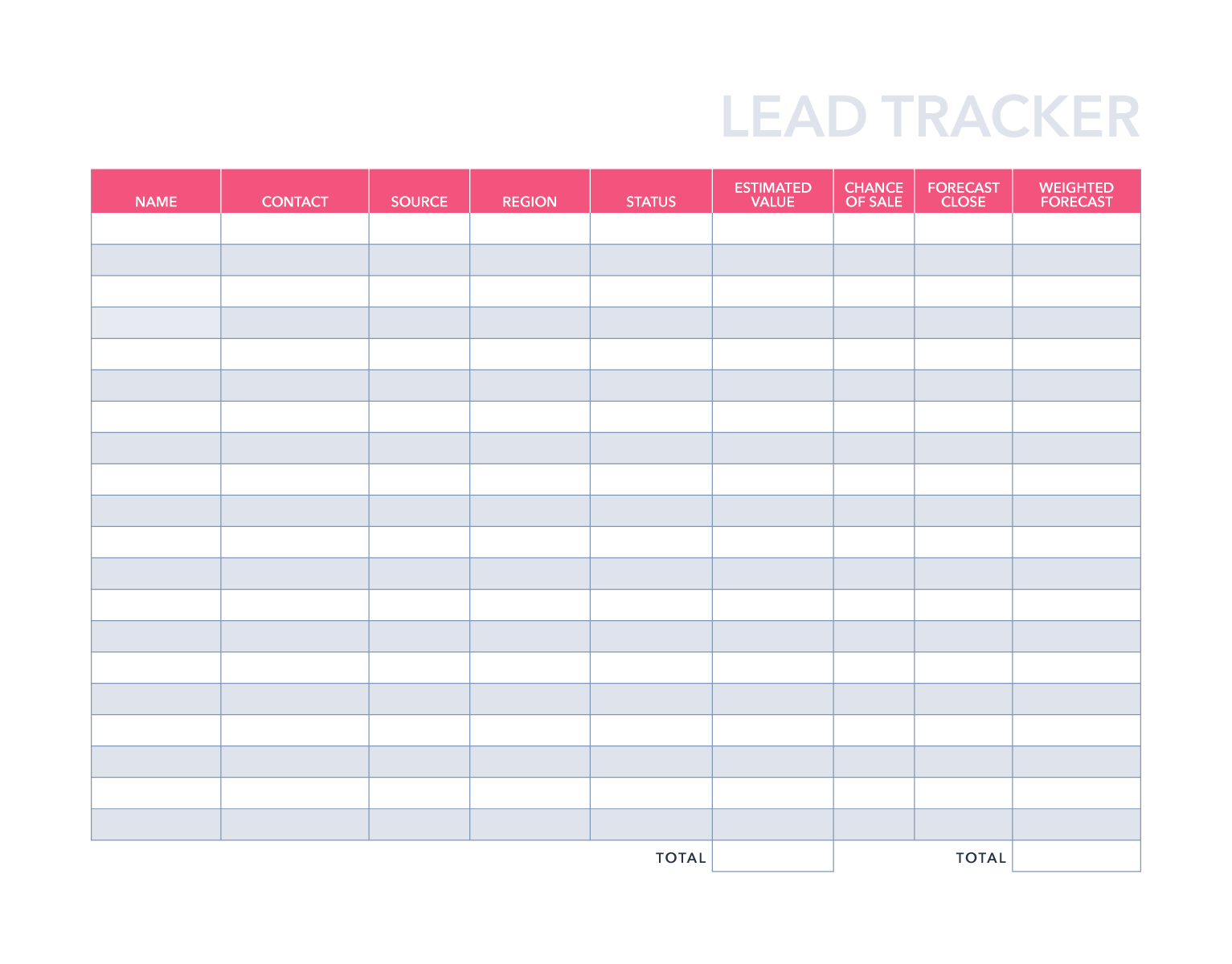
A customer database template library is useful when a business has several related workflows. Instead of creating an entirely new structure every time, the organization can maintain reusable templates for customer contacts, sales leads, account reviews, invoices, service records, feedback, and reporting.
A library should not mean a random collection of files. Each template should have a clear purpose, owner, version, and description. A simple naming convention can distinguish the master version from department-specific copies.
For example, a small service company might maintain a customer master, customer intake form, service history sheet, invoice register, follow-up tracker, and monthly customer report. Each file can share the same customer ID so information remains connected conceptually.
Reusable templates also make onboarding easier. New staff do not have to invent their own customer record format. They can start from an approved structure that already reflects the organization’s field definitions and operating procedures.
Template governance becomes more important as the library grows. Retire obsolete versions, document important changes, and make sure staff know which template is authoritative. Otherwise, a template library can create the same duplication problem it was designed to solve.

Customer Database Template CRM: Turning a List Into a Relationship System
A customer database template CRM structure goes beyond static contact information. It introduces relationship management concepts such as lead status, sales stage, account ownership, interaction history, next actions, and opportunities.
A useful CRM-style spreadsheet often separates the customer master from activity records. One sheet can hold relatively stable customer information, while another records calls, emails, meetings, or other interactions. This prevents a single customer row from becoming an increasingly long collection of notes.
Another important concept is the distinction between a customer and an opportunity. One customer can have several potential purchases or projects. If all opportunities are forced into one customer row, the structure becomes difficult to analyze. A separate opportunity table can preserve one row per opportunity while using the customer ID to connect it to the customer.
Status values should be defined carefully. A simple model might use Prospect, Active, At Risk, Inactive, and Lost. A sales pipeline may require different stages such as Qualification, Proposal, Negotiation, Won, and Lost.
The purpose of these stages is not to make the spreadsheet look like CRM software. Their purpose is to create consistent decision points. Each status should have a practical meaning and, ideally, a clear action associated with it.

Customer Database Template for Invoicing
A customer database template for invoicing can reduce repeated typing when customer information is used regularly in billing documents. Typical fields include customer ID, billing name, billing address, contact email, phone, payment terms, tax-related information where appropriate, and invoice references.
The safest structure keeps customer master information separate from invoice transactions. One customer can receive many invoices, so placing every invoice in the same customer row creates unnecessary repetition and limits reporting.
A better spreadsheet design can contain a customer table and a separate invoice table. The invoice table can include invoice number, customer ID, invoice date, due date, amount, payment status, and payment date. Formulas or lookups can retrieve customer details when preparing an invoice.
Billing workflows should also account for changes. If a customer changes address, the customer master can be updated without rewriting every historical invoice. Historical invoice records should preserve the information necessary to document the transaction accurately.
Access to financial information should be limited to people who need it. A customer database may contain ordinary contact information alongside sensitive financial details, and those categories do not necessarily need identical access permissions.

Customer Database Template Jotform Tables and Form-Based Collection
A form-based workflow changes how customer data enters the database. Instead of asking staff to type directly into rows, an online form can collect standardized information and send submissions into a structured table.
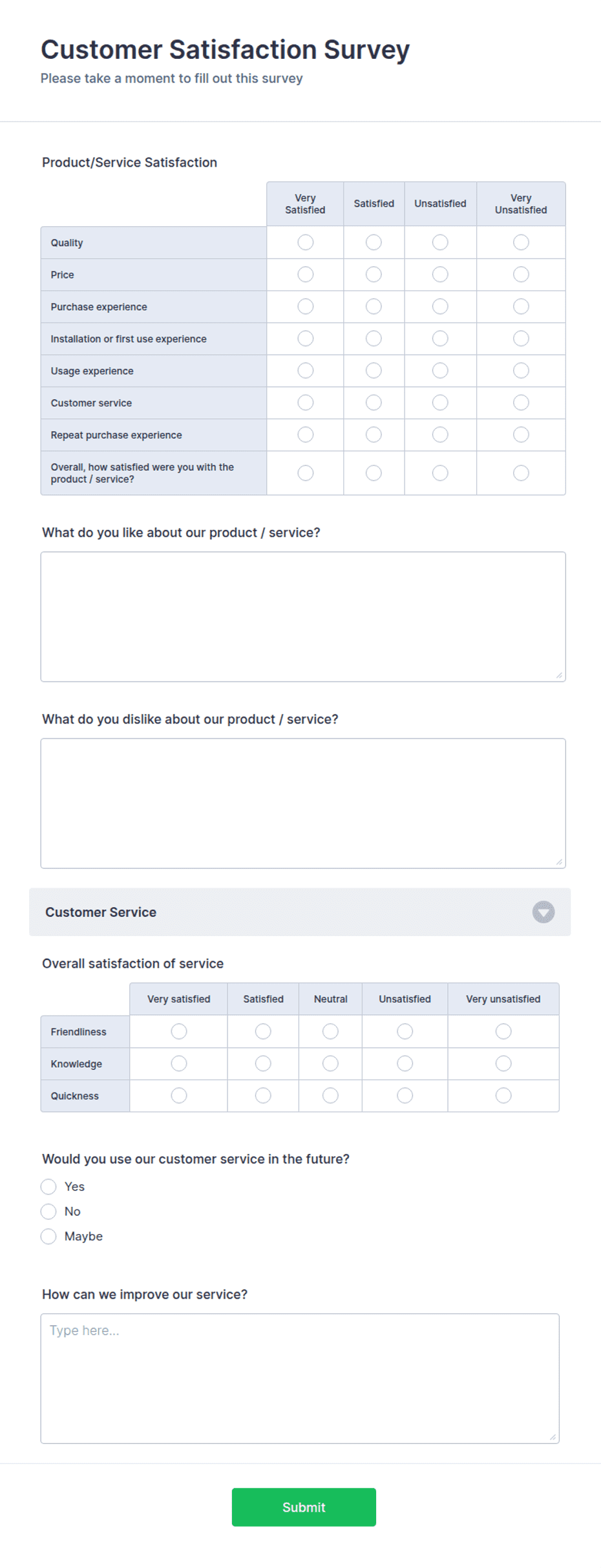
Jotform Tables is one example of a table-oriented workflow connected to forms. Jotform describes its Client Database Template as a system that can receive submissions from a sales lead generation form and organize them in an online table.
This approach can be useful when customers, prospects, employees, or partners need to submit information themselves. The form can require certain fields, define response types, and reduce inconsistent manual entry.
Form-based collection should still be designed carefully. Ask only for information that serves a clear business purpose, explain important privacy expectations where necessary, and avoid collecting sensitive information unless there is a legitimate reason and appropriate protection.
After collection, the table should have a defined review process. New records may need duplicate checking, status assignment, ownership, categorization, and follow-up scheduling before they become fully operational customer records.
Customer Database Template Sample DevHut and Evaluating Online Examples
People searching for a customer database template sample devhut or another named example are often trying to understand what a finished database should look like before creating one themselves. A sample can be useful for studying layout, fields, relationships, and practical organization.
A sample should be treated as a design reference rather than as a universal standard. One business may need company-level records, another may need individual consumers, and another may need customer accounts linked to properties, projects, or service appointments.
When reviewing a sample, first identify its record unit. Ask whether each row represents a person, company, account, transaction, lead, invoice, or interaction. This single question often reveals whether the sample is structurally suitable for the intended use.
Next, examine whether the fields are standardized. Look for unique identifiers, consistent statuses, defined date fields, and clear ownership. If a sample relies heavily on free-text notes, consider whether some of that information should become structured fields.
Finally, examine how the sample would behave after substantial growth. A layout that works beautifully for twenty records may become awkward at two thousand. Good examples should teach principles that remain useful as the dataset becomes larger.

Customer Database Template Access: When a Database Application Fits Better
A customer database template access solution can be appropriate when a spreadsheet is no longer enough but a large enterprise platform would be excessive. Microsoft Access is designed for database work and supports tables, forms, queries, reports, and relationships.
Access can also import data from Excel when the spreadsheet has consistent headings and data types. This makes it a practical next step for a business that has already developed a structured spreadsheet but now needs more formal database behavior.
Forms are useful because users do not always need to work directly in database tables. A well-designed form can present only the fields needed for a specific task, reducing accidental changes and making data entry more approachable.
Queries allow users to retrieve targeted information without manually filtering the underlying tables each time. Reports can then summarize or present selected information for management or operational purposes.
Moving to Access should still be based on a real requirement. If the main problem is simply an untidy spreadsheet, improving the spreadsheet structure may be enough. If the business needs linked tables, forms, repeatable queries, and structured reporting, a database application becomes more compelling.

How to Create a Customer Database Template Step by Step
Start by defining the purpose in one sentence. For example: “This database stores active and prospective customers so the sales and service teams can find contact information, monitor status, and schedule follow-ups.” A clear purpose prevents unnecessary fields from entering the design.
Second, define the record unit. Decide whether one row represents an individual person, a household, a business account, or another entity. If several contacts can belong to one company, consider separating company records from individual contact records.
Third, create the core fields. Begin with customer ID, name, company, email, phone, location, status, owner, last contact date, next action, and notes. Add industry, acquisition source, value, or other fields only when they support a real workflow.
Fourth, standardize controlled fields. Create approved lists for status, customer type, lead source, priority, and other categories that will be filtered or reported. Consistent vocabulary is more valuable than a long list of loosely defined options.
Fifth, test the template with fictional records. Try sorting, filtering, searching, editing, exporting, and creating a report. Deliberately add duplicate-looking names, missing emails, long company names, and unusual phone numbers to discover weaknesses before real data is introduced.

Step 6: Add Validation and Error Controls
Data validation prevents many simple mistakes. A status column can use a dropdown instead of unrestricted typing. Date fields can be restricted to valid dates. Numeric fields can reject text. These controls do not guarantee perfect data, but they reduce avoidable variation.
Duplicate detection is another important control. Depending on the business, a combination of customer ID, email, phone number, and company name may help identify possible duplicates. A duplicate should be reviewed rather than automatically deleted because two people can legitimately share some information.
Required fields should be chosen carefully. Customer ID, customer name, or another essential identifier may be mandatory, while secondary information can remain optional. Requiring too many fields encourages users to enter placeholder information that makes the database look complete but reduces its reliability.
Conditional formatting can highlight practical exceptions such as missing follow-up dates, overdue actions, inactive accounts, or duplicate identifiers. The goal is not decoration; the goal is to make important exceptions visible.
Testing should continue after launch. When staff repeatedly encounter the same problem, consider whether the template should change. A database is a working system, and its design should improve when actual use reveals weaknesses.

Data Collection and Customer Research
Customer database quality begins before the first record reaches the database. The collection process determines whether information is accurate, complete, current, and appropriate to retain.
Data can come from website forms, sales conversations, customer service interactions, purchases, invoices, surveys, appointments, referrals, or manual entry. Each source should map to the same underlying field definitions where possible.
Forms are useful for collecting standardized information because the business controls the questions and response formats. A form can distinguish between a phone number, email address, dropdown selection, date, and free-text comment rather than placing everything into one open text box.
Customer research can also enrich the database with segmentation information. For example, a business may categorize customers by industry, service type, region, acquisition channel, or account size. Such categories should be based on useful business questions rather than collecting attributes simply because they are available.
Consent, lawful basis, retention, access, and deletion requirements vary by jurisdiction and business context. A template should therefore include only information the organization has a legitimate reason to collect and should be managed according to applicable privacy obligations.

Analyzing Customer Data
Once the database is populated, analysis should answer practical questions. How many customers are active? Which records need follow-up? Which acquisition sources produce the most valuable relationships? How many accounts have not been contacted recently?
Simple counts are often enough to start. A spreadsheet can count customers by status, segment, region, or owner. Conditional sums can estimate the value associated with a particular group when the underlying financial data is appropriate for analysis.
Time-based analysis can reveal operational patterns. Grouping customers by last contact month can show whether follow-up activity is keeping pace with customer needs. Tracking first purchase and latest purchase dates can support retention reviews without requiring an elaborate analytics platform.
Charts can make trends easier to interpret, but visualization should not replace careful analysis. A chart with attractive colors can still be misleading if categories overlap, dates are inconsistent, or the underlying data contains duplicates.
Always investigate unusual results. If one customer segment suddenly appears much larger than another, check whether the change reflects real behavior or simply a change in how records were entered.

Reporting and Dashboards
A customer database becomes more valuable when routine information can be transformed into concise reports. A weekly customer report might show new leads, active accounts requiring attention, overdue follow-ups, recently inactive customers, and upcoming renewals.
A dashboard should focus on decisions rather than display every available metric. If managers need to know where attention is required, the dashboard should emphasize actionable indicators rather than a crowded collection of charts.
For example, a customer service dashboard could show open customer issues, average age of unresolved cases, customers awaiting responses, and accounts with repeated issues. A sales dashboard could show prospects by stage, opportunities by expected value, and upcoming follow-ups.
Reports should have defined calculation rules. If “active customer” is defined differently by different departments, the dashboard will create confusion rather than clarity. Document important definitions and use consistent formulas or queries.
Reporting should also respect access controls. A manager may need aggregated customer information while an employee may need access only to the records assigned to them.
Common Customer Database Mistakes
One of the most common mistakes is collecting too much information. More columns do not automatically create a better database. Every field creates a maintenance responsibility, so unnecessary fields can reduce data quality.
Another problem is using free text for information that should be standardized. Status, priority, customer type, region, and lead source are usually easier to analyze when users select from controlled options.
Duplicate records are another major issue. Duplicate customers can distort counts, produce conflicting contact information, and cause multiple employees to contact the same person unnecessarily. A duplicate-review process is better than relying entirely on manual memory.
Unclear ownership is also dangerous. If no one is responsible for keeping a record current, outdated addresses, inactive accounts, and forgotten follow-ups accumulate. Assigning a responsible owner can make maintenance part of normal work rather than an occasional cleanup project.
Finally, businesses sometimes treat the template as finished after the first version is created. Real-world use will reveal missing fields, confusing labels, and unnecessary steps. Schedule periodic reviews and improve the structure based on actual operational experience.

Best Practices for Maintaining Customer Data
Assign responsibility for data quality. Someone should own the template structure, while individual teams can be responsible for the records they create or manage. This creates accountability without requiring one person to manually inspect every field.
Use a standard update routine. For example, staff can verify contact details after important interactions and update the next-action date before closing a customer task. Small maintenance steps performed consistently are easier than occasional large cleanup projects.
Keep an audit-friendly change process. If a critical customer detail changes, it should be possible to understand what changed and why when the business context requires it. A dedicated activity log is often more useful than repeatedly overwriting notes.
Back up important datasets and avoid uncontrolled copies. A backup strategy should account for accidental deletion, corruption, and unauthorized changes. The exact approach depends on the platform and the organization’s security requirements.
Review permissions regularly. Employees should generally have access only to information necessary for their work. When roles change, access should be updated rather than left unchanged indefinitely.

Practical Solution: A Simple Customer Database Workflow
For a small business starting from scratch, begin with one master customer table. Use Customer ID, Customer Name, Company, Email, Phone, City, Status, Owner, Last Contact, Next Follow-Up, Source, and Notes as the initial structure.
Next, create controlled lists for Status, Owner, Source, and Priority. Connect those lists to dropdown fields where the chosen spreadsheet platform supports data validation. This gives the database a consistent vocabulary from the beginning.
Then create a separate Activity sheet if interaction history is important. Each activity can contain Activity ID, Customer ID, Date, Activity Type, Owner, Outcome, and Next Action. This is preferable to placing an unlimited history of calls and emails inside one customer cell.
Add a simple dashboard only after the underlying data is working. Start with counts of customers by status, customers needing follow-up, and customers without recent activity. Add financial or conversion metrics only when their definitions are clear.
Finally, test the workflow with fictional data. Ask someone who did not design the template to enter several records and complete a typical task. Their questions will reveal usability problems that the designer may overlook because the structure already seems familiar.
A Practical Three-Layer Model
The first layer is the customer master. It should contain relatively stable information such as customer ID, name, company, contact details, segmentation, status, and ownership.
The second layer is activity and transactions. This includes communications, purchases, invoices, service events, appointments, or opportunities. Each activity should reference the customer rather than duplicating the entire customer profile.
The third layer is reporting. Reports and dashboards should use the first two layers to answer operational questions without becoming another place where customer information is manually re-entered.
This separation improves maintainability. When an email address changes, the customer master changes once. When a new invoice is issued, the invoice table receives a new record. When management wants a report, the report uses the underlying records rather than creating another manually maintained list.
This model can begin in a spreadsheet and later migrate into a database or CRM. The most valuable investment is therefore not a particular software product but a clean data structure that remains understandable as the business evolves.
Choosing the Right Format
Excel is a strong choice when the customer list is relatively simple, the team already uses Microsoft 365, and the primary needs are structured rows, filters, formulas, and reports.
Google Sheets is attractive when collaboration and browser access are central requirements. It works well for teams that need to edit the same working dataset and can benefit from table features and shared access.
Word is better for customer profiles, forms, letters, printable records, and narrative documents than for large analytical datasets. It can complement a database rather than replace it.
PDF is best considered an output format. It is useful for fixed reports, printable customer profiles, and controlled snapshots, but it should generally not be treated as the primary editable database.
Access becomes useful when structured relationships, forms, queries, and reports are more important than simple spreadsheet convenience. A CRM becomes increasingly attractive when the business needs integrated sales, customer interactions, automation, permissions, and broader relationship management.

When to Move Beyond a Spreadsheet
A spreadsheet can remain useful for a long time when the data structure is simple and the workflow is controlled. Problems usually arise when the organization begins asking the spreadsheet to behave like a full application.
Warning signs include frequent duplicate records, many people editing simultaneously, complicated formulas that few people understand, repeated manual imports, multiple conflicting copies, and increasingly difficult permission requirements.
Another sign is that one customer can have many related objects. If every customer can have many contacts, opportunities, invoices, orders, support cases, and activities, forcing everything into one flat table becomes inefficient.
Automation requirements can also change the decision. If the business wants automatic lead assignment, reminders, email synchronization, customer portals, workflow triggers, or detailed audit history, a dedicated platform may deliver more value than continually expanding a spreadsheet.
The transition does not have to happen all at once. A business can first standardize its customer fields, clean duplicates, define IDs, and document workflows. A clean template then becomes a useful foundation for future migration.

Reference Examples
The following references illustrate different formats and concepts that can help when evaluating a customer database template. Each example is tied to the exact search phrase it accompanies, while the article itself focuses on general design principles rather than claiming that any single template is universally appropriate.
customer database template excel
Source: Wikimedia Commons
customer database template google sheets
Source: Wikimedia Commons
customer database template free download
Source: Wikimedia Commons
customer database template free

Source: Wikimedia Commons
customer database template word
Source: HubSpot
customer database template excel pdf
Source: Wikimedia Commons
customer database template library
Source: Wikimedia Commons
customer database template crm
Source: Wikimedia Commons
customer database template for invoicing
Source: Wikimedia Commons
customer database template jotform tables
Source: Jotform
customer database template sample devhut
Source: Wikimedia Commons
customer database template access
Source: Free Microsoft Templates
Frequently Asked Questions
What is the best customer database template?
The best customer database template is the one that matches the business workflow. For a simple customer list, a spreadsheet with clear fields, filters, validation, and a unique customer ID may be sufficient. More complex operations may benefit from a CRM or relational database.
How many fields should a customer database have?
There is no universal number. Start with fields required to identify customers, communicate with them, manage their status, and perform the tasks the business actually needs. Add fields only when they support a useful workflow, report, decision, or compliance requirement.
Should every customer have a unique ID?
Yes, a unique identifier is a strong practice. Names and email addresses can change or be shared, while a stable customer ID can connect customer records with invoices, activities, opportunities, and other related information.
Can Excel be used as a customer database?
Yes. Excel can be effective for structured customer lists, filtering, sorting, formulas, dashboards, and smaller-scale workflows. Its limitations become more significant when the business needs complex relationships, advanced permissions, extensive automation, or many interconnected transaction records.
Is Google Sheets suitable for customer records?
Google Sheets can be suitable for teams that need shared access and collaborative editing. It should still be configured carefully, with appropriate permissions, standardized fields, validation, backups, and a clear owner responsible for data quality.
Is a Word document a good database?
Word is generally better for customer profiles, printable forms, and narrative records than for a large searchable dataset. If customers need to be filtered, counted, segmented, or connected to transactions, a spreadsheet or database is usually more appropriate.
Should invoices be stored in the customer table?
Usually, invoice transactions should be kept in a separate table or worksheet linked by customer ID. This allows one customer to have many invoices without repeatedly duplicating the same customer information.
How can duplicate customer records be prevented?
Use a unique customer ID, search before creating records, standardize contact fields, and establish duplicate-review procedures. Depending on the platform, validation rules and duplicate detection can provide additional protection.
How often should a customer database be cleaned?
Routine maintenance is better than occasional large cleanups. Review duplicates, missing fields, outdated statuses, and overdue follow-ups as part of normal operations, with a more comprehensive audit performed periodically according to the size and importance of the database.
When should a business move from a template to CRM software?
A move becomes sensible when manual work, duplicate records, permissions, automation, integrations, or linked customer activities become difficult to manage reliably in the template. The decision should be based on operational complexity rather than on an arbitrary record count.
What should be backed up?
The master database, important configuration lists, formulas or scripts where applicable, and critical exported reports should be protected according to the organization’s backup policy. Test restoration periodically rather than assuming a backup is usable simply because a copy exists.
How should customer data be protected?
Collect only information that has a legitimate business purpose, restrict access, avoid uncontrolled copies, protect shared files, use appropriate retention practices, and follow applicable privacy laws and organizational policies. Sensitive information deserves stronger controls than ordinary business contact data.
Conclusion
A customer database template is most valuable when it creates a reliable structure for everyday work rather than simply producing a visually attractive spreadsheet. The strongest designs begin with a clear purpose, define what one record represents, use a stable customer ID, standardize important fields, and separate customer information from activities and transactions when the workflow requires it.
Excel and Google Sheets can provide practical starting points for smaller operations, while Word and PDF are useful for document and presentation needs. Access can support more structured database workflows, and CRM systems become increasingly useful when customer relationships, opportunities, activities, automation, and permissions become more complex.
Regardless of the platform, data quality depends on consistent processes. Controlled values, duplicate checks, clear ownership, sensible permissions, regular maintenance, and appropriate backups matter more than decorative formatting. A simple structure that staff consistently use is more valuable than a sophisticated template that nobody maintains.
Before launching a new database, test it with realistic sample records, review the fields with the people who will use them, and make sure the structure supports the questions the business actually needs to answer. Once the foundation is sound, reporting, invoicing, customer research, segmentation, and CRM workflows become much easier to build.
A well-designed customer database template therefore acts as more than a list of contacts: it becomes a practical foundation for organized customer management, better follow-up, cleaner reporting, and more dependable business decisions.
The best customer database template is ultimately the one that keeps customer information accurate, accessible to the right people, and connected to the workflows that matter most. Start with a clear structure, keep it disciplined, and expand it only when real business needs justify the added complexity.
