A useful vendor record does not need to be complicated. For a small business, a single spreadsheet may be enough to record the vendor name, contact person, phone number, email address, products or services, payment terms, contract dates, and current status. Larger organizations can extend the same basic structure with risk, compliance, performance, insurance, and approval fields.
The main purpose is consistency. When every vendor is recorded using the same fields, staff can search, filter, compare, update, and review supplier information more easily. A well-designed record also reduces the chance that important details will be overlooked when purchasing, renewing contracts, processing invoices, or contacting a supplier.
This guide explains how to build a practical vendor record system, which fields are worth including, how to choose between Excel, Word, PDF, and Google Docs formats, and how to keep the information accurate over time. It also explains how a vendor record differs from a registration form, contract, scorecard, and other related documents.
The goal is not to create the longest possible form. The goal is to create a record that captures the information people actually need while remaining simple enough to maintain. The examples below are general business examples and should be adapted to the organization’s industry, country, internal controls, and risk requirements.
What Is a Simple Vendor Record?
A vendor record is a centralized entry containing the core information an organization uses to identify, contact, evaluate, and manage a supplier. It can represent a manufacturer, wholesaler, service provider, contractor, consultant, freelancer, agency, maintenance company, or other external business partner.
The simplest version may contain only a few columns: vendor ID, vendor name, contact person, phone, email, product or service, and notes. This structure works well when the organization has a small number of suppliers and limited administrative complexity.
A more mature record can include operational information such as contract start and end dates, payment terms, tax information, approval status, insurance expiration, risk category, last review date, and the person inside the organization responsible for the relationship.
The important distinction is that a vendor record is usually an ongoing reference. A registration form is generally used to collect information during onboarding, while a contract defines agreed terms and a scorecard evaluates performance. The record can link or refer to all three without trying to replace them.
For example, a small retailer might maintain one row for a packaging supplier. The row could identify the supplier, show the primary contact, list packaging products, record payment terms, note the contract renewal date, and show whether the supplier is active. Supporting contracts and documents can be stored separately and referenced from the record.

Why Businesses Need Organized Vendor Records
Vendor information often becomes fragmented as a company grows. One employee may have a supplier’s phone number in a personal contact list, another may have the contract in an email folder, and finance may have different payment details in its accounting system.
A centralized record creates a common reference point. Procurement can identify the correct supplier, finance can check payment-related information, operations can find service contacts, and management can see which vendors are active, pending, expired, or under review.
Good records also make routine work faster. If a delivery is delayed, staff can quickly locate the correct contact. If a contract is approaching renewal, the responsible employee can identify the relevant date. If a vendor changes its contact person, the record can be updated once rather than corrected in several disconnected documents.
Vendor records can also support internal controls. For example, an organization may want to distinguish prospective, pending, approved, suspended, and inactive vendors. A status field makes that distinction visible and reduces ambiguity when employees are deciding whether a supplier is currently available for purchasing.
Another advantage is continuity. Employees leave, responsibilities change, and teams are reorganized. A structured vendor record preserves institutional knowledge so that supplier relationships do not depend entirely on one person’s memory or inbox.
Core Fields to Include in a Simple Vendors Record Template
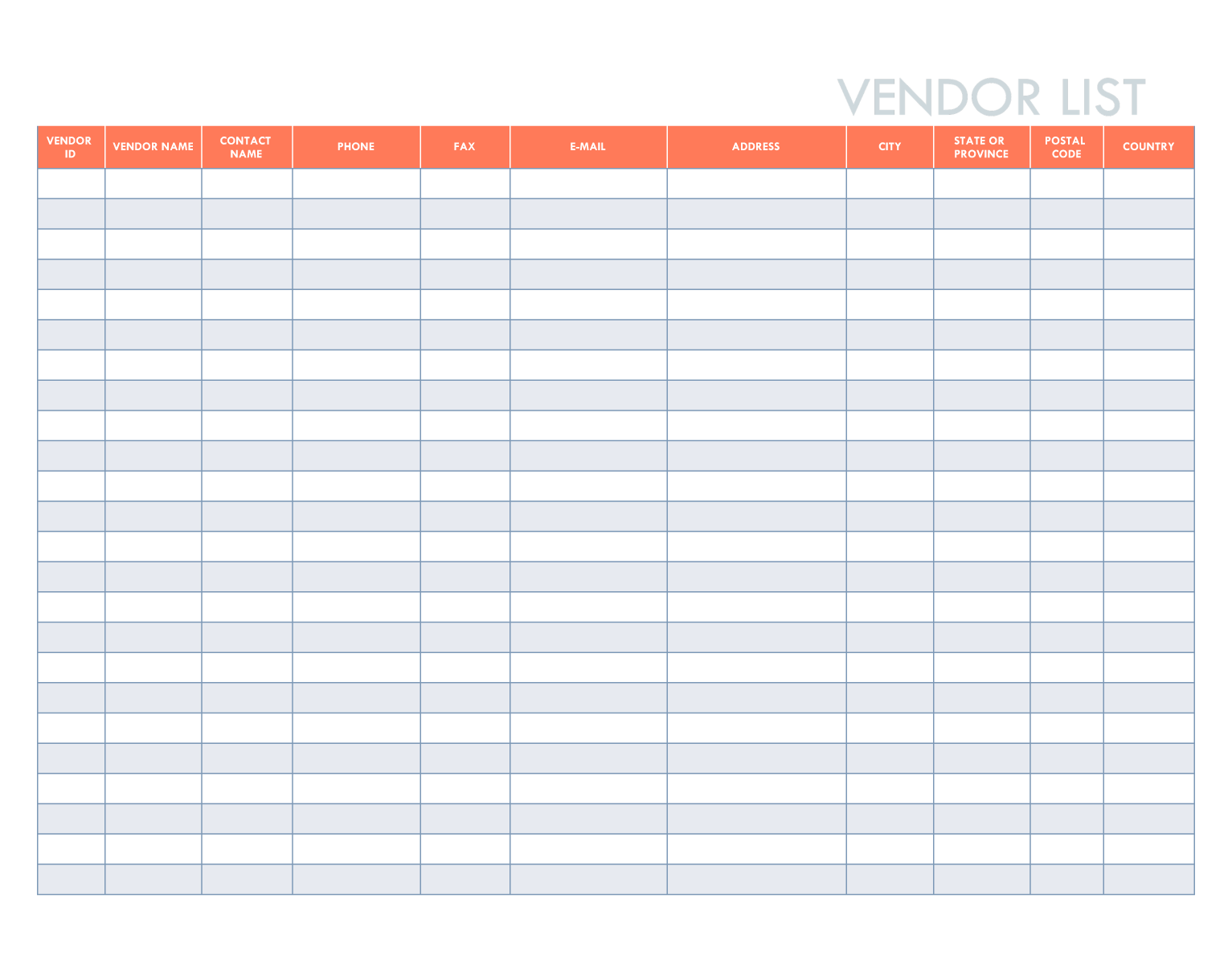
The first group of fields should identify the vendor. A vendor ID is useful because names can be similar or can change over time. The official business name should be recorded separately from a trading name or abbreviated name when both are relevant.
Contact information should normally include the primary contact’s name, job title if useful, phone number, email address, and perhaps a secondary contact. A general company email can be retained alongside an individual contact so that communication does not stop when an employee leaves the supplier.
The next group describes what the vendor provides. A category such as office supplies, logistics, software, maintenance, raw materials, consulting, or professional services makes filtering easier. A short description of the products or services can provide more context than a category alone.
Commercial fields can include payment terms, currency, agreed pricing reference, purchase order requirements, contract status, contract start date, and contract end or renewal date. Not every organization needs every field, so the template should reflect the actual purchasing process.
Finally, include administrative fields such as record owner, approval status, last updated date, next review date, and notes. These fields turn a static contact list into a useful management record without making the basic template unnecessarily complex.

A Recommended Basic Field Structure
| Field | Purpose | Example |
|---|---|---|
| Vendor ID | Unique internal reference | V-104 |
| Vendor Name | Identifies the supplier | Northside Packaging Ltd. |
| Contact Person | Primary relationship contact | Jordan Lee |
| Phone | Direct communication | Business phone number |
| Email communication | Business email address | |
| Category | Groups suppliers | Packaging |
| Products/Services | Explains what is supplied | Boxes and labels |
| Status | Shows current relationship state | Approved |
| Contract End | Supports renewal monitoring | Example date |
| Notes | Captures useful context | Preferred shipping schedule |
The field structure should remain understandable to someone who did not create the spreadsheet. Avoid unexplained abbreviations, obscure internal codes, and columns whose purpose is unclear. If a field cannot support a decision, communication task, control, or reporting need, consider removing it.
It is also useful to separate stable identity information from changing information. The legal or official name may change infrequently, while contact persons, prices, performance scores, and contract dates can change regularly.
When fields are logically grouped, users can enter information faster and make fewer mistakes. A common order is identification, contact information, products or services, commercial terms, approval and compliance, performance, and notes.
For a very small business, the table can remain on one worksheet. There is no need to build a complex database simply because more fields are theoretically possible. Start with the minimum useful structure and add fields when a real business need appears.
The same principle applies when selecting a template from an online source. A visually impressive spreadsheet is not necessarily better than a plain one. The best template is the one that employees can understand, update, filter, and maintain consistently.

How to Create a Simple Vendors Record Template in Excel
Excel is often a practical starting point because it supports rows, columns, filtering, sorting, validation, formulas, and printable layouts. A simple workbook can be created without advanced programming or database software.
Start by creating one header row. Put one field in each column and avoid combining multiple pieces of information into a single cell. For example, use separate columns for phone, email, and contact person instead of placing all three in a general contact column.
Convert the range into a structured table if appropriate. A table makes filtering and sorting easier and helps preserve a consistent layout as new vendors are added. Use clear column names such as Vendor ID, Vendor Name, Category, Contact Person, Email, Phone, Status, Contract End, and Notes.
Use controlled choices for fields that should contain standardized values. A Status field might allow values such as Pending, Approved, On Hold, Suspended, and Inactive. A Category field can similarly use a predefined list. Standardized entries make later filtering and reporting more reliable.
Keep formulas limited to tasks that genuinely improve the record. For example, a calculated review status could flag records whose contract or review date is approaching. Complex formulas should be documented so another employee can understand how the workbook works.
Example Excel Workflow
Imagine a small wholesale business with 35 active suppliers. The first column contains unique vendor IDs. The next columns identify supplier names and categories, followed by contact details and products supplied.
The business then adds status, contract dates, payment terms, and a notes field. Filters allow the purchasing manager to display only packaging suppliers, only approved vendors, or only records requiring review.
When a new supplier is considered, the employee creates a record with a Pending status. After the necessary internal checks are completed, the status can be changed to Approved. This creates a simple audit trail of the vendor’s lifecycle when combined with update dates and supporting documentation.
The workbook should be stored in an approved shared location rather than on one employee’s local computer. Access should be limited according to the sensitivity of the information, particularly when the record contains payment or tax-related data.
Regular maintenance is essential. A spreadsheet can be technically perfect and still become unreliable if old contacts, expired contracts, duplicate vendors, and inactive suppliers are never reviewed.

When a Vendor Record Should Be a Form Instead
A spreadsheet is useful for maintaining records, but it is not always the best tool for collecting information from vendors. If suppliers need to submit their own information, a standardized form can reduce incomplete entries and inconsistent formatting.
A vendor information form can ask for company name, address, contact details, product or service categories, payment information where appropriate, certifications, insurance details, and other documents relevant to the organization’s process.
The form should ask only for information that is necessary. Collecting excessive information creates more work for the vendor and more data for the organization to protect and maintain.
Once submitted, the information can be reviewed before it becomes an approved vendor record. The reviewer should confirm that required fields are complete and that the information is appropriate for the organization’s purchasing and compliance process.
This separation between collection and approval is useful. The person submitting information does not necessarily have authority to approve the supplier, and the record should make that distinction clear.
Using Word or PDF for Vendor Records
Word is useful when the vendor record needs to look like a formal document rather than a database-style table. It works well for forms that require narrative explanations, signatures, declarations, or supporting sections.
PDF is useful when the layout needs to remain stable during printing or sharing. A PDF can preserve the intended appearance across different devices, but it is usually less convenient than Excel for maintaining a large list of vendors.
A practical approach is to use Word or PDF for individual vendor forms and Excel or another structured system for the master vendor register. This avoids forcing one document type to perform two very different jobs.
For example, an organization could send a registration form to a new supplier, review the returned document, and then enter the approved information into its central vendor register. The form becomes part of the supporting documentation, while the register provides the searchable summary.
When printing forms, leave enough space for handwritten entries and signatures. Use readable headings and avoid excessively dense tables. A form should be easy to complete without requiring the person filling it out to interpret complicated instructions.
Google Docs and Collaborative Vendor Records
Google Docs can be useful when several people need to edit a narrative vendor form or collaborate on a document. It is particularly suitable when the organization already uses a cloud-based workspace and needs shared access.
For structured records, Google Sheets is generally more appropriate than Google Docs because rows and columns make filtering, sorting, and standardized entry easier. A Google Docs form may still be useful for individual vendor profiles, statements, agreements, or explanatory records.
Collaboration should not mean unrestricted editing. A shared vendor file should have clear ownership and sensible access controls. Employees should know who is responsible for correcting outdated information and approving important changes.
Version history can be useful when investigating changes, but it should not replace a clear process. Important updates should still be attributable to a responsible person and, where appropriate, supported by documentation.
For teams working across departments, a shared spreadsheet can also reduce duplicate vendor records. Procurement, finance, and operations can reference the same master record rather than creating separate lists that gradually diverge.
Vendor Registration, Vendor Records, and Vendor Contracts
These documents are related but serve different purposes. A vendor registration form collects information needed to consider or establish a supplier relationship. A vendor record stores the ongoing reference information. A contract defines agreed obligations, pricing, scope, timing, and other applicable terms.
A registration form may be completed once during onboarding, while the vendor record may be updated dozens of times. A contract may remain unchanged for a year but still be referenced regularly through the vendor record.
A good system connects these documents conceptually. The vendor record can contain a contract reference, renewal date, responsible employee, and location of supporting documents without copying the entire contract into the spreadsheet.
This distinction is especially important when a business has multiple agreements with the same supplier. One vendor may provide several services, each with different pricing or contract dates. The master record should identify the relationship clearly rather than pretending that every vendor has only one agreement.
Legal validity is also separate from template design. A general contract template is not automatically appropriate for every transaction or jurisdiction. When contractual terms have legal consequences, the organization should use appropriate professional review rather than assuming a generic form is sufficient.

How to Build a Vendor Registration Process
Begin by defining when a supplier needs to be registered. The trigger might be a new purchasing relationship, a new contractor, a new event vendor, or a supplier whose information has changed materially.
Next, define the minimum information required before review can begin. This might include legal or trading name, primary contact, business address, products or services, relevant commercial information, and supporting documentation appropriate to the organization.
Assign responsibility for reviewing the submission. Procurement may review the business relationship, finance may review payment information, legal or compliance staff may review specific documentation, and an authorized manager may approve the final status.
Once approved, create or update the master vendor record. Do not simply mark a form as approved and leave the structured register incomplete. The purpose of the record is to make the supplier information usable after onboarding.
Finally, define what happens when information changes. Contact changes, bank detail changes, ownership changes, new certifications, contract renewals, and performance issues may require updates or additional review depending on the organization’s controls.

How to Keep Vendor Data Accurate
Accuracy is more important than visual design. A simple record with current information is more useful than a sophisticated workbook filled with outdated contacts and incomplete fields.
Assign an owner for the vendor record system. The owner does not necessarily need to update every row personally, but someone should be accountable for the structure, review schedule, and data quality.
Use a last-updated date and, where useful, a next-review date. These fields help identify records that have not been checked recently. The appropriate review frequency depends on the organization’s risk and operational needs.
Do not overwrite important historical information without considering whether the change needs to be documented. For example, replacing an old contact with a new contact may be appropriate in the current record, while a significant contract or banking change may require separate documentation.
Duplicate records are another common problem. Before creating a new vendor, search the existing register by company name, contact information, and other identifiers. Two records for the same supplier can create confusion about which one should be used for purchasing or payment.
Adding Performance and Risk Information
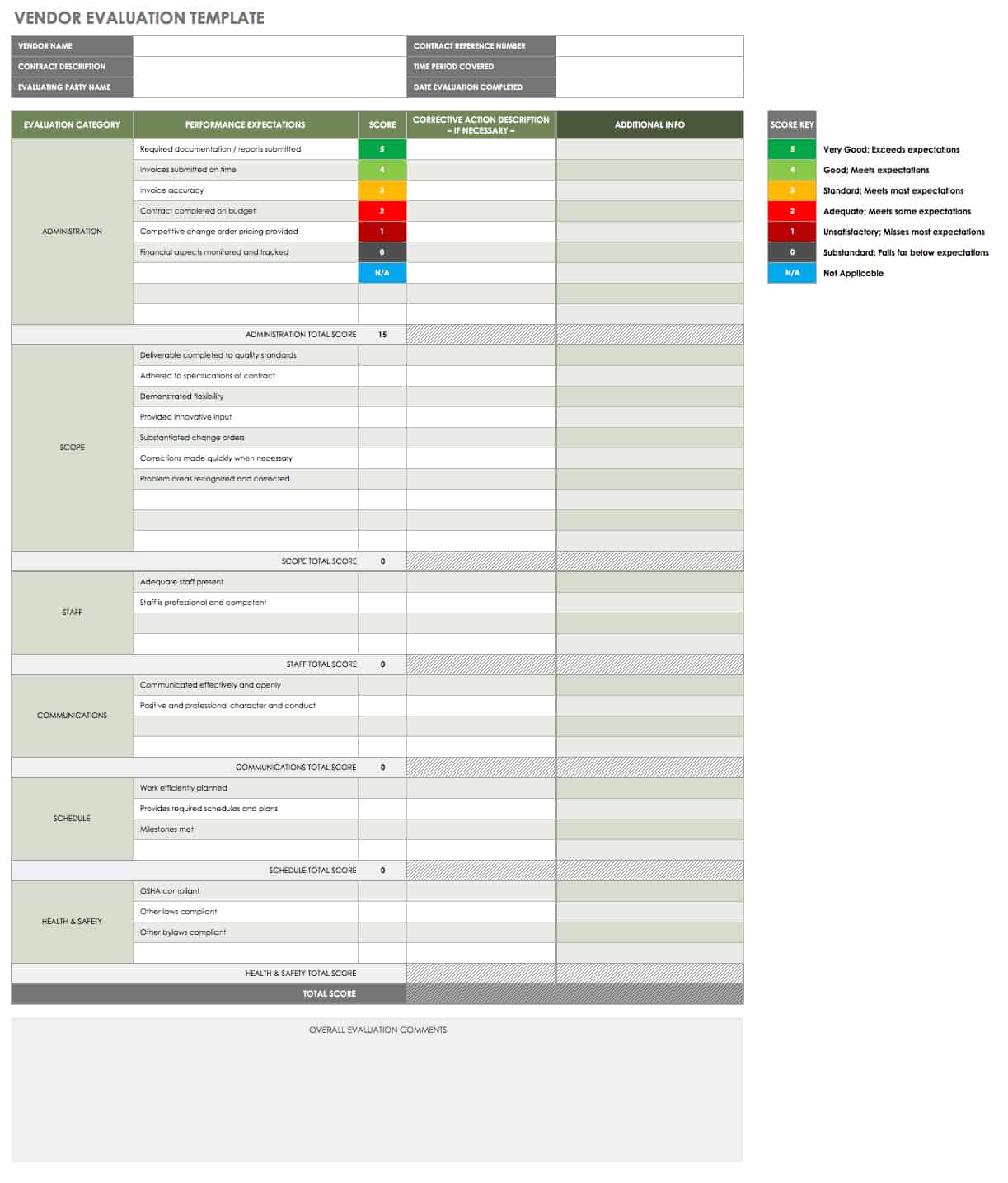
A basic vendor record can remain simple while still supporting performance management. A rating field can summarize an evaluation, but it should not be used as a substitute for evidence when a significant supplier decision is being made.
Useful performance categories can include quality, delivery reliability, responsiveness, service, pricing, and adherence to agreed requirements. The categories should reflect what actually matters for the specific supplier relationship.
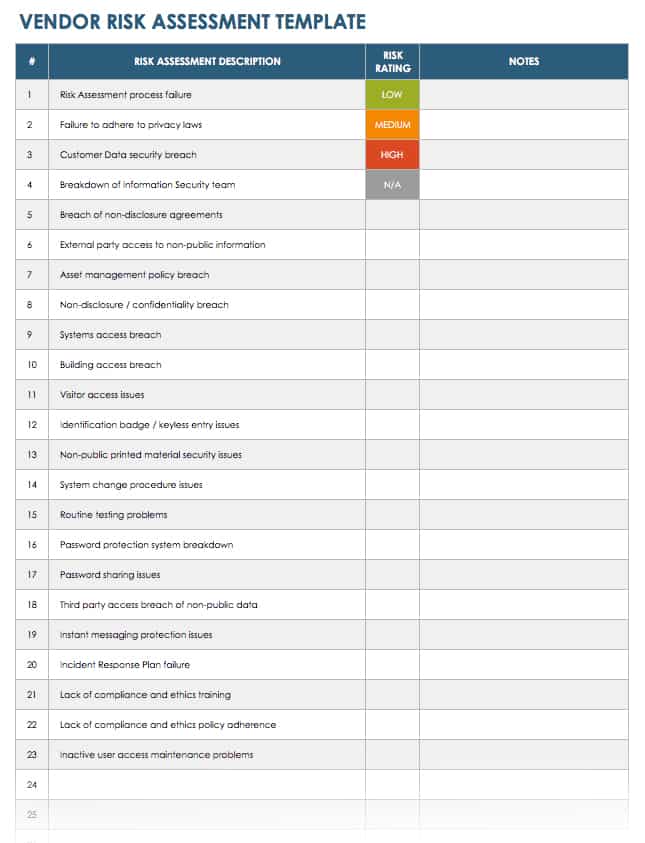
Risk information can also be recorded at a high level. For example, an organization may classify suppliers as low, medium, or high risk based on factors relevant to its own operations. The exact criteria should be defined internally rather than copied blindly from another organization.
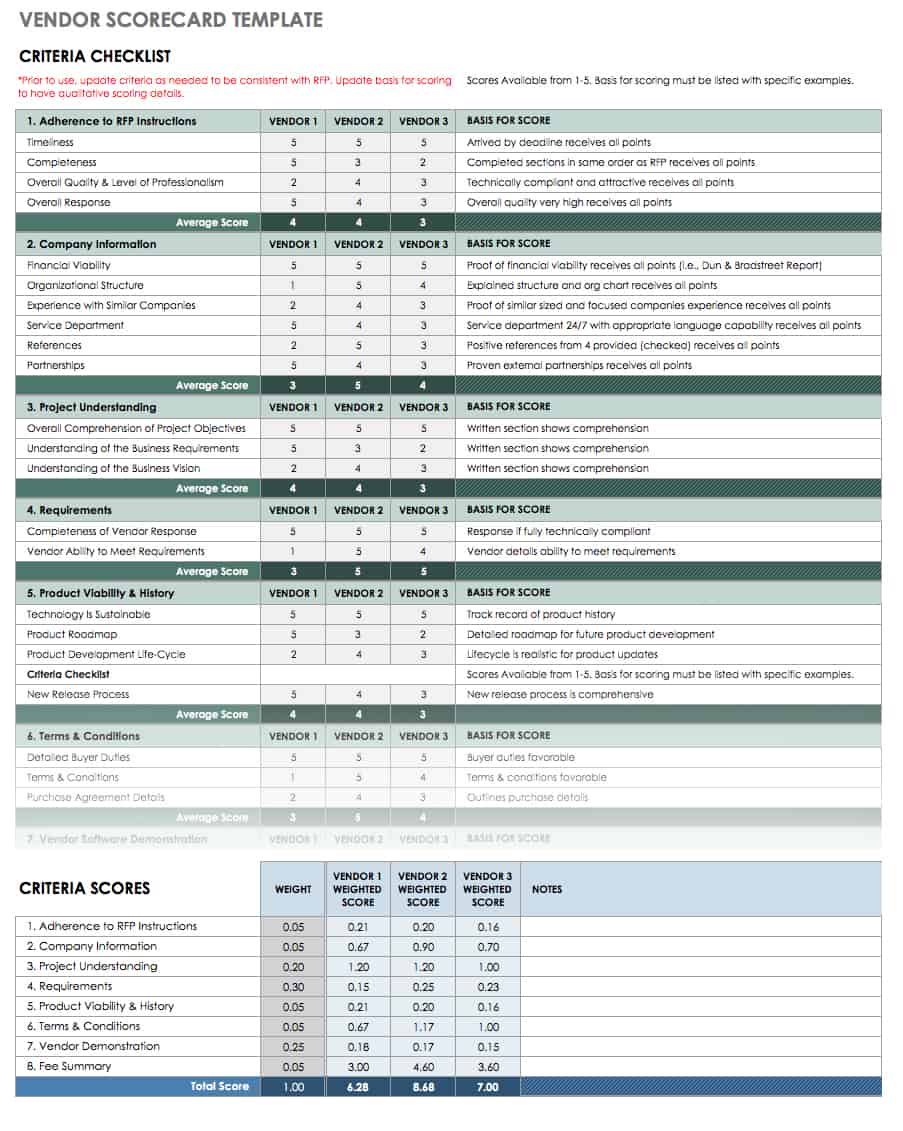
Where a vendor requires detailed assessment, use a separate risk assessment or scorecard and keep only the appropriate summary fields in the master record. This keeps the vendor register readable while preserving more detailed analysis elsewhere.
Performance reviews should lead to action when problems are identified. A low rating without a follow-up owner, target date, or corrective action may provide little practical value. The record should support decisions rather than merely collect numbers.
Practical Example: A Small Business Vendor Register
Consider a hypothetical café that works with suppliers for coffee, dairy, baked goods, cleaning products, packaging, equipment maintenance, and waste collection. The owner does not need an enterprise procurement system to keep the relationships organized.
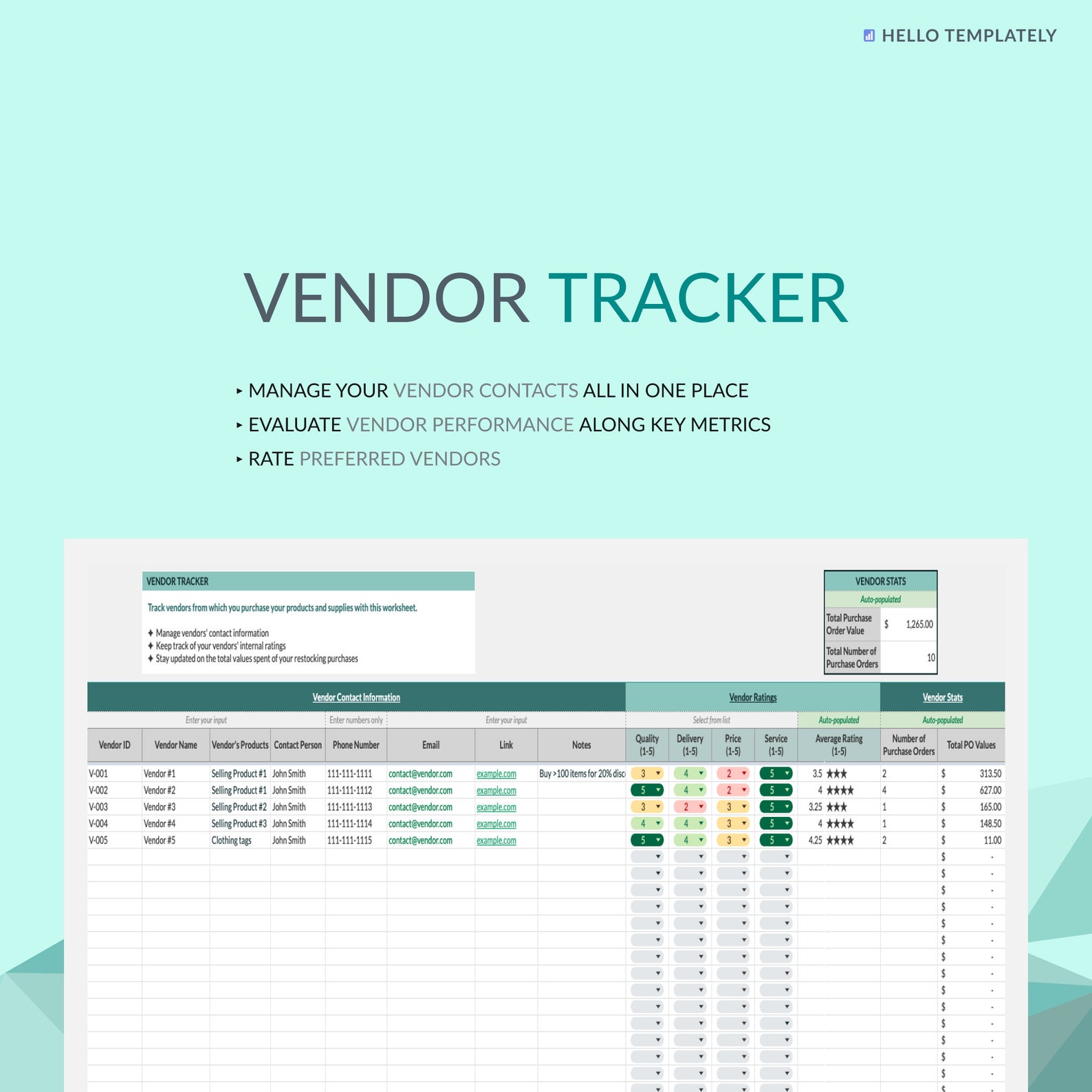
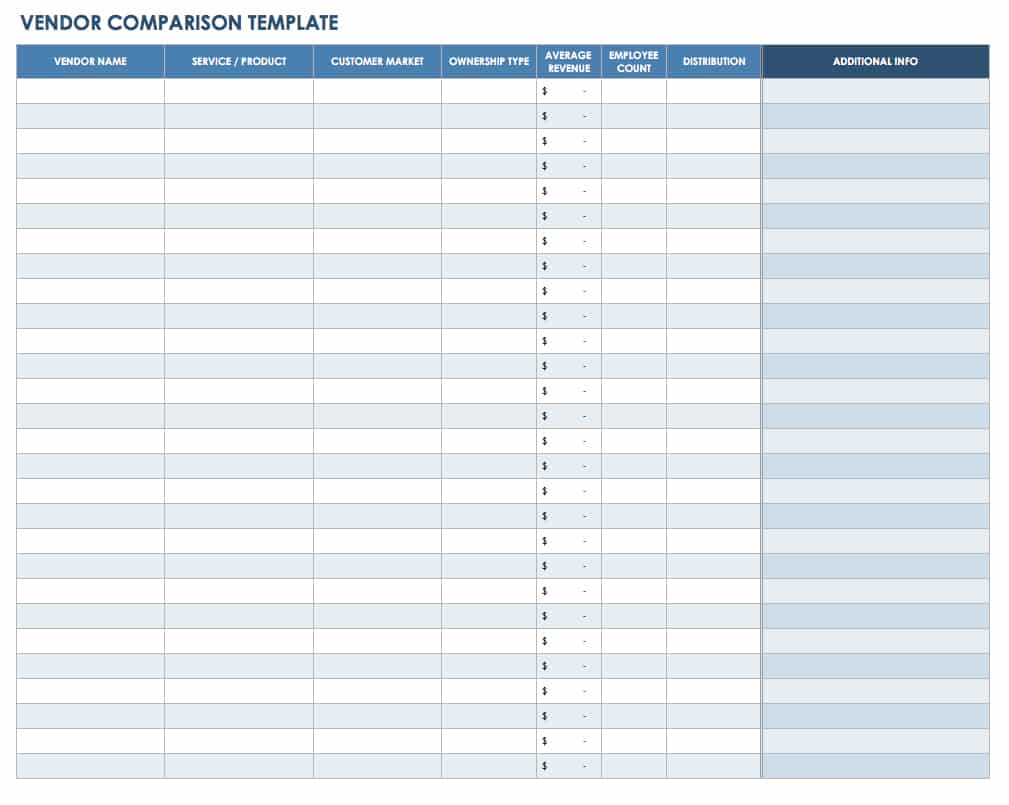
A simple workbook could contain Vendor ID, Vendor Name, Category, Contact Person, Phone, Email, Products or Services, Payment Terms, Status, Contract or Agreement End Date, Last Review, and Notes.
The coffee supplier might be marked Approved, with the product category listed as Coffee and the relationship owner identified as the café manager. A maintenance company could have an annual agreement and a different renewal date.
If the café discovers that a supplier’s email address has changed, the record can be updated immediately. If the supplier repeatedly misses delivery windows, the manager can record the issue in the notes and initiate a more detailed performance review if necessary.
The example shows why simplicity matters. The record is not intended to contain every email or every invoice. It is a reliable summary that tells staff who the supplier is, what it provides, how to contact it, what its current status is, and where important supporting information can be found.
Using Vendor Records for Procurement Decisions
Vendor records can support purchasing decisions by making supplier information easier to compare. When several vendors provide similar products or services, consistent records allow the purchasing team to see important differences more clearly.
However, a vendor record should not automatically determine which supplier is best. Price, quality, delivery, capacity, service, risk, contractual terms, and business requirements may all matter differently depending on the purchase.
A comparison process should use clearly defined criteria. For a hypothetical packaging purchase, the team might compare unit price, minimum order quantity, delivery lead time, defect history, payment terms, and service responsiveness.
Documenting the criteria before choosing a supplier helps prevent the decision from becoming an informal preference based on whichever vendor was contacted most recently. The record then becomes evidence that the comparison was performed using a consistent approach.
For recurring purchases, historical vendor information can also reveal patterns. A supplier that appears inexpensive on a price list may create higher total costs if deliveries are consistently late or product quality requires additional handling.
Common Mistakes When Creating Vendor Records
One common mistake is collecting too much information. A form with dozens of fields may look comprehensive, but employees and suppliers may leave it incomplete. The result is a large document that is less reliable than a shorter one.
Another mistake is using inconsistent terminology. If one employee enters “IT,” another enters “Information Technology,” and another enters “Tech,” category filtering becomes less useful. Controlled lists can solve this problem for fields with a predictable set of values.
Another issue is failing to define ownership. If everyone is responsible for updating the record, nobody may actually be accountable. Assigning an owner or process manager makes maintenance more dependable.
Some organizations also mix current and historical information without explaining which is which. A current contact field should identify the active contact, while historical changes can be documented elsewhere when necessary.
Finally, avoid treating a template as a finished management process. The template is only the structure. The real value comes from consistent collection, review, approval, updating, access control, and use in day-to-day operations.
Best Practices for Simple Vendor Record Management
Use one consistent master structure for the organization unless different departments genuinely require different fields. Consistency makes reporting easier and reduces the number of competing versions of supplier information.
Give each vendor a unique identifier where practical. Names can be similar, abbreviated differently, or changed after mergers and rebranding. A stable internal ID makes it easier to connect the vendor to purchasing, contracts, and other records.
Use clear status values. A simple status system can distinguish potential suppliers from approved suppliers and inactive relationships. The exact labels should match the organization’s process and should be documented.
Keep sensitive information appropriately protected. Vendor records can contain financial, tax, banking, contractual, or personal contact information. Access should therefore be based on legitimate business need and the organization’s information-handling policies.
Schedule periodic reviews. The goal is not to make every vendor update the same amount of information every month. Instead, review timing can be proportionate to how important, complex, or sensitive the vendor relationship is.
Practical Solution: Build a Simple Vendor Record System
The most practical solution is to start with a small master register and a separate intake process. Do not begin by creating a huge workbook. Define the minimum information required to identify, contact, approve, and manage each supplier.
Step 1: Define the fields. Start with Vendor ID, Vendor Name, Contact Person, Phone, Email, Category, Products or Services, Status, Payment Terms, Contract Dates, Owner, Last Updated, and Notes. Add specialized fields only when they support a real process.
Step 2: Standardize the entries. Create controlled choices for fields such as status, category, and risk level. Decide how dates, phone numbers, currency, and vendor names should be entered. Write a short internal data-entry guide if several employees will maintain the register.
Step 3: Create the master file. Excel or Google Sheets can work well for a small vendor population. Use a structured table, filters, frozen headers, readable column names, and sensible validation. Keep formulas simple and document any calculations that affect decisions.
Step 4: Establish onboarding. Use a vendor form to collect new supplier information. Review the submission before adding the supplier to the approved register. If additional documents are needed, keep them in the appropriate document repository rather than overloading the spreadsheet.
Step 5: Define ownership. Decide who creates vendor IDs, who reviews submissions, who approves suppliers, and who updates records. Clear responsibilities are more important than sophisticated software.
Step 6: Add review dates. Include a last-reviewed date and, where appropriate, a next-review date. This creates a simple mechanism for identifying records that need attention.
Step 7: Control changes. Establish a process for significant changes such as banking information, ownership, contract terms, or primary contacts. The process should be appropriate to the organization’s risk and internal controls.
Step 8: Remove duplication. Search for existing vendors before creating new records. Where duplicates exist, determine the correct master record and preserve necessary supporting information rather than allowing both records to remain active indefinitely.
Step 9: Review usefulness. After the system has been used for a period, ask which fields employees actually use. Remove unnecessary fields and improve the ones that repeatedly cause confusion. A simple system should become easier to use over time, not more complicated.
Step 10: Connect related documents. Where appropriate, include references to contracts, registration forms, evaluations, certificates, or other supporting records. The master record should help users find those documents without duplicating their entire contents.
Choosing the Right Template Format
The right format depends on the task. Excel is generally strongest for a master register containing many vendors because it supports structured rows, filters, sorting, and calculations. It is particularly useful when the information needs to be analyzed or compared.
Word is more suitable for individual forms that need narrative sections, declarations, signatures, or a polished document layout. It can also be useful when a vendor must review and return a standardized document.
PDF is best considered a stable presentation or printable format. It can be useful for a final form, record copy, or document that should retain its layout. It is usually less convenient than a spreadsheet for maintaining hundreds of records.
Google Docs works well for collaborative documents, while Google Sheets is generally better for structured vendor registers. The cloud format can be useful when several authorized users need to access and update the same information.
A business does not have to choose only one format. A practical system may use a form for collection, a spreadsheet for the master register, PDF or Word for formal documentation, and a separate repository for contracts and supporting records.
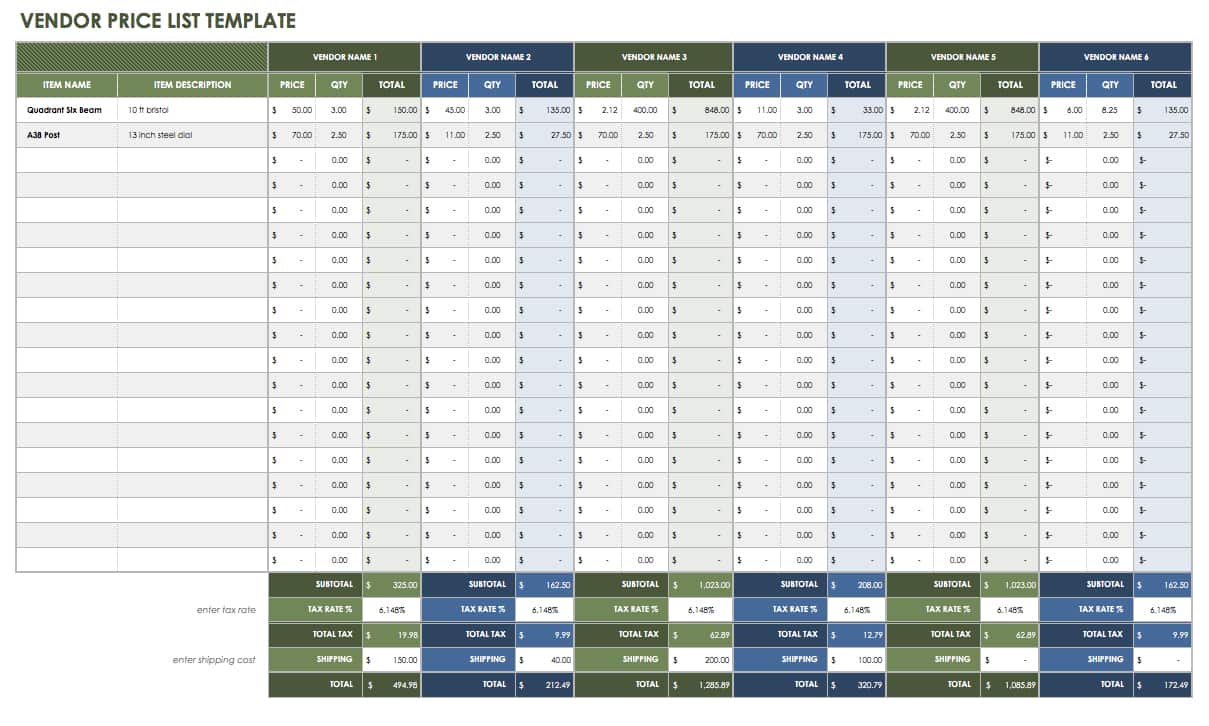
How to Use a Vendor Record for Reporting
Once vendor information is standardized, the register can support simple reports. A purchasing manager might want to know how many active suppliers exist in each category, which contracts are approaching renewal, or which vendors have not been reviewed recently.
Filtering can provide quick operational answers without creating a complex dashboard. For example, filtering Status to Approved and Category to Logistics can produce a current list of logistics suppliers and their contact details.
Dates can support simple monitoring. A Contract End field can help identify agreements approaching expiration, while Last Review can show which relationships have not been checked recently.
Performance fields can support supplier discussions when they are based on defined criteria. A rating should be accompanied by a clear explanation of what is being measured so that two employees do not interpret the same score differently.
Reports should answer real business questions. Avoid creating charts simply because the spreadsheet can produce them. A plain filtered list may be more useful than a decorative dashboard if the team’s main need is to find a supplier contact or renewal date.
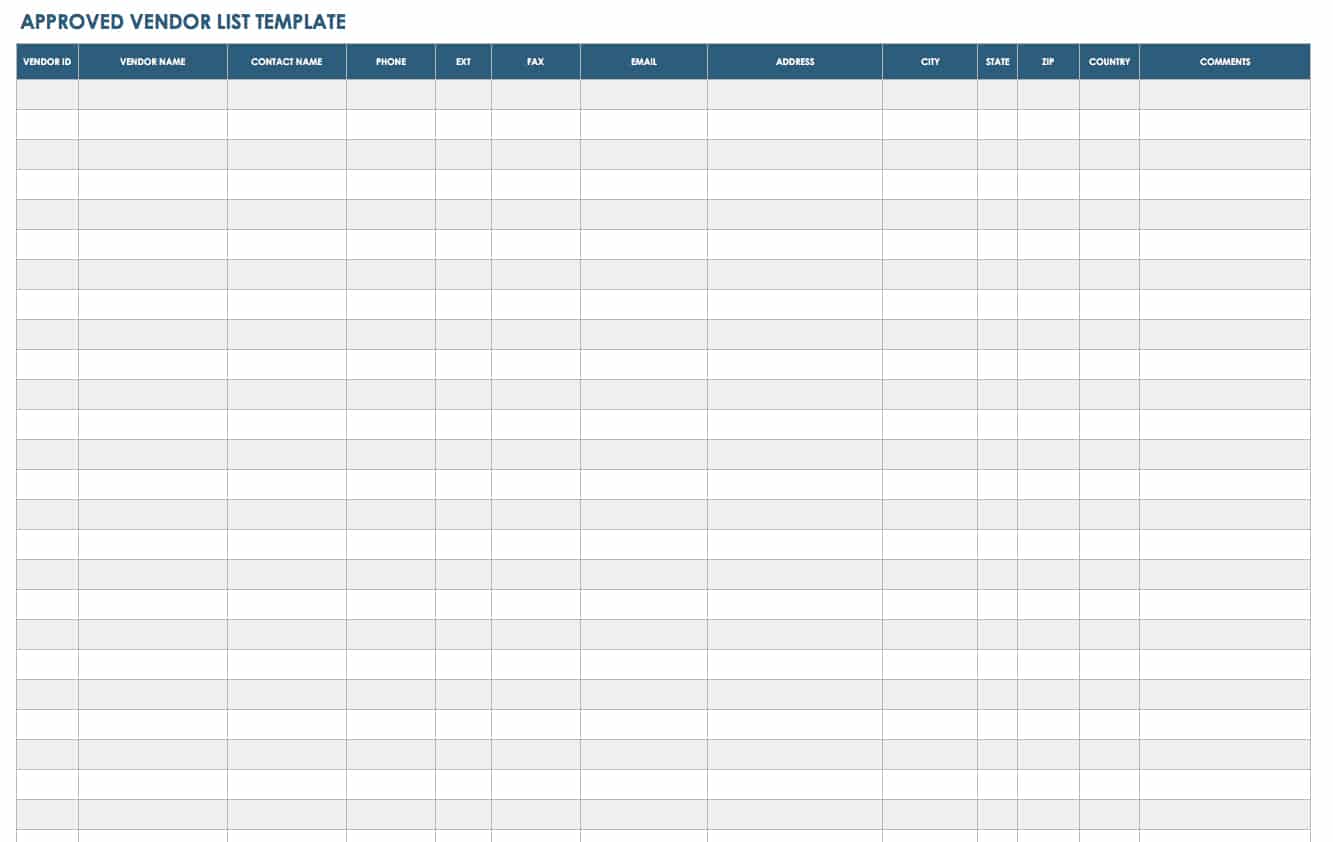
When to Move Beyond a Spreadsheet
A spreadsheet can work very well for a small supplier population, but it may become difficult to manage as the number of vendors, users, documents, and approval steps increases.
Warning signs include frequent duplicate records, conflicting versions, unclear ownership, extensive manual reminders, difficult access control, large numbers of related documents, and complicated approval workflows.
Another warning sign is when several departments maintain their own vendor lists because the master spreadsheet cannot meet their needs. At that point, the problem may be less about the template and more about the underlying information architecture.
Moving to specialized software should solve a demonstrated problem rather than simply add technology. A well-defined process is still required because software cannot automatically decide which information should be collected, who should approve it, or how often a supplier should be reviewed.
The spreadsheet remains useful even after an organization adopts a dedicated system. It can serve as an import structure, a temporary working file, a reporting export, or a simple reference format for smaller projects.

Reference Examples
The following reference examples correspond to the requested formats and related vendor documents. They are visual examples of structures that can help when designing a record system; they should be adapted rather than treated as universal requirements.
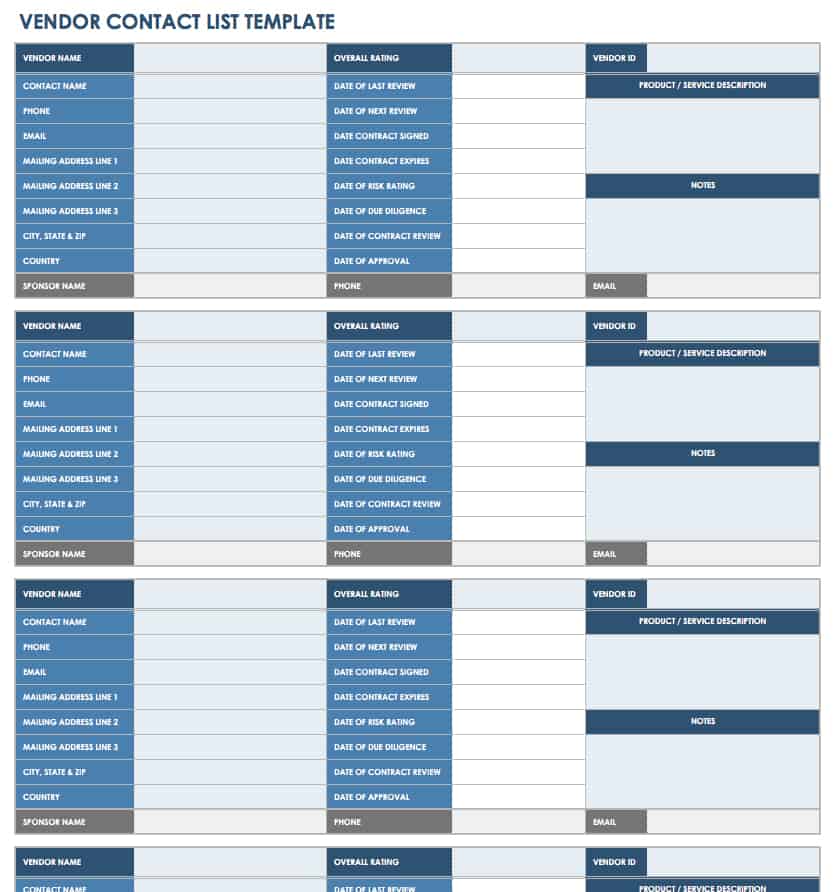
simple vendors record template free
Source: Smartsheet
simple vendors record template excel
Source: Etsy
simple vendors record template free download
Source: HubSpot
simple vendors record template pdf
Source: Jotform
simple vendors record template word
Source: Smartsheet
simple vendors record template free printable
Source: Smartsheet
simple vendors record template excel free
Source: Smartsheet
simple vendors record template google docs
Source: Plumsail
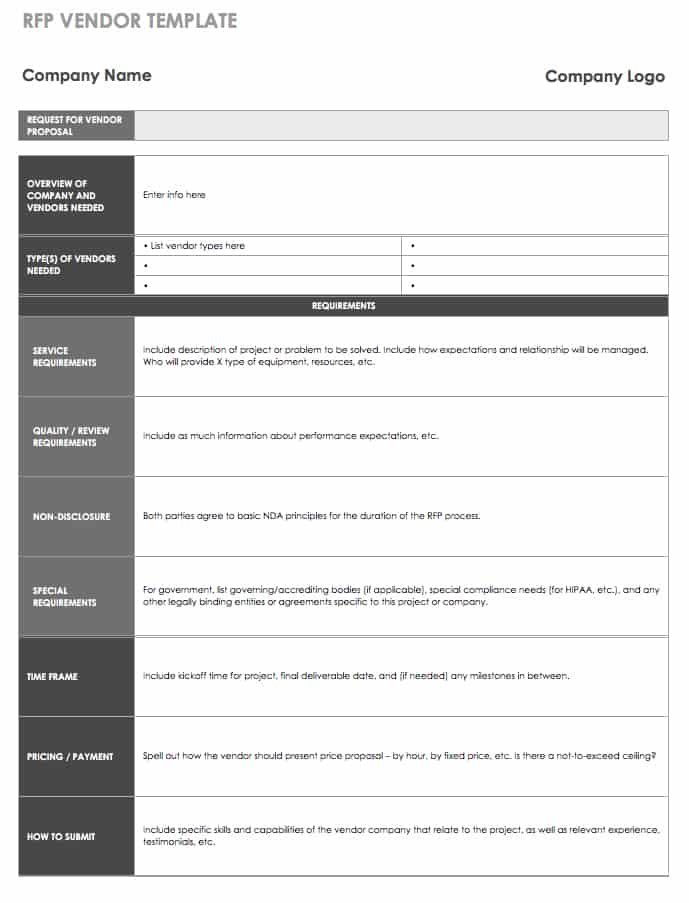
vendor form template free
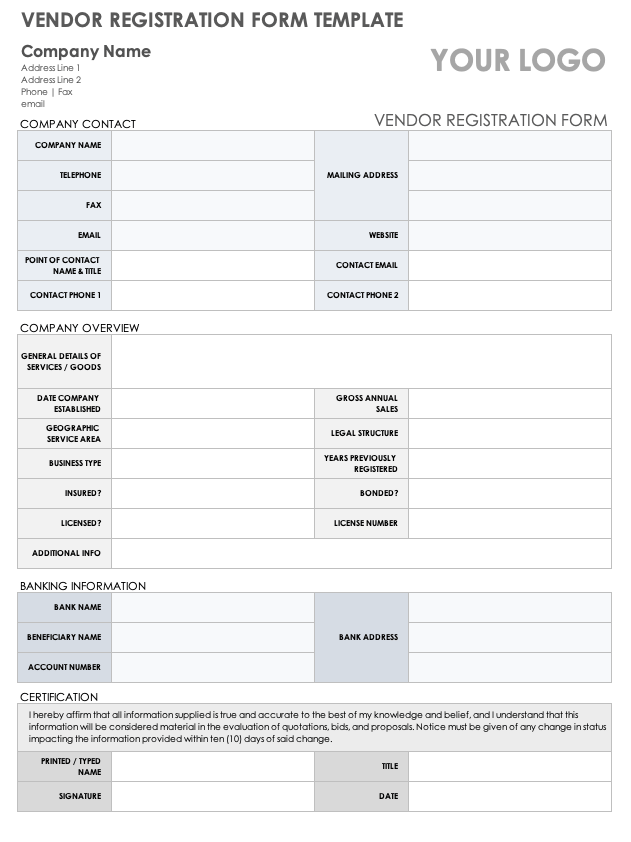
Source: Smartsheet
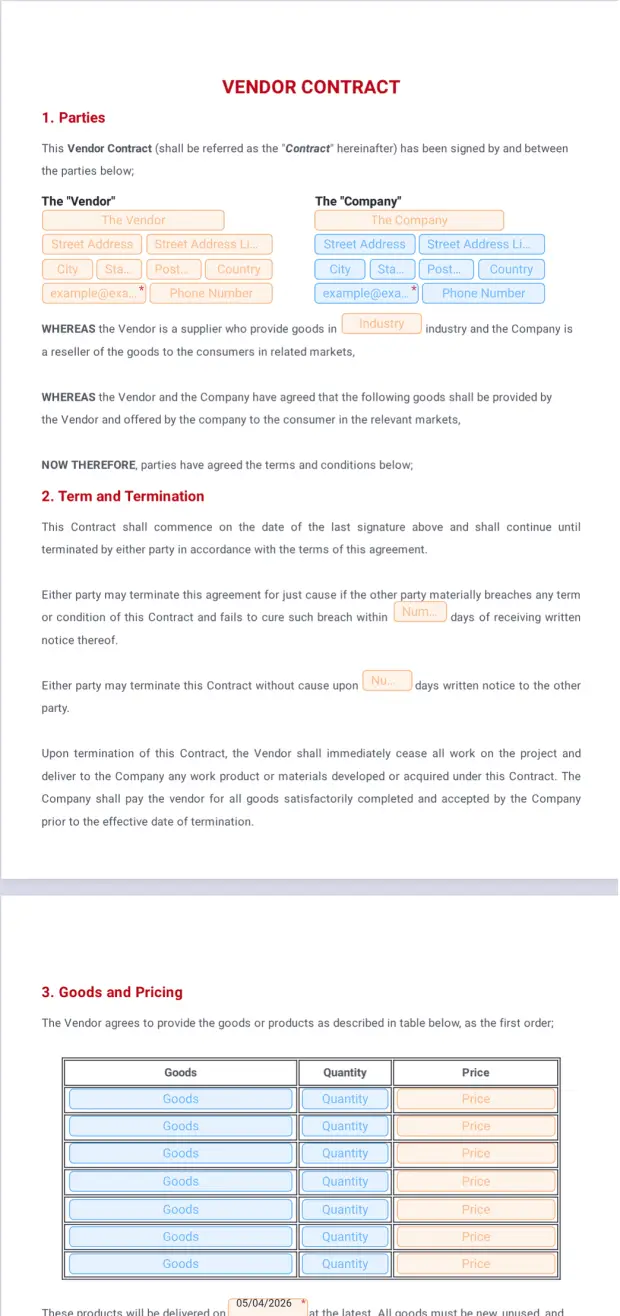
simple vendor contract template
Source: Jotform
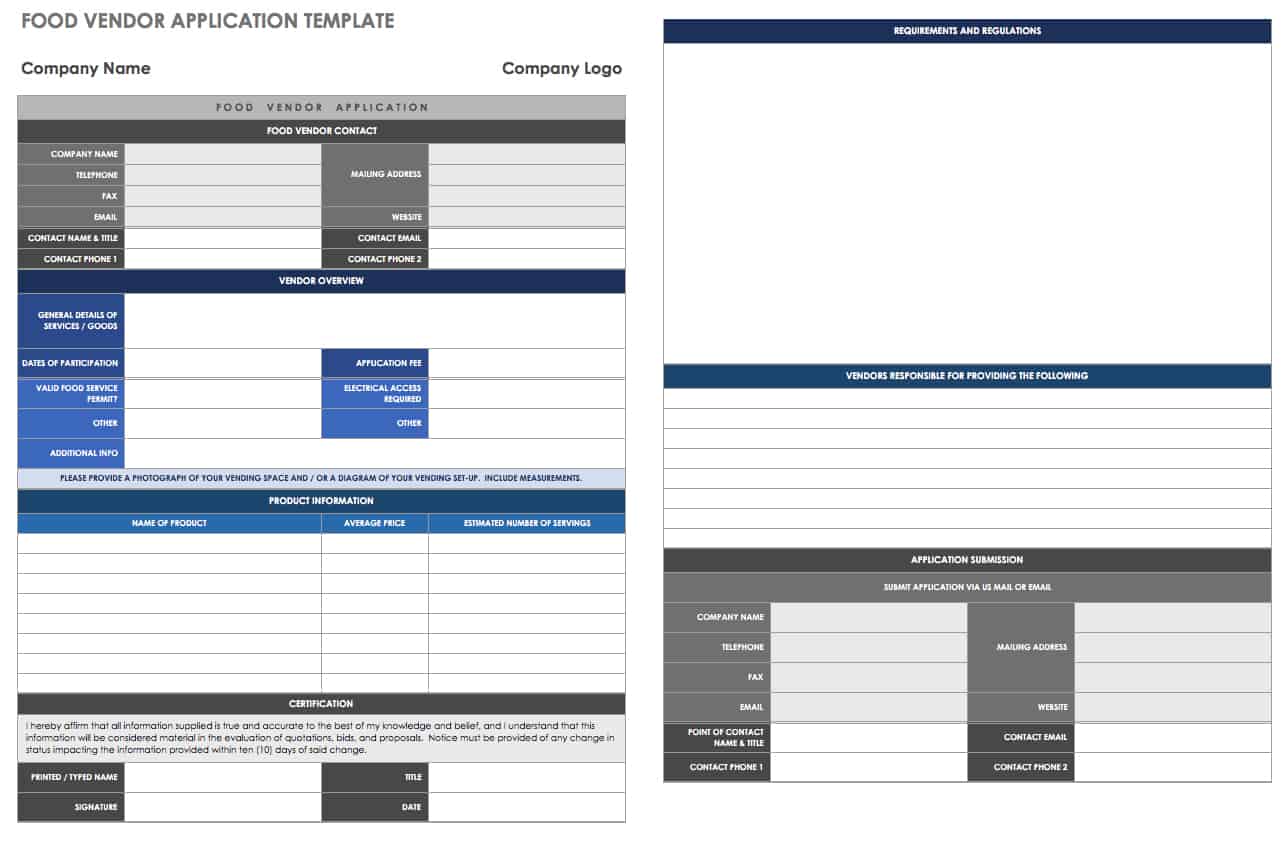
vendor registration form template
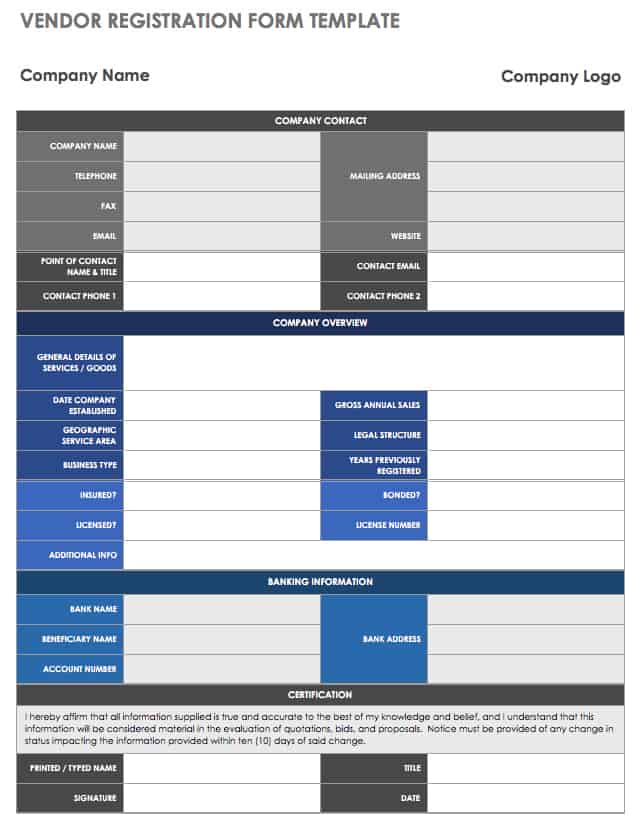
Source: Smartsheet
vendor registration form template pdf
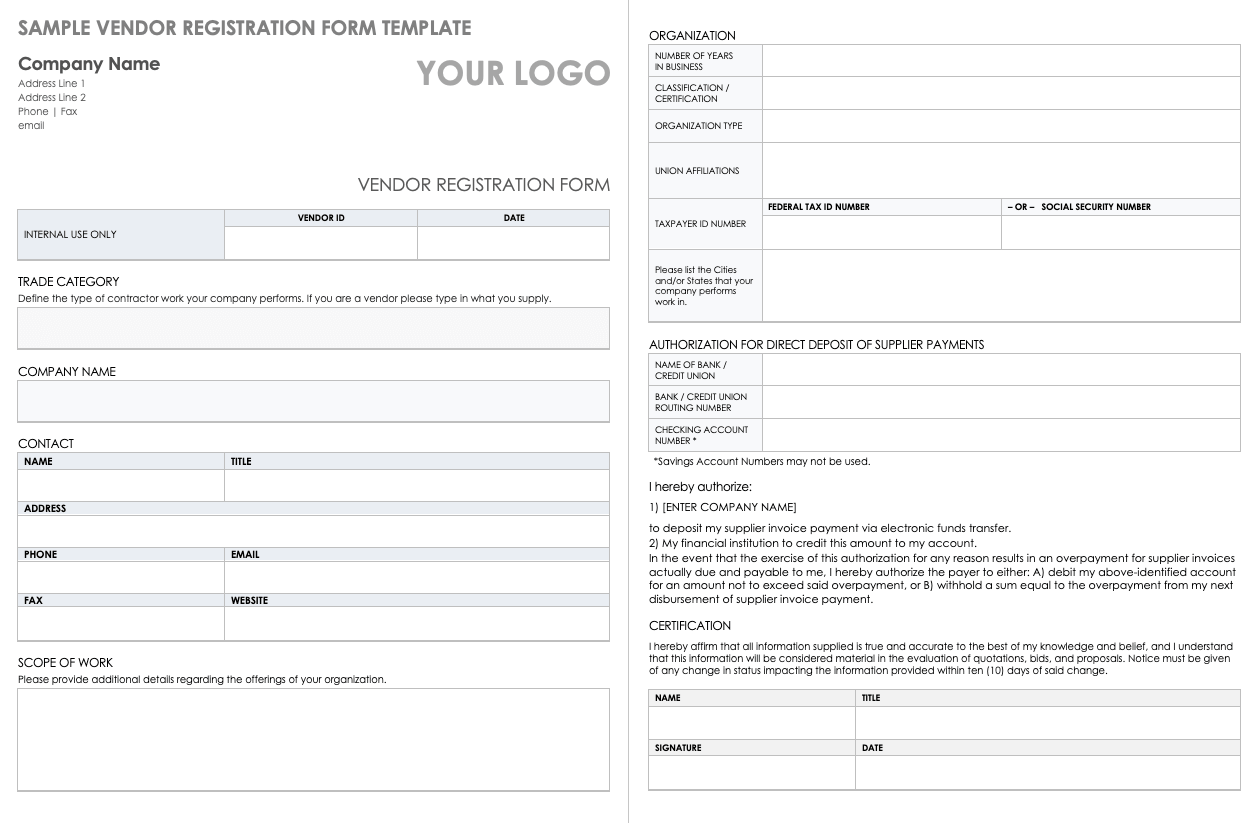
Source: Smartsheet
Frequently Asked Questions
What should a simple vendors record template contain?
At minimum, include a vendor identifier, vendor name, contact details, product or service category, status, and notes. Depending on the business, you can add payment terms, contract dates, owner, review dates, and relevant compliance information.
Is Excel a good format for vendor records?
Yes. Excel is practical for small and medium-sized vendor lists because it supports structured tables, filters, sorting, validation, formulas, and printable layouts. It becomes less suitable when the organization requires complex workflows, extensive permissions, or highly integrated vendor data.
Should every vendor have a unique ID?
A unique internal ID is recommended when the vendor list is used regularly or contains many suppliers. It helps distinguish suppliers with similar names and provides a stable reference when a company changes its trading name.
What is the difference between a vendor record and a vendor registration form?
A registration form collects information from a prospective or new vendor. A vendor record is the maintained internal reference for that supplier. The form may be used during onboarding, while the record continues to be updated throughout the relationship.
Should contract information be stored inside the vendor spreadsheet?
The spreadsheet can contain useful contract metadata such as contract status, start date, end date, owner, and document reference. The full contract is usually better stored in the organization’s approved document repository, especially when several documents are associated with one vendor.
How often should vendor records be updated?
Update records whenever important information changes. Periodic reviews can also be scheduled based on the organization’s operational and risk needs. High-impact or sensitive relationships may justify more frequent review than low-risk routine suppliers.
Can a vendor record include performance ratings?
Yes. Performance ratings can summarize factors such as quality, delivery, responsiveness, service, or price. The organization should define the scoring criteria so that ratings are consistent and meaningful.
Can a simple vendor record template be used for contractors?
Yes. Contractors can be tracked using the same basic structure, with additional fields for licenses, insurance, scope of work, contract dates, or other information relevant to the relationship.
How can duplicate vendor records be prevented?
Search the existing register before creating a new record and use a unique vendor ID. Standardized company names and consistent identifiers also make duplicates easier to detect.
Is a vendor contract the same as a vendor record?
No. A contract is an agreement that establishes obligations and terms between parties. A vendor record is an administrative reference that helps an organization manage the relationship and locate important information.
Conclusion
A well-designed simple vendors record template does not need to be complicated to be useful. The strongest approach is to capture the information employees actually need, standardize important fields, assign ownership, keep records current, and connect the master register to supporting forms and documents. Excel, Google Sheets, Word, and PDF can all have a role depending on whether the task is record keeping, collaboration, information collection, or formal documentation. Start with a clear structure, keep it practical, review it regularly, and expand it only when real business requirements justify additional complexity.
