For a clinic owner, marketing coordinator, designer, or administrative professional, starting from a template can reduce the amount of time spent solving basic layout problems. A good starting design can already establish a headline area, supporting message, logo position, contact section, and visual balance. The important work is then adapting those elements to the clinic’s actual services and audience rather than treating the template as a finished advertisement.
Current template libraries show that clinic billboard designs are commonly offered in editable formats such as Word, Google Docs, PDF, and graphic-design formats. For example, Template.net currently lists a General Clinic Billboard Template with Word and Google Docs applications, while its healthcare billboard collection includes additional clinic-specific layouts. Canva also maintains medical and billboard template collections intended for customization and printing.
The most useful approach is therefore not simply to search for a downloadable design, but to understand what makes a healthcare billboard readable, credible, adaptable, and suitable for its physical or digital environment. A template should be treated as a framework for communication, not as a substitute for marketing strategy, factual review, or professional design judgment.
This guide explains how to evaluate a general clinic billboard template, select the right format, organize its content, adapt it for different software, prepare it for printing, avoid common mistakes, and create a practical workflow that can be reused for future campaigns.
What Is a General Clinic Billboard Template?
A general clinic billboard template is a reusable advertising layout intended for a broad healthcare practice rather than one narrow specialty. It may be adapted for a primary-care clinic, family practice, community health center, outpatient facility, or multidisciplinary practice. The design normally emphasizes the clinic name, a short statement of value, selected services, location or contact information, and a strong visual identity.
The term “general” matters because the design should remain flexible. A dental clinic may need a highly specialized message about oral care, while a general medical clinic may need to communicate several services without making the billboard visually crowded. A flexible template gives the practice room to substitute its own content while preserving a coherent hierarchy.
Billboard templates are also different from ordinary clinic flyers. A flyer can contain paragraphs, detailed service lists, multiple calls to action, and small-print information because the reader can hold it and study it. A billboard is normally viewed at a distance or for a limited amount of time, so the design should prioritize immediate recognition.
A useful template therefore acts like a visual information system. It determines where the viewer’s attention goes first, second, and third. The clinic name might establish identity, a short headline may communicate the main benefit, and a phone number, website, address, or QR code may provide the next action.
Template.net currently describes billboard templates as customizable layouts that can be edited online or downloaded in several formats, while Canva describes its billboard templates as customizable designs that can be adapted and prepared for printing. These examples illustrate the broader principle: the template provides structure, while the clinic supplies the actual message and branding.
Why Use a Clinic Billboard Template?
One of the main advantages is speed. Designing a billboard from a blank canvas requires decisions about dimensions, margins, typography, image placement, alignment, color, and content hierarchy before the actual clinic message can even be developed. A template can provide a starting point for those decisions.
Templates can also make repeated campaigns more consistent. A clinic may need one billboard for general services, another for a health campaign, and another for a new location. Reusing a recognizable structure can make those advertisements feel like parts of the same brand system rather than unrelated designs.
Another advantage is accessibility. Not every clinic has an in-house graphic designer. An editable template can allow a communications employee or administrator to update a headline, replace a logo, change a phone number, or modify colors without rebuilding every visual component from scratch.
Templates are particularly useful when several people are involved in approval. A communications team can begin with a standardized layout, the clinical team can review factual claims, and management can review branding and contact information. This creates a repeatable workflow instead of relying on one person’s design memory.
There is also a practical benefit for document conversion. Some templates are designed for Word or Google Docs, while others are intended for presentation or graphic-design applications. Choosing the appropriate format at the beginning can prevent problems later when the finished design must be printed, exported, shared, or revised.
Core Components of an Effective Clinic Billboard
1. Clinic name and visual identity
The clinic name should normally be one of the easiest elements to locate. It can be supported by a logo or simple brand mark, but the identity should not compete with the primary message. A billboard that displays a beautiful logo while making the actual healthcare service difficult to understand is not doing its main communication job.
Brand colors should also be used consistently. Healthcare organizations frequently favor calm, high-contrast combinations, but there is no universal requirement that a medical billboard must be blue, green, or white. The more important principle is legibility and consistency with the clinic’s existing identity.
Typography should be selected for distance viewing. Decorative fonts can work as accents, but the primary headline should usually use a simple typeface with strong letterforms. Avoid overly thin fonts, tightly compressed spacing, or long blocks of uppercase text that become difficult to distinguish from a distance.
When adapting a template, keep the logo area proportionate to the billboard. Increasing the logo dramatically while shrinking the service message may technically make the branding more visible, but it can reduce the advertisement’s practical value.
The identity area should work together with the headline rather than functioning as an isolated decoration. The viewer should be able to understand both who is communicating and what the clinic is offering without searching across the design.
2. A concise headline
The headline is usually the most important text after the clinic name. It should communicate one central idea rather than attempting to summarize the entire clinic. Examples might focus on accessible care, family health, preventive services, convenient appointments, or a specific campaign.
A useful test is to imagine viewing the billboard while moving past it. If the headline cannot be understood quickly, it probably contains too many words or depends on supporting text that is too small.
Do not automatically copy the headline from a template. Placeholder wording is usually an example rather than a claim that should be used by another healthcare provider. Replace it with a statement that accurately represents the clinic.
Marketing claims also deserve review. Words such as “best,” “leading,” “guaranteed,” or “number one” can create compliance and credibility concerns if they cannot be supported. A strong billboard does not need exaggerated claims to appear professional.
The strongest headline is often the simplest. A short, specific message supported by a clear visual can be more effective than a long list of services squeezed into the top of the layout.

3. Services and supporting information
Once the main headline is established, the billboard can communicate a small number of supporting services. A general clinic may mention primary care, preventive visits, routine consultations, diagnostic support, or other services that are genuinely available.
The key is selection. A billboard is not the place to reproduce the clinic’s complete service directory. Choose the services that matter most to the campaign, the location, or the audience. If every possible service is included, none of them receives enough visual emphasis.
Icons can help separate short service categories, but they should not become the dominant visual element. Consistent icon styles are preferable to mixing unrelated symbols, illustrations, and photographs.
Supporting information should also be prioritized by usefulness. If the campaign’s main objective is appointment generation, a visible booking method may be more important than a long description of the clinic’s history.
When adapting a template, review every placeholder. A design can look polished while still containing an old website, sample phone number, fictional clinic name, or irrelevant social-media handle. These errors are particularly damaging because they can survive all the way to final production.
4. Contact information and call to action
A billboard should tell the viewer what to do next. The action could be calling the clinic, visiting a website, scanning a QR code, finding a nearby location, or learning about a particular campaign.
Contact details should be large enough to read but not so large that they overwhelm the headline. A phone number is useful when telephone scheduling is genuinely supported. A website is useful when it leads to an up-to-date clinic page rather than a generic homepage that requires several additional clicks.
QR codes can be useful when they lead to a mobile-friendly destination. Before printing, scan the code using multiple devices and confirm that the destination works. A QR code that leads to an inaccessible or outdated page creates friction rather than convenience.
Calls to action should be direct. “Book an appointment,” “Learn more,” “Call today,” or “Find our clinic” communicates an action more clearly than a vague statement about healthcare quality.
The call to action should also match the purpose of the campaign. A community awareness billboard may prioritize information, while a new-clinic campaign may prioritize location and appointment access. The template should be adjusted accordingly.
Choosing the Right File Format
Different editing environments solve different problems. There is no single universally best format for every clinic. The correct choice depends on who will edit the file, how complex the design is, and how the final artwork will be supplied to the printer.
Word-based layouts
Word is convenient when the clinic’s administrative team is already familiar with Microsoft Office. It works well for relatively simple layouts containing text boxes, shapes, logos, and photographs.
The main limitation is precise graphic control. Very large outdoor artwork may require more careful management of image resolution, color handling, dimensions, and bleed than a basic office document provides.
A Word-based workflow can nevertheless be practical for a simple clinic billboard concept, especially when the goal is to create a reusable internal draft before sending the design to a professional production team.
When using Word, avoid repeatedly resizing compressed images. Keep original high-resolution assets available and insert the highest-quality practical version. Confirm the final page dimensions rather than assuming the default document size is appropriate.
Word can also be useful when several administrators need to review the wording before a designer converts the approved content into a print-focused production file.

Google Docs
Google Docs is valuable when collaboration is more important than advanced visual control. Multiple stakeholders can review the wording, identify incorrect contact information, and suggest changes without exchanging multiple copies of the same file.
However, collaborative convenience should not be confused with professional print production. A Google Docs version may serve as the editable source for content, while the final large-format artwork may be recreated or exported using a more suitable design workflow.
For a general clinic, this can be especially useful when marketing staff and clinical staff are located in different offices. Everyone can review the same draft before the visual is finalized.
Keep a clean master version. Do not allow multiple team members to create separate copies with different phone numbers, addresses, or service lists. Version control is part of accurate healthcare communication.
When using a cloud-based template, confirm that the final file can still be accessed by the people responsible for updating it. Ownership and permissions should be managed before a campaign becomes urgent.
PDF is commonly useful as a final distribution format because it can preserve the visual arrangement of a completed design. It is particularly useful for sharing approved artwork with a printing company or keeping a reference copy of a campaign.
A PDF is not necessarily the best editable master. If a clinic needs to change the phone number next month, a flattened PDF may be less convenient than the original editable file.
For that reason, keep both the source file and the approved production PDF when possible. The source allows future edits, while the PDF records what was actually approved and sent for production.
Before sending a PDF to a printer, inspect it at high magnification. Look for missing fonts, low-resolution photographs, incorrect cropping, unexpected transparency effects, or objects extending beyond the intended page area.
Always verify the printer’s preferred technical specifications before exporting. Different production environments can have different requirements for dimensions, bleed, color profile, and file preparation.
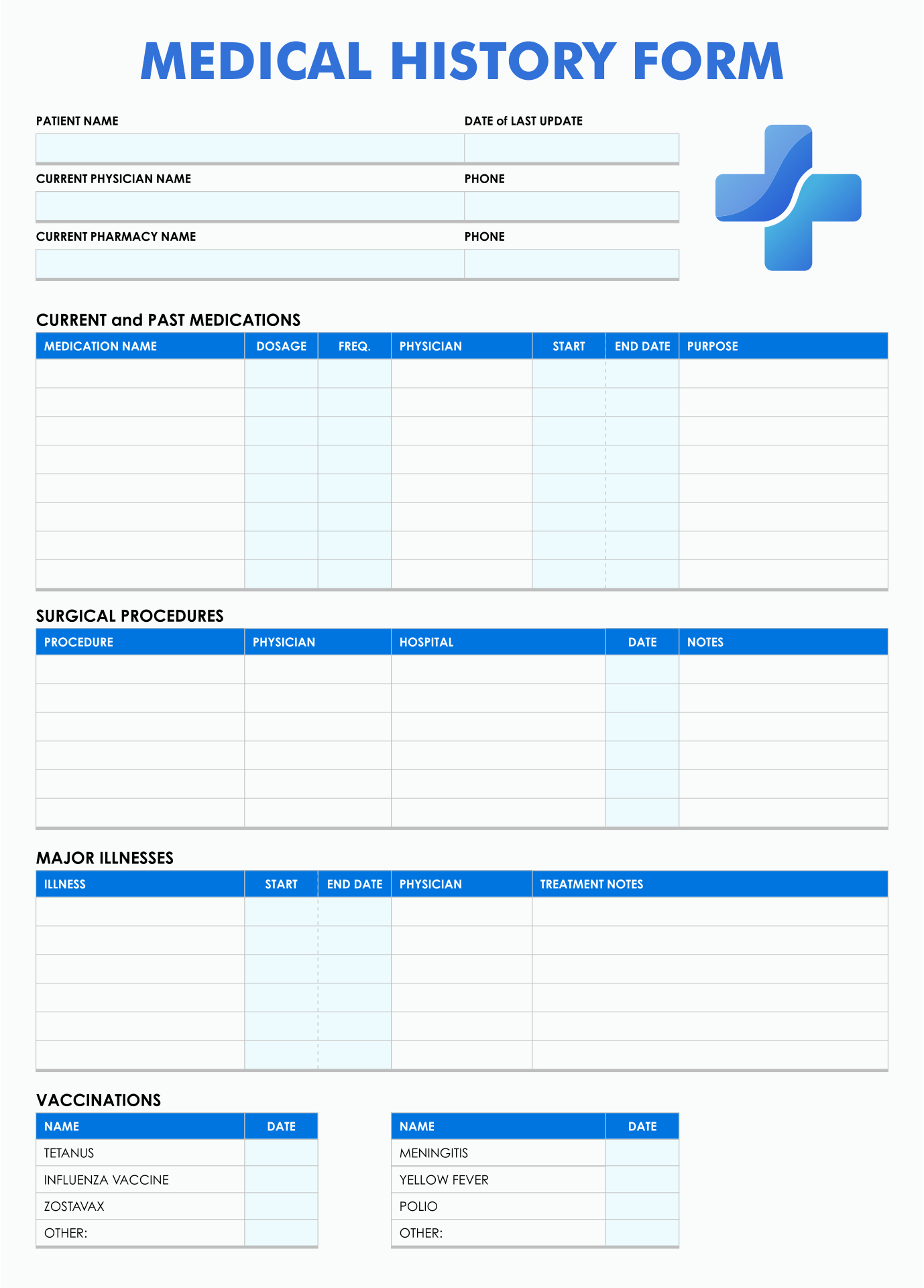
Canva and presentation-based workflows
Canva can be attractive for teams that want an approachable visual editor. Its medical and billboard template collections demonstrate how healthcare layouts can be adapted into different dimensions and styles.
Presentation software such as Google Slides can also work for early concepts because it provides familiar tools for positioning text and graphics. It is particularly useful when the clinic needs to present several billboard concepts for internal approval.
Neither tool should automatically be treated as a guarantee of print quality. The final dimensions and image resolution still need to be checked against the production requirements.
A useful workflow is to separate concept development from final production. Use an accessible editor for communication and review, then prepare the approved artwork according to the printer’s specifications.
This distinction prevents a common mistake: choosing software because it is easy to edit without considering whether the resulting file is appropriate for the final physical output.
How to Build a General Clinic Billboard From a Template
Step 1: Define the objective
Start with the communication objective before changing colors or photographs. Decide whether the billboard is intended to introduce the clinic, promote a service, announce a new location, support a public-health campaign, or encourage appointments.
One objective is usually enough. If the campaign has several unrelated goals, create several coordinated designs rather than forcing everything into one billboard.
Write the objective in one sentence. For example, a hypothetical clinic might define its objective as: “Introduce the new clinic location and make it easy for nearby residents to find appointment information.”
This sentence becomes a filter for every design decision. Information that does not support the objective can be reduced, moved elsewhere, or removed.
The objective should also determine the call to action. A location campaign may need an address and map reference, while a service campaign may need a booking page.

Step 2: Gather accurate content
Collect the clinic name, approved logo, service names, telephone number, website, address, operating information, and any campaign-specific wording before editing the visual.
Do not rely on memory for contact information. Copy it from an authoritative internal source and have another person check it.
Service descriptions should be reviewed by the appropriate clinic representative. Marketing language can accidentally imply services that are not offered or make clinical claims that require qualification.
Photographs and illustrations should also be reviewed for relevance and licensing. A template may contain a sample image that is part of the design preview but not necessarily part of the editable asset package.
Keep all approved source material in one folder or project location. This reduces the risk of mixing old and new logos, telephone numbers, or addresses.
Step 3: Simplify the template
Do not feel obligated to keep every element supplied by the original design. Remove unnecessary decorative shapes, redundant text blocks, and placeholder content.
A strong billboard often benefits from more empty space than a beginner expects. Empty space separates information and allows the headline to remain visually dominant.
Reduce long paragraphs to short phrases. If detailed explanations are necessary, move them to a website, brochure, landing page, or other supporting material.
Review the design from a distance. Zoom out until the billboard occupies only a small portion of the screen. The main hierarchy should still be obvious.
If everything appears equally prominent, the template needs stronger hierarchy. Increase the difference between primary, secondary, and tertiary information rather than simply increasing the overall font size.

Step 4: Adapt colors and typography
Start with the clinic’s existing brand colors if they are established. If the clinic has no formal palette, select a limited set of colors that provides adequate contrast.
Color should help organize information. For example, one color might define the headline, another might identify the call-to-action area, and a neutral background might support readability.
Avoid excessive gradients, complicated patterns, or multiple accent colors unless they have a clear purpose. Outdoor advertising is already visually demanding because of distance, lighting, traffic, buildings, and surrounding signs.
Typography should be tested in the actual proportions of the intended billboard. A font that looks readable on a laptop can become too small when the design is viewed from a road or large public space.
Maintain consistent spacing. Uneven margins, misaligned text boxes, and inconsistent icon sizes can make an otherwise professional design look unfinished.

Step 5: Choose the primary visual
The visual can be a clinic exterior, medical illustration, abstract healthcare graphic, equipment image, environmental photograph, or other appropriate asset. The choice should reinforce the message rather than simply fill an empty area.
Images with too much visual detail can compete with the headline. A photograph with a complicated background may need cropping or a subtle overlay to keep text readable.
Illustrations can be useful when the clinic wants a clean, modern appearance without relying on patient photography. They can also make a generic template feel more distinctive after customization.
Do not use photographs merely because the template contains them. A photograph that does not represent the clinic or its service may create an unintended impression.
Before final production, confirm that all visual assets can legally be used for the intended purpose. Keep licensing records where appropriate.

Designing for Distance and Fast Reading
Distance changes the rules of design. A billboard should be evaluated at the approximate scale and viewing conditions in which it will be encountered, not only on a desktop monitor.
Large text is helpful, but size alone does not solve readability. Contrast, letter spacing, line length, background complexity, and visual hierarchy all affect whether words can be recognized quickly.
Keep the main message short. If the viewer has to read several sentences before understanding the purpose of the advertisement, the design is probably too dense.
Use strong contrast between text and background. A pale gray headline over a white photograph may look elegant in a design application but disappear in bright outdoor light.
Test the design with people who were not involved in creating it. Give them only a short viewing period and ask what they remember. If they recall the clinic name and primary service but miss a minor detail, the hierarchy is probably working as intended.

Using a Billboard for Different Clinic Types
A general clinic template can be adapted to many healthcare contexts, but the emphasis should change according to the clinic’s purpose. A primary-care practice may emphasize accessible everyday healthcare, while a specialist clinic may need a narrower service message.
A family clinic may benefit from a welcoming but professional design, while a diagnostic center may emphasize technology, appointment access, or specific diagnostic services. The underlying structure can remain consistent even when the content changes.
For a new clinic, the most important information may be the name, location, opening status, services, and appointment method. For an established clinic, the campaign may instead focus on a particular service or seasonal health message.
Specialty-specific adaptations should avoid creating false impressions. A general template can be visually reused for different departments, but each version should contain only accurate services and approved terminology.
This is one reason a reusable master template is valuable. It can maintain consistent branding while allowing individual campaigns to have different messages and visuals.
Practical Data Collection and Campaign Evaluation
A billboard is easier to improve when the clinic defines what success means before launching it. Possible measures include inquiries, appointment requests, visits to a campaign landing page, QR-code scans, or awareness feedback gathered through other channels.
For example, a hypothetical clinic could use a dedicated landing page for a new-location campaign. The billboard would display a short URL or QR code, while the website records visits from that campaign. The resulting data would not prove that every visitor saw the billboard, but it could provide useful directional information.
Campaign timing should also be recorded. Keep the launch date, end date, location, creative version, and primary call to action in a simple campaign log.
If several billboard versions are used, label them clearly. “Clinic-A-Location-01” is easier to track than a file named “final-new-version-2-really-final.pdf.”
Evaluation should consider qualitative feedback as well. If patients repeatedly report that they noticed the billboard but could not understand what action to take, the next version should simplify the call to action.
Practical Examples
Example: New general practice location
A hypothetical new clinic could use a short headline such as “Everyday Healthcare, Close to Home.” Supporting information might mention general consultations and preventive care, followed by the clinic address and appointment website.
The design would not need a long history of the organization. The objective is location awareness and action, so the visual hierarchy should support those two goals.
The logo would sit in a consistent position, while a strong headline occupies the largest text area. A small location marker could support the address without becoming a dominant graphic.
The bottom area could contain a simple booking instruction and website. If a QR code is included, it should lead directly to the relevant appointment page rather than the clinic’s general homepage.
This structure demonstrates how a general template can become specific without requiring a completely new design system.

Example: Preventive-care campaign
A hypothetical preventive-care campaign might focus on one message such as routine health checks. The headline could emphasize prevention, while supporting information identifies the relevant clinic service.
The visual should be calm and uncluttered. An illustration or simple healthcare symbol can provide context without forcing the viewer to decode a complicated photograph.
The call to action might invite viewers to learn more or contact the clinic. If eligibility requirements apply to the promoted service, they should be communicated accurately through the appropriate supporting channel.
The campaign could use the same logo placement and color system as the clinic’s other advertising. This creates continuity between outdoor advertising, website pages, and printed materials.
After launch, the clinic could compare inquiries during the campaign with its normal activity while recognizing that many external factors can affect appointment demand.
General Clinic Billboard Template Free Options: What “Free” Should Mean
People searching for a general clinic billboard template free resource should distinguish between a free-to-view design, a free-to-edit design, a free download, and a template that is free only under certain licensing conditions.
A template may be visible without payment but require an account or subscription to download. Another may permit editing but restrict commercial use. A third may be genuinely free but provide only a low-resolution preview.
Before using any supposedly free resource commercially, inspect its stated license. “Free” does not automatically mean that every photograph, icon, font, or design element can be redistributed or used without restrictions.
For a clinic, licensing matters because the final artwork may appear in paid advertising, public signage, printed materials, or digital campaigns. Keeping a record of the source and applicable terms is a sensible professional practice.
The same distinction applies when someone searches for general clinic billboard template free download. Confirm what is actually downloadable, which file format is supplied, and whether the downloaded asset is editable rather than simply a flattened preview.
Word, PDF, Google Docs, Google Slides, Excel, and Canva: Choosing Sensibly
A search for general clinic billboard template word generally reflects a need for an editable office-document workflow. Word can be practical for simple designs and internal drafts, especially when the people maintaining the template are already comfortable with it.
A general clinic billboard template pdf is more useful when the primary requirement is sharing or preserving an approved visual. A PDF can serve as the production reference, but an editable source should normally be retained for future changes.
People searching for a general clinic billboard template google docs are often looking for collaboration. Google Docs can make wording review easier, but the final print file still needs to be checked for dimensions, resolution, and production requirements.
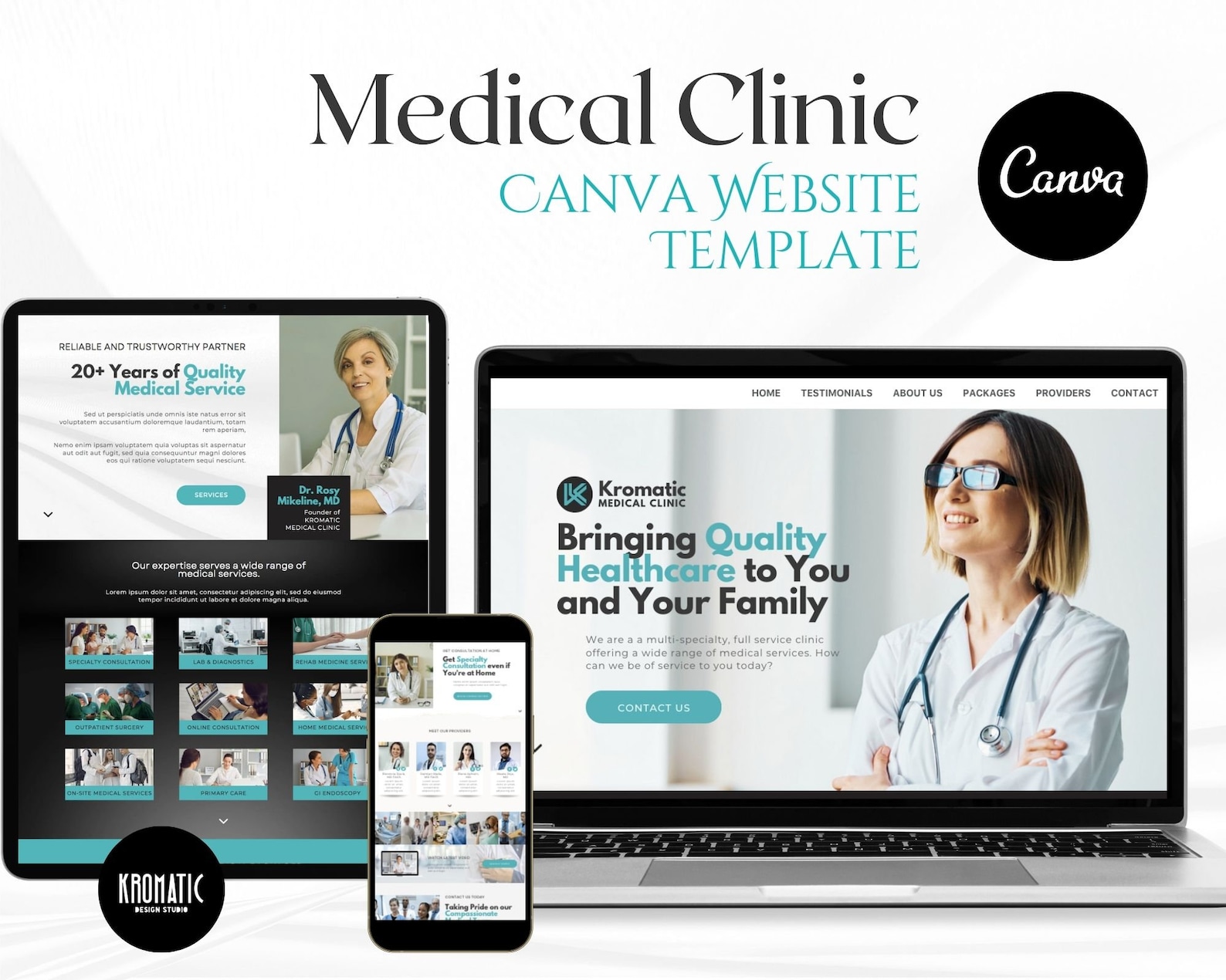
A general clinic billboard template canva workflow can be convenient for visual editing and quick customization. Canva’s medical template library demonstrates a broad range of healthcare-oriented layouts, including banners, billboards, flyers, presentations, and other promotional formats.
A general clinic billboard template google slides can be useful when a marketing team needs to present multiple concepts to management before choosing a final direction. Presentation software is particularly convenient for side-by-side concept review.
A general clinic billboard template excel is less natural for graphic composition, but spreadsheets can be useful for structured campaign planning, content inventories, size specifications, version tracking, and related operational information. Excel should not be chosen merely because it is available if the actual task is visual billboard design.

Related Website Templates and Digital Extensions
Billboard design and website design can support the same campaign. A billboard may create awareness while a website supplies the detailed information that cannot fit on the outdoor advertisement.
The phrase medical billing website templates refers to a different but related category. These templates are intended for websites associated with medical billing, revenue-cycle services, invoices, claims, or administrative healthcare workflows rather than billboard advertising.
That distinction is important for searchers because a medical billing website template is not automatically appropriate for a general medical clinic’s public-facing billboard. The visual objectives, content density, navigation requirements, and user behavior are different.
A useful campaign can nevertheless connect the two. For example, a clinic billboard could direct users to a website where appointment information, service descriptions, forms, insurance guidance, and contact options are presented in greater detail.
Digital and physical assets should therefore share basic branding while remaining optimized for their respective environments. A website can support detailed information; the billboard should focus on recognition and one clear next step.
Printable and Large-Format Considerations
Someone searching for a general clinic billboard template printable resource should first establish the actual output dimensions. “Printable” does not mean that a design is automatically ready for every printer or billboard supplier.
Large-format production can require different specifications from ordinary office printing. The supplier may specify final dimensions, bleed, color mode, file format, image resolution, and other technical requirements.
Ask the production company for its specifications before finalizing the design. This is more reliable than assuming a standard dimension or exporting repeatedly until a file appears correct.
Inspect photographs at the size at which they will be reproduced. A small image that looks acceptable inside a template editor may become visibly soft when enlarged substantially.
Proofreading should happen after export as well as before it. Sometimes text shifts, fonts substitute, or elements move when a document is converted between formats. The final production file should be treated as a separate quality-control stage.
UK Considerations
The phrase general clinic billboard template uk suggests that the user may be looking for a design suitable for a UK healthcare context. A visual template can be adapted for UK audiences, but the template itself should not be presented as an official UK healthcare advertising form or regulatory document.
UK clinics should review their advertising content against the requirements and professional guidance applicable to their specific service, organization, and advertising channel. A generic design template cannot establish regulatory compliance by itself.
Use terminology, contact information, addresses, and service descriptions appropriate to the actual clinic. Avoid importing assumptions from another country simply because a template was designed elsewhere.
Where professional claims, clinical outcomes, pricing, or promotional statements are included, have the appropriate person review them before publication. The visual template should support accurate communication rather than determine what the clinic is permitted to claim.
The safest approach is to treat the design as a blank communication framework and verify the final wording independently against current requirements.
Common Mistakes to Avoid
One frequent mistake is overcrowding. Designers often try to use every available space because the template contains many boxes and decorative elements. The result is usually harder to read than the original design.
Another mistake is using placeholder information. Sample phone numbers, websites, clinic names, social handles, and addresses can remain unnoticed when the team focuses primarily on colors and photographs.
Low-resolution images are another common problem. A design can appear excellent on a small screen and fail dramatically when enlarged. Image quality should therefore be checked at the intended output size.
Inconsistent branding can also reduce credibility. Changing fonts, logo treatments, and colors between campaigns without a clear reason can make the clinic appear fragmented.
Finally, avoid making unsupported claims. A polished billboard does not make a clinical or marketing statement true. Content accuracy should always come before visual impact.
Best Practices for Professional Results
Keep a master template that contains only approved structural elements. Create campaign copies from that master rather than repeatedly editing the same production file.
Maintain a content checklist containing the clinic name, logo, phone number, website, address, service wording, legal or professional review status, and final approval date.
Use a two-stage approval process when practical. The first stage checks wording and factual accuracy. The second checks visual quality and production readiness.
Keep source assets organized. Original logos, high-resolution photographs, approved icons, brand colors, and font information should be stored separately from exported artwork.
Archive final versions using descriptive filenames and dates. This makes it much easier to identify which design was actually published if a campaign needs to be reviewed later.
Practical Solution
The most practical solution for a clinic that needs a reliable billboard workflow is to build a small reusable design system around one adaptable template rather than downloading a new design for every campaign.
Step 1: Choose one master layout. Select a general clinic billboard template with a clear hierarchy, enough empty space, and editable areas for the clinic name, headline, visual, service message, and call to action.
Step 2: Create a verified content sheet. Record the current clinic name, approved logo, telephone number, website, physical address, service descriptions, and approved campaign wording. This becomes the single reference source for the design.
Step 3: Create three content levels. Level one is the main headline. Level two is the supporting service or benefit. Level three contains the contact or action information. This prevents every sentence from competing for attention.
Step 4: Customize the visual identity. Replace placeholder branding, adjust colors to match the clinic, and use only approved photographs, illustrations, icons, or other assets. Remove unnecessary decorative elements.
Step 5: Test at distance. View the design small on screen and print a reduced proof. Check whether the clinic name, main message, and action remain understandable without zooming in.
Step 6: Perform factual review. Confirm every number, URL, address, service name, and claim. If the billboard promotes a clinical service, ask the appropriate clinical or compliance reviewer to approve the wording.
Step 7: Perform technical review. Check the final dimensions, image quality, fonts, bleed, color requirements, and export format against the printer’s current specifications.
Step 8: Preserve the editable master. Keep the original editable file separate from the final production PDF or other delivery format. This allows future campaigns to be updated efficiently.
Step 9: Track the campaign. Record the campaign name, location, publication period, creative version, call to action, and any available response indicators. This creates useful institutional knowledge for future campaigns.
Step 10: Improve rather than redesign unnecessarily. After evaluating the campaign, keep the elements that worked and change only the parts that created confusion or weak response. Consistent iteration is generally more efficient than starting from zero each time.
Reference Examples
The following examples illustrate different visual approaches and file-format contexts relevant to clinic billboard and healthcare template searches. They are examples for design research, not statements that every pictured resource is free, officially approved, or suitable for every clinical use.
general clinic billboard template free
Source: Template.net
general clinic billboard template free download

Source: Template.net
general clinic billboard template word
Source: Template.net
general clinic billboard template pdf
Source: Template.net
general clinic billboard template google docs
Source: Template.net
general clinic billboard template canva

Source: Canva
general clinic billboard template google slides
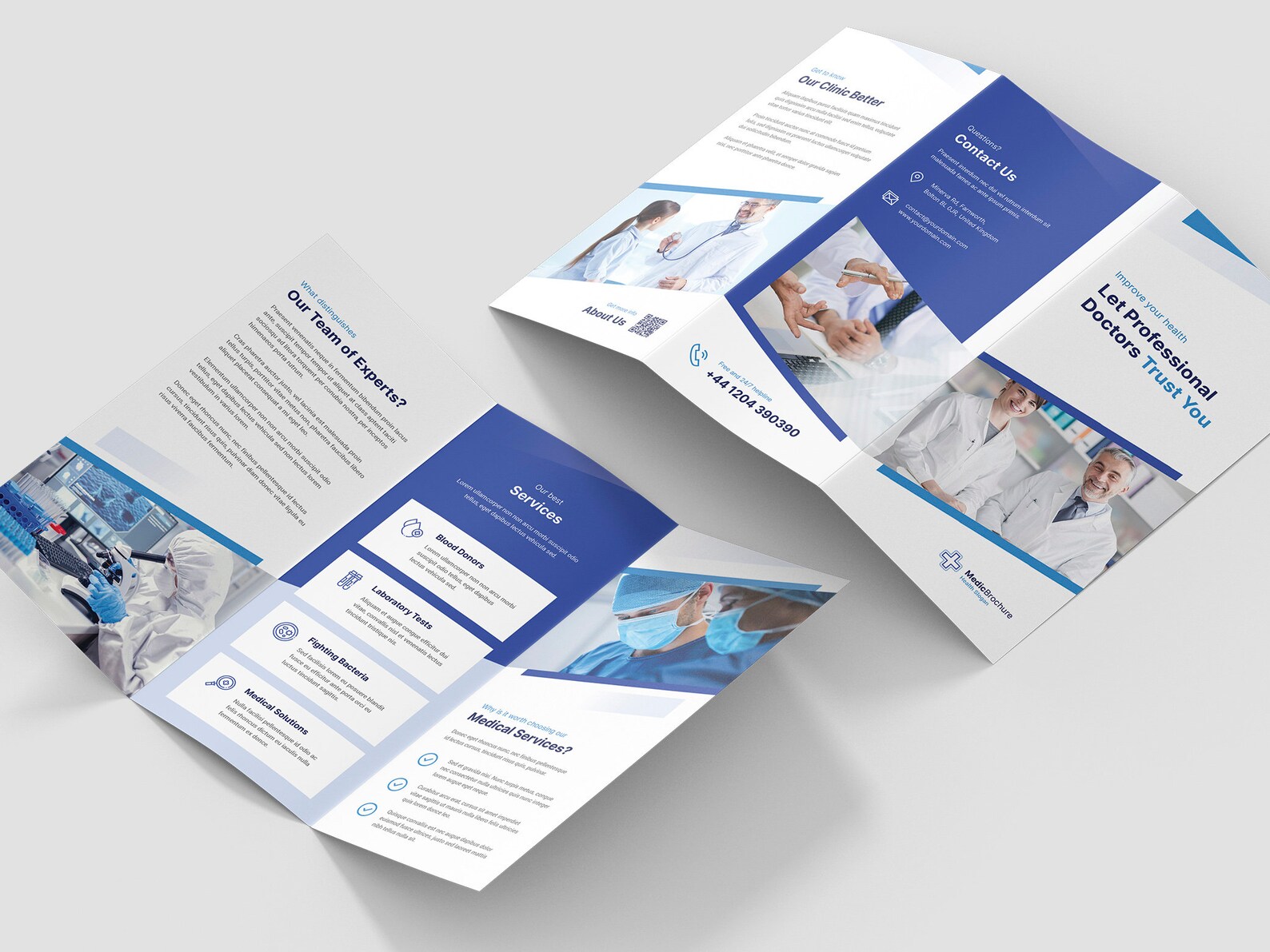
Source: Etsy
general clinic billboard template excel

Source: Printablee
medical billing website templates

Source: Canva
general clinic billboard template download

Source: Template.net
general clinic billboard template printable

Source: Template.net
general clinic billboard template uk
Source: Printablee
Frequently Asked Questions
What should a general clinic billboard template contain?
A useful template normally includes a clinic identity area, a concise headline, a supporting service or benefit statement, an appropriate visual, contact information, and one clear call to action. The exact combination should be adapted to the campaign objective.
Can I use a general clinic billboard template for a specialist clinic?
Yes, provided the content is changed to accurately describe the specialist service. The layout can remain general while the headline, supporting information, imagery, and call to action become specialty-specific.
Is Word suitable for creating a clinic billboard?
Word can be suitable for simple layouts and collaborative content preparation. For demanding large-format production, however, the final file should be checked against the printer’s technical requirements and may need to be prepared in a more specialized design workflow.
Is a PDF an editable billboard template?
Not necessarily. Some PDFs contain editable elements, while others are flattened exports intended mainly for viewing and printing. Always confirm the actual properties of the file before assuming it can be easily modified.
Can Google Docs be used for billboard design?
Google Docs can be useful for collaborative drafts and relatively simple layouts. It is particularly valuable when several people need to review wording before final production, but the final artwork should still be checked for print specifications.
Can Canva be used for clinic billboard designs?
Canva provides medical and billboard template collections that can be customized. Its usefulness depends on the design complexity, final dimensions, asset licensing, and production requirements of the particular campaign.
What is the difference between a billboard template and a clinic flyer template?
A billboard is designed for rapid viewing at a distance, while a flyer is generally intended for closer reading. Billboards therefore need stronger hierarchy, larger text, fewer words, and simpler visual organization.
How do I make a billboard readable from far away?
Use a short headline, strong contrast, simple typography, generous spacing, and a clear visual hierarchy. Test the design at a reduced viewing size and ask someone unfamiliar with the project what they can understand within a few seconds.
Should a clinic billboard include every service?
No. Including every service can create clutter. Select the services that support the campaign’s objective and direct viewers to a website or other resource for complete information.
How should I prepare a printable billboard template?
Start by confirming the final physical dimensions and production requirements with the printer. Then check image resolution, fonts, bleed, color settings, margins, and export format before sending the final artwork.
Are free clinic templates automatically free for commercial use?
No. “Free” can describe access, editing, or downloading without necessarily granting unrestricted commercial rights. Review the applicable license for the template, photographs, fonts, illustrations, and other assets.
What is the best way to manage repeated clinic billboard campaigns?
Keep one approved master layout, maintain a verified content sheet, create dated campaign copies, and archive the final production files. This creates consistency while making future updates faster.
Conclusion
A general clinic billboard template is most useful when it provides a strong communication framework without limiting the clinic’s ability to create accurate, audience-specific messaging. The best results come from starting with a clean hierarchy, replacing every placeholder with verified information, choosing an appropriate visual, keeping the message concise, and preparing the final artwork according to actual production requirements. Whether the workflow begins with Word, Google Docs, Canva, a PDF, or another editing environment, the same principles apply: clarity, accuracy, consistency, readability, and a clear next action should guide every decision.
