The phrase can describe many different resources, from a simple spreadsheet to a sophisticated CRM workflow. The important distinction is that a useful framework is more than a contact list. It explains what happens when a prospect becomes a client, which information must be collected, what tasks should be created, which messages can be automated, and when a human should step in.
For freelancers, agencies, consultants, professional-services teams, and small businesses, this structure can make client operations easier to understand and maintain. Current workflow-template practices commonly combine intake forms, client records, task creation, milestone tracking, reminders, document management, and integrations rather than relying on one isolated file. :contentReference[oaicite:0]{index=0}
This guide explains how to design an automated framework from first principles, how to choose between spreadsheet, document, PDF, and repository-based approaches, how to structure data, how to introduce automation safely, and how to measure whether the system is actually improving operations.
What Is an Automated Clients Framework Template?
An automated clients framework template is a reusable blueprint that defines the lifecycle of a client relationship. It can contain fields for client records, workflow stages, responsibilities, deadlines, communication rules, documents, project milestones, follow-up actions, and reporting requirements.
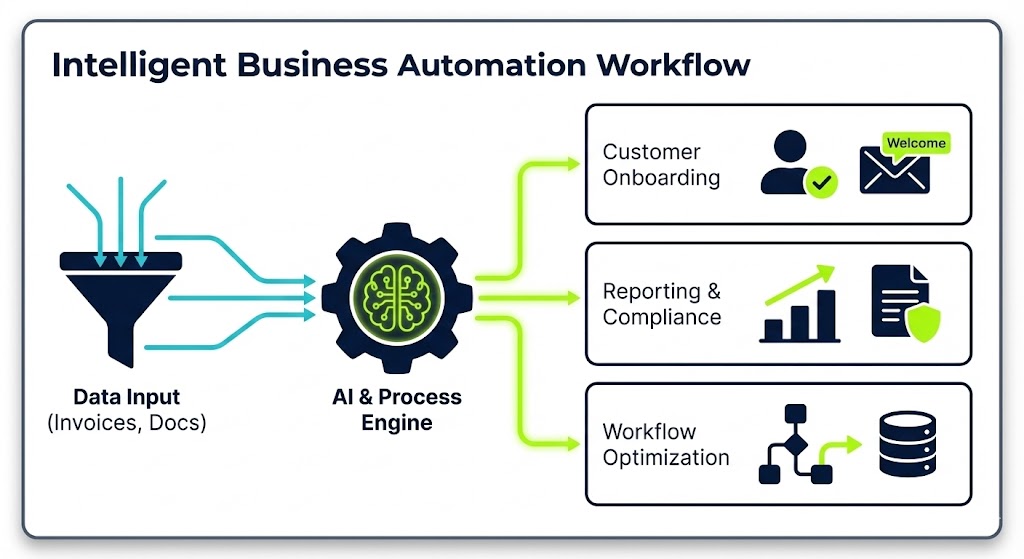
The word framework matters because the objective is not merely to store information. A framework establishes relationships between information and actions. For example, when a signed agreement is recorded, the framework might define the next steps as sending a welcome message, creating an onboarding project, assigning an account owner, requesting required information, and scheduling a kickoff.
The word automated also needs careful interpretation. Automation should normally handle predictable, rules-based work. Human judgment remains important for strategy, negotiation, unusual client requests, sensitive communications, scope changes, and situations where the available data is incomplete.
A practical framework therefore has two layers. The first is the operating model: stages, fields, owners, rules, and decisions. The second is the technology implementation: spreadsheet formulas, CRM rules, workflow platforms, forms, email systems, calendars, project-management tools, or integrations.
When these layers are separated, the system becomes easier to improve. You can change the business process without rebuilding every technical component, and you can replace a tool without losing the underlying client-management logic.
Why a Framework Is More Useful Than a Basic Client List
A contact database answers questions such as who the client is and how to contact them. A framework answers additional operational questions: what stage the relationship is in, what has been completed, what is overdue, who owns the next action, what information is missing, and what should happen next.
This distinction becomes increasingly important as the number of clients grows. A person can remember the next action for a few clients, but a growing portfolio quickly produces forgotten follow-ups, inconsistent onboarding, duplicated requests, outdated records, and unclear responsibilities.
A structured system creates a shared operational language. Terms such as “new,” “onboarding,” “active,” “waiting for client,” “at risk,” “renewal,” and “closed” can each have a precise definition. That makes dashboards and automation more reliable because the underlying statuses mean the same thing to everyone.
Frameworks also make handoffs easier. If one account manager becomes unavailable, another person should be able to open the client record and understand the current situation without reconstructing the entire relationship from email threads.
The strongest systems are therefore designed around decisions and actions rather than around fields alone. Every important field should have a reason to exist, and every automated action should have a clear trigger, owner, expected result, and exception path.

Core Components of an Automated Clients Framework Template
1. Client master record
The client master record is the authoritative profile for the relationship. It should contain only information that the business genuinely needs to operate, such as organization name, primary contacts, service category, relationship owner, lifecycle stage, agreement status, important dates, communication preferences, and links to relevant project records.
Avoid turning the master record into an uncontrolled storage area. If every note, attachment, conversation, and historical detail is placed into one table, the record becomes difficult to maintain and difficult to automate.
2. Lifecycle stages
Lifecycle stages describe where a client is in the relationship. A typical service-business framework might include prospect, qualified, proposal, won, onboarding, active delivery, review, renewal, and closed. These labels are examples rather than universal standards.
Each stage should have an entry condition and an exit condition. “Onboarding” should not simply mean that somebody changed a dropdown. It might mean that an agreement is complete and the client has entered the setup process.
3. Task and milestone structure
Tasks convert the framework into operational work. Each recurring activity should have an owner, deadline logic, status, and completion condition. Milestones should represent meaningful outcomes rather than arbitrary dates.
For example, “collect access” is a task, while “delivery team has all required access and confirms readiness” is a stronger milestone. This distinction makes reporting more useful because completion reflects an observable business result.
Designing the Data Model
A reliable client-management system starts with a clean data model. Think of the model as the structure underneath the visible template. It defines what a client is, what a project is, what a contact is, what a task is, and how those records relate to each other.
For a small operation, one table may be sufficient. A larger operation may need separate records for organizations, people, opportunities, projects, tasks, invoices, documents, and interactions. The correct design depends on complexity rather than on the desire to build a sophisticated database.
One common mistake is duplicating the same information in multiple locations. If the client email address appears in a master sheet, project sheet, invoice sheet, and onboarding document, an update can easily become inconsistent.
A better approach is to establish a source of truth. Other systems can reference or synchronize the authoritative record. This principle is especially important when automation writes information between tools because automated duplication can spread incorrect information very quickly.
Use stable identifiers when records need to move between systems. A client ID, project ID, or account ID is generally more reliable than matching records by name alone because names can change, contain spelling variations, or be shared by different organizations.

Building the Workflow From Trigger to Outcome
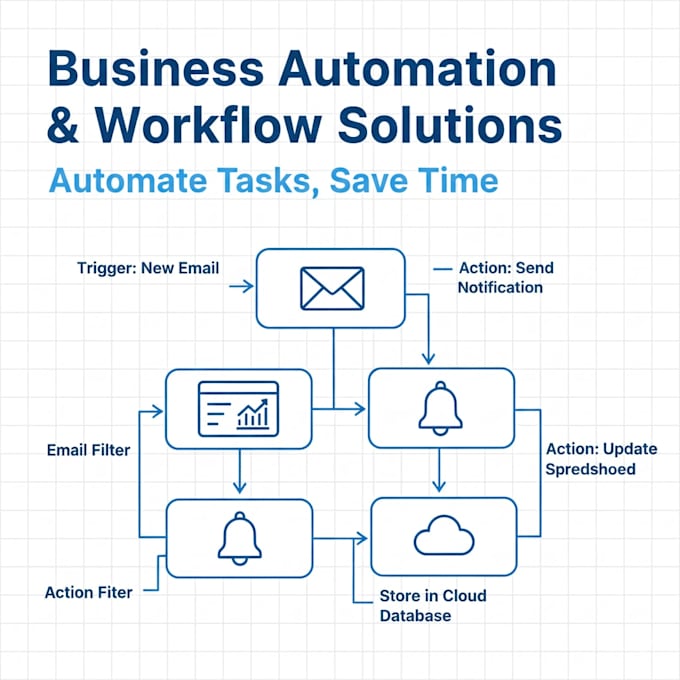
Every automated workflow should begin with a clearly identifiable trigger. Examples include a form submission, a deal changing status, a new client record being created, an agreement being marked complete, a milestone becoming overdue, or a scheduled date arriving.
The trigger should be observable by the system. A rule such as “when the account manager notices the client is ready” is not sufficiently precise for automation because different people may interpret readiness differently.
After the trigger, define the actions in order. A simple onboarding flow might create the client record, create a project, assign tasks, send an approved welcome message, request information, schedule a meeting, and notify the responsible team member.
Conditional logic can then handle variations. A standard client may receive one onboarding path, while a complex client may require additional approvals or technical setup. The branching condition should be based on a defined data field rather than an informal judgment hidden outside the system.
Finally, define the completion state. An automated workflow should know when it is finished. Without a clear completion condition, tasks remain open indefinitely, reporting becomes unreliable, and the workflow cannot distinguish genuine progress from administrative activity.

Client Intake and Onboarding
Client intake is one of the strongest candidates for standardization because many service businesses repeatedly request similar information. A good intake process collects only information needed for the next decisions, rather than presenting a long questionnaire simply because the system allows it.
Useful categories can include organization details, contacts, objectives, current situation, required services, deadlines, stakeholders, communication preferences, technical requirements, documents, and access requirements.
The intake form should distinguish required information from optional context. If a field is genuinely necessary to start work, make that clear. If it is merely useful background, do not create unnecessary friction by requiring it.
Once the intake is submitted, automation can validate the basic record, create the appropriate project structure, assign owners, and generate standardized tasks. Current workflow examples commonly use forms, project templates, CRM records, calendars, email, and document storage together to reduce manual coordination. :contentReference[oaicite:1]{index=1}
Human review should remain part of onboarding when the information affects scope, security, pricing, legal commitments, or technical implementation. Automation should accelerate preparation, not approve assumptions that have never been reviewed.

Automating Communication Without Making It Impersonal
Communication automation works best when the message is predictable, useful, and triggered by a meaningful event. Examples include confirmation messages, reminders about incomplete intake forms, meeting reminders, milestone notifications, and routine review prompts.
Automation should not mean sending more messages. The purpose is to send the right message at the right moment while reducing repetitive administrative effort.
Templates should also include clear ownership. A client should know which person or team is responsible for their relationship, even when the message itself was generated automatically.
Use escalation rules when a client does not respond or when an important task remains incomplete. A first reminder can be automatic, while a later escalation may create a human task for an account owner.
This creates a useful boundary between automation and relationship management. Routine communication is systemized, while meaningful conversations remain human-led.

Spreadsheet-Based Frameworks
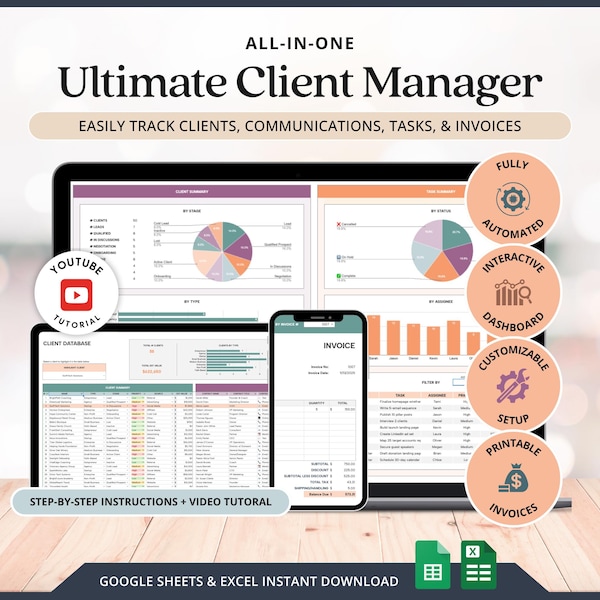
A spreadsheet can be a practical implementation when the business is small, the workflow is relatively simple, and users are comfortable maintaining structured tables. A well-designed spreadsheet can contain client records, status fields, task dates, formulas, validation rules, dashboards, and filtered views.
The key is to treat the spreadsheet as a lightweight system rather than a decorative list. Consistent column definitions, controlled values, unique identifiers, protected formulas, and clear ownership make a significant difference.
A useful spreadsheet might contain separate tabs for clients, contacts, projects, tasks, communication logs, and reporting. The tabs should have defined relationships rather than becoming unrelated collections of manually copied information.
Automation can be added through formulas, scripts, connected forms, or workflow services. However, every added layer introduces another dependency, so the system should remain understandable to the people responsible for maintaining it.
Spreadsheet systems are particularly useful for prototyping. Before investing in a full CRM, a business can test the workflow, identify which fields actually matter, and learn which steps are repetitive enough to justify automation.
Using Excel and XLS-Based Structures
Searches for an automated clients framework template excel or automated clients framework template xls often reflect a practical desire for a familiar format. Excel remains useful because it supports structured tables, formulas, filters, charts, data validation, and many forms of reporting.
The important question is not whether a workbook looks sophisticated but whether it supports the operating process. A visually attractive dashboard does not compensate for inconsistent statuses, duplicated client records, or missing ownership.
For an Excel implementation, separate raw data from calculations and presentation where possible. This reduces the risk that a user will accidentally overwrite a formula while editing a client record.
Use controlled dropdown values for fields such as lifecycle stage, priority, owner, project status, and client tier. Standardized values make filtering and reporting much more dependable than free-text entries.
If the workbook will be shared across a team, establish rules for editing, version control, backups, and responsibility. A spreadsheet can become fragile when several people modify formulas, structures, and records without agreed conventions.

Document-Based Frameworks and Word Templates
A document-based approach is useful when the framework needs to explain procedures as well as store data. A Word document can describe stages, responsibilities, message templates, escalation rules, checklists, and standard operating procedures.
This makes the format particularly valuable for training. A new team member can read the framework and understand why each stage exists instead of seeing only a series of database fields.
A document should not, however, become the sole operational database when many records need to be updated. Word is better suited to instructions, reusable text, policies, questionnaires, meeting structures, and narrative documentation.
For example, the document can define what information must be collected during onboarding while a separate client database stores the actual values. The two resources complement one another.
Mail-merge and document-generation processes can also connect structured client data to standardized documents. Microsoft-hosted examples illustrate how centralized client data can be used to populate multiple document templates rather than repeatedly entering the same details.
PDF Versions and Printable Documentation
PDF is generally best treated as a distribution or archival format rather than the primary editing environment. A PDF can preserve the appearance of a framework, checklist, client brief, report, or completed record across different devices.
When someone searches for an automated clients framework template pdf, they may actually need one of several different things: a blank printable template, a workflow specification, a client-facing document, an internal checklist, or an example of a completed framework.
Those purposes should not be confused. A printable checklist may be excellent for a workshop but unsuitable for automation because it contains no machine-readable triggers or structured records.
If a PDF is part of an automated workflow, define when it is created and what source data populates it. For example, an approved client record could generate a standardized welcome pack, while the underlying client information remains in the primary system.
Do not assume that a resource described online as “free,” “downloadable,” or “PDF” is necessarily authoritative or maintained. Verify the actual provider, current version, terms of use, and whether the file is genuinely available before relying on it operationally.
GitHub and Repository-Based Templates
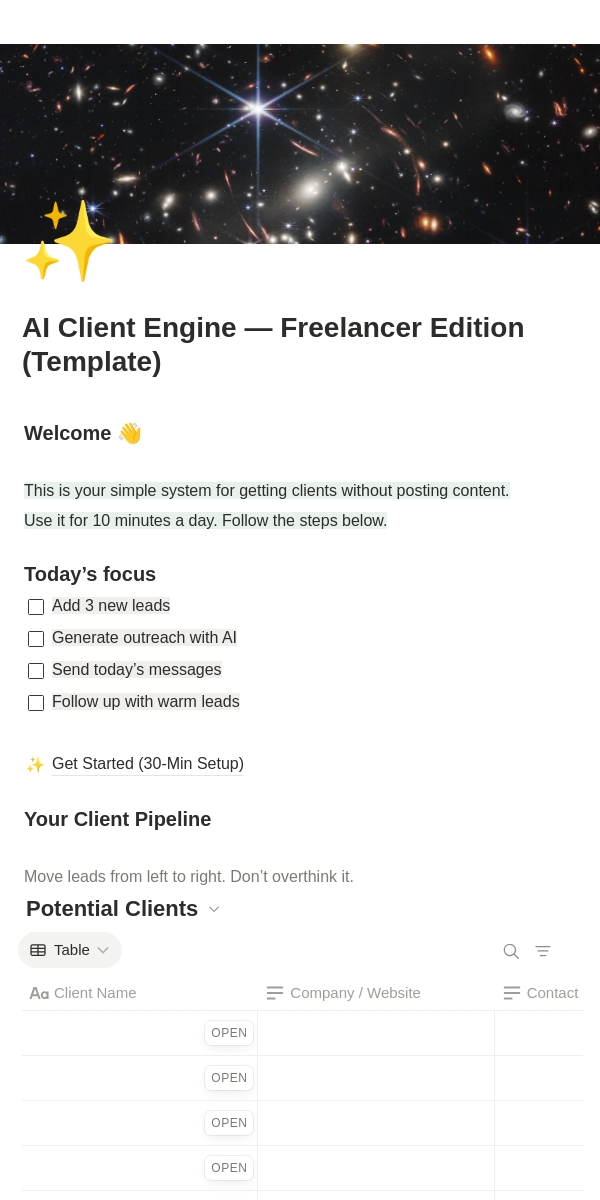
Repository-based frameworks are useful when the “template” includes configuration files, automation definitions, documentation, scripts, sample data structures, or repeatable technical components. A repository can preserve version history and make changes easier to review.
An automated clients framework template github search may therefore indicate that the user is looking for an implementation rather than a simple document. In that context, the repository should contain clear documentation describing setup, configuration, dependencies, required variables, and the intended workflow.
A good repository separates reusable configuration from client-specific information. Never place confidential client information, credentials, private tokens, or sensitive records into a public repository.
Version control also makes experimentation safer. A team can test a revised workflow, document the change, and return to an earlier version if the new logic causes unexpected behavior.
For nontechnical users, repository-based systems should include a plain-language operating guide. Technical files alone are not a substitute for documentation explaining what the automation does and when human intervention is required.
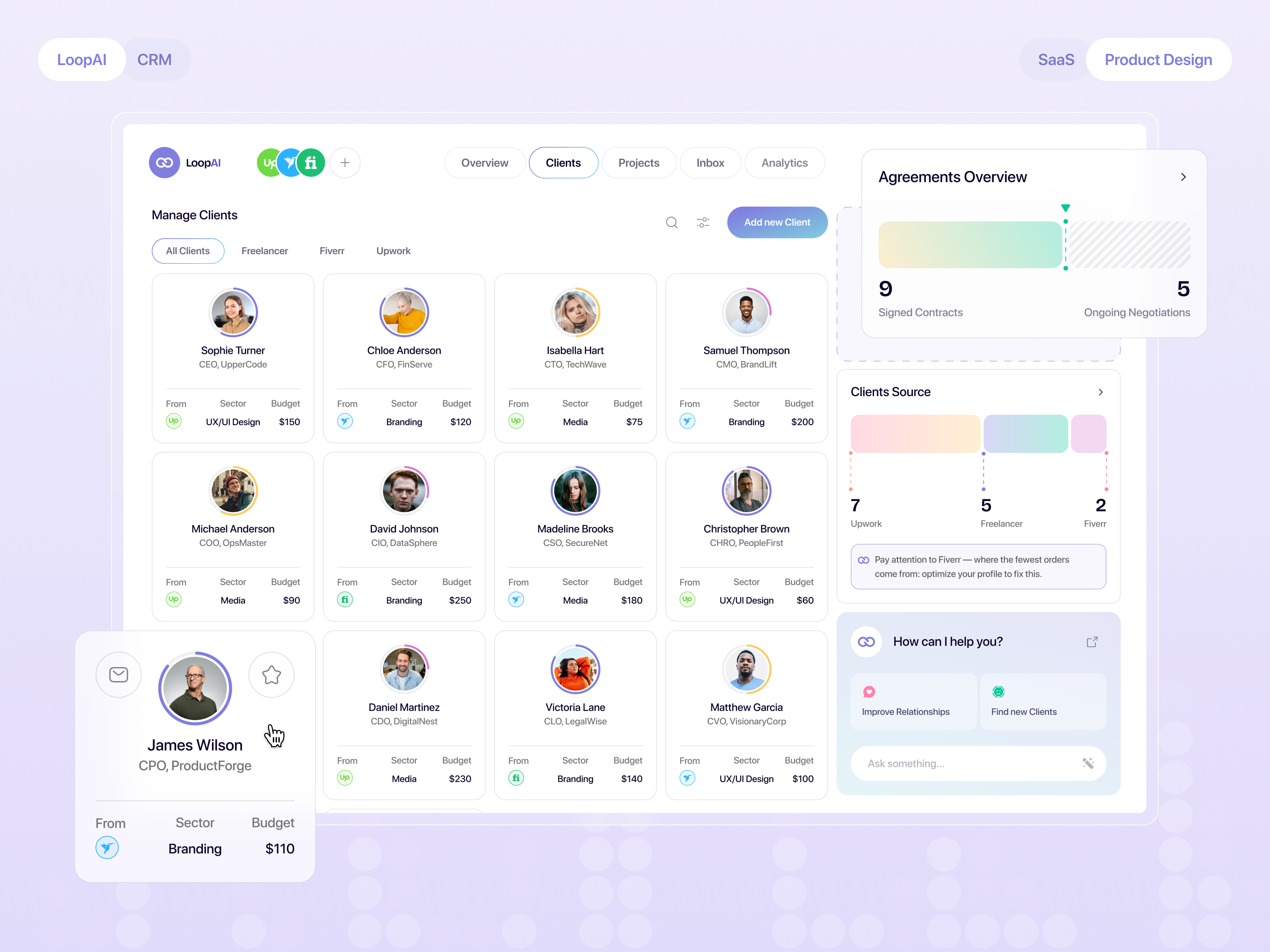
Client Management System Framework
A client management system framework connects the customer lifecycle with the operational activities needed to deliver the service. It should make it possible to move from acquisition to delivery without losing context.
At minimum, consider five dimensions: relationship data, workflow state, ownership, activity history, and next action. Together they answer who the client is, where the client is, what has happened, who is responsible, and what needs to happen next.
More mature systems can add financial information, service-level targets, satisfaction signals, renewal dates, risk indicators, reporting metrics, and integrations. These should be added only when they support a real decision.
The framework should also define permissions. Not every user needs access to every client field. Sensitive commercial or administrative information may require narrower access than ordinary project status.
Finally, establish a maintenance cycle. Client systems degrade when fields accumulate without review, old workflows remain active, and no one is responsible for improving the framework.

Examples of Client Workflow Stages
A simple framework can begin with a prospect entering the system through a form, referral, sales process, or manual record. The first automated action might normalize the contact information and assign an owner.
After qualification, the workflow can create a proposal or discovery task. If the opportunity becomes a client, a new event can initiate onboarding rather than requiring the sales team to manually notify every delivery participant.
During onboarding, the system can monitor information collection, access requirements, kickoff scheduling, project setup, and internal handoff. Each stage should have an explicit completion condition.
During active delivery, automation can create recurring review tasks, reminders, reporting events, and internal alerts. It should not automatically interpret every client message or make strategic decisions without appropriate review.
At renewal or closure, the framework can create a review, archive relevant records, document outcomes, and schedule future follow-up where appropriate. This creates continuity rather than treating the end of one project as the end of the relationship.

How to Analyze and Improve the Framework
After implementation, analyze the workflow rather than assuming it works because automation is running. Review where tasks remain overdue, where users repeatedly correct records, where clients receive duplicate messages, and where manual work continues despite the presence of automation.
Cycle time is one useful operational measure. Compare the time between meaningful stages, such as signed agreement to onboarding completion or onboarding completion to first delivery milestone.
Exception frequency is another useful measure. If a workflow frequently fails because a required field is missing, the problem may be the data-collection design rather than the automation itself.
Quality should also be considered. Faster processing is not necessarily better if automation creates incorrect records or confusing communications. A good framework balances efficiency with accuracy and client experience.
Use periodic reviews to remove obsolete fields, simplify unnecessary steps, improve unclear triggers, and update documentation. Business-process management is inherently iterative: processes are designed, monitored, evaluated, and improved over time. :contentReference[oaicite:3]{index=3}

Practical Example: A Small Agency
Imagine a hypothetical digital agency that wants a repeatable onboarding process. The agency decides that every newly signed client needs a welcome message, an intake form, a kickoff meeting, a project workspace, an internal handoff, and a first milestone.
The client record contains the organization name, primary contact, service package, account owner, start date, project identifier, communication preference, and onboarding status. A separate task record contains individual onboarding activities.
When the agreement is marked complete, the framework creates the standard onboarding tasks and assigns the account owner. A welcome message is prepared using an approved template, while a human reviews the client-specific details before sending it.
If the intake form is incomplete after the defined period, the system sends a reminder. If it remains incomplete after the escalation threshold, the account owner receives a task instead of allowing the system to continue sending reminders indefinitely.
Once the client is ready, the onboarding status changes to complete, the delivery team receives a structured handoff, and the system schedules the next review milestone. The exact timing is a business decision and should be customized to the service model.

Practical Example: A Consultant
A consultant may need a lighter framework. Instead of managing dozens of simultaneous projects, the system may focus on discovery, proposal, agreement, onboarding, active advisory work, review, and renewal.
The framework can store the client objective, engagement scope, meeting cadence, agreed outcomes, key stakeholders, upcoming decisions, and next action. Meeting notes can remain in a document system while the framework stores links and structured outcomes.
Automated reminders can support recurring meetings and review points, but the consultant should retain control over recommendations and client-specific advice. Automation is most useful for preparation and administration.
After each major meeting, a short structured update can record decisions, responsibilities, deadlines, and unresolved questions. This makes the next meeting easier to prepare for and reduces reliance on memory.
At the end of the engagement, the framework can prompt an outcome review and identify whether a renewal, extension, or future follow-up is appropriate. These prompts should assist judgment rather than replace it.

Common Mistakes to Avoid
One common mistake is automating a poorly understood process. If the current workflow is inconsistent, automation may simply make the inconsistency happen faster.
Another mistake is collecting too much information. Every unnecessary field increases maintenance effort and creates more opportunities for incomplete or inaccurate data.
A third mistake is using ambiguous statuses. Labels such as “in progress” can mean almost anything unless the team defines what the status actually represents.
Another problem is automating communication without considering exceptions. A client who has already replied should not keep receiving the same reminder simply because the automation was not designed to detect the response.
Finally, avoid building a system that only one person understands. Documentation, ownership, naming conventions, and simple operating instructions are essential parts of the framework.

Best Practices for Long-Term Maintenance
Give every important workflow a named owner. The owner is responsible for monitoring whether the process remains accurate and useful, not necessarily for performing every task inside it.
Document triggers in plain language. Someone reviewing the system should be able to understand why a workflow starts, what conditions it checks, what it changes, and what happens if something goes wrong.
Review automation after significant changes to services, pricing, teams, technology, or client requirements. A workflow that was appropriate six months ago may become unnecessarily complicated after the business changes.
Keep test records separate from live client records. Before changing an important automation, test the expected path and at least one exception path using non-sensitive sample information.
Maintain a change log for important workflow modifications. A simple record of what changed, why it changed, who approved it, and when it was implemented can make troubleshooting much easier.

Choosing Between Free and Paid Resources
People searching for an automated clients framework template free download or automated clients framework template free may be looking for a starting point rather than a complete production system. Free resources can be valuable for learning and prototyping.
The important evaluation criteria are structure, clarity, editability, maintenance, licensing, and suitability for the intended workflow. A free file that requires extensive rebuilding may consume more time than a simpler paid or internally created framework.
Do not assume that “free” means unrestricted commercial use. Check the provider’s current terms before redistributing or embedding a third-party resource into a commercial product.
Likewise, a downloadable template should not be treated as a complete automation solution simply because it contains the word “automated.” The actual automation may require separate configuration, integrations, accounts, scripts, or workflow rules.
A sensible approach is to use free resources for exploration, identify which parts are genuinely useful, and then adapt the framework to the business’s own processes and data requirements.

Creating Your Own Framework From Scratch
Start by documenting the client journey without automation. Write down the actual steps from initial contact through onboarding, delivery, review, renewal, and closure.
Next, identify every handoff. Handoffs often reveal hidden administrative work because information moves from one person, tool, or document to another.
Then identify repetitive activities. These are the strongest candidates for automation, especially when the trigger and expected result are clear.
After that, define the data model. Decide which information needs to be stored, where it belongs, which system is authoritative, and who can change it.
Finally, build the smallest working version. Test it with realistic sample scenarios before adding advanced reporting, complex branches, or numerous integrations.

Practical Solution
The most practical solution is to treat the automated clients framework template as a blueprint first and a technical implementation second. Begin with the client lifecycle, then define the data, responsibilities, triggers, actions, exceptions, and completion conditions.
Step 1: Map the lifecycle. Write down the stages your clients actually move through. Keep the initial list short. If two stages do not lead to different actions or decisions, consider whether they need to remain separate.
Step 2: Define the master record. Select the minimum information needed to identify the client, understand the relationship, assign ownership, and determine the next action. Add fields only when they support a decision or workflow.
Step 3: Create standard task groups. For every repeatable stage, create a checklist of tasks with owners and completion conditions. Make dependencies explicit so that one activity does not start before a required predecessor is complete.
Step 4: Identify automation candidates. Look for predictable actions such as creating records, assigning standard tasks, sending confirmations, scheduling reminders, updating statuses, and generating routine reports.
Step 5: Add exception paths. Define what happens when a required field is missing, a client does not respond, a task fails, a deadline is missed, or a human decision is required. Exceptions should be designed alongside the normal workflow.
Step 6: Establish human checkpoints. Require review where errors could affect scope, financial commitments, confidential information, client trust, or important strategic decisions.
Step 7: Test before scaling. Use sample client records to test normal, delayed, incomplete, and unusual scenarios. Check whether notifications are appropriate and whether records remain consistent across systems.
Step 8: Measure the result. Track practical indicators such as onboarding cycle time, overdue tasks, incomplete records, manual interventions, workflow errors, and client-facing delays. The purpose is to learn whether the system actually improves operations.
Step 9: Document ownership. Assign responsibility for maintaining the framework, reviewing automation, updating templates, and resolving workflow failures.
Step 10: Improve gradually. Start with the highest-value repetitive work. A small reliable system is usually easier to maintain than a highly complex automation architecture built before the process is understood.

Reference Examples
The following reference examples illustrate the kinds of visual structures that can support client-management frameworks, workflow documentation, spreadsheets, repositories, documents, and process mapping. They are reference visuals, not claims that a particular third-party file is an official or universally applicable template.
automated clients framework template free download

Source: Wikimedia Commons
automated clients framework template free

Source: Wikimedia Commons
automated clients framework template excel

Source: Wikimedia Commons
automated clients framework template github

Source: Wikimedia Commons
automated clients framework template download

Source: Wikimedia Commons
automated clients framework template pdf

Source: Wikimedia Commons
automated clients framework template example

Source: Wikimedia Commons
automated clients framework template word
Source: Wikimedia Commons
client management system framework
Source: Wikimedia Commons
automated clients framework template uk
Source: Wikimedia Commons
automated clients framework template xls

Source: Wikimedia Commons
automated clients framework template examples
Source: Wikimedia Commons
Frequently Asked Questions
What should an automated clients framework template contain?
At minimum, it should define the client lifecycle, master client information, owners, tasks, triggers, actions, deadlines, completion conditions, exception paths, and reporting requirements. The exact fields should reflect the organization’s workflow rather than a generic checklist.
Can an automated clients framework template be built in Excel?
Yes. Excel can work well for small or moderately complex operations when the data structure is controlled. Use standardized fields, unique identifiers, validation rules, protected formulas, and clear ownership to reduce errors.
Is a free template enough to automate client management?
Usually, a template is only the starting point. Automation may require workflow rules, integrations, forms, scripts, CRM configuration, or other technical components. A template is most valuable when it clearly defines the process that those components will implement.
Should the framework be stored in a spreadsheet or CRM?
It depends on complexity. A spreadsheet can be sufficient for a small operation, while a CRM or connected workflow system may be more appropriate when multiple users, integrations, permissions, automation rules, or large numbers of records are involved.
What is the difference between a client framework and a CRM?
A framework describes how the client-management process should work. A CRM is a technology system that can store and operate client information. A CRM can implement the framework, but the framework should remain understandable independently of the software.
How much should be automated?
Automate predictable, repetitive, rules-based work first. Keep human checkpoints for decisions involving strategy, exceptions, important commitments, sensitive information, or situations where the available data does not clearly support an automated decision.
What is the best way to test a new framework?
Use sample records and test normal, incomplete, delayed, and exceptional scenarios. Check every trigger, field update, notification, task assignment, and completion condition before connecting the workflow to live client data.
How often should a client-management framework be reviewed?
Review it whenever the underlying business process changes and periodically even when operations appear stable. Look for obsolete fields, unnecessary steps, repeated exceptions, manual workarounds, and automation that no longer matches current responsibilities.
Conclusion
A well-designed automated clients framework template is not simply a downloadable spreadsheet, PDF, Word document, or software workflow. It is a practical operating blueprint that connects client information with stages, responsibilities, triggers, actions, exceptions, and measurable outcomes. The strongest implementation starts with a clear process, uses automation for predictable administrative work, preserves human judgment where it matters, and evolves through regular review. Whether the first version is a simple workbook or a connected client-management system, the goal remains the same: create a consistent, understandable, and maintainable way to move clients through the relationship while reducing avoidable administrative effort.
