A conventional budget answers questions such as “How much should I spend on groceries?” or “How much can I save this month?” A calendar-based budget adds another question: “On which date will that money be needed?” This distinction matters because a person can have enough income for an entire month while still experiencing a difficult week when several large payments fall close together.
A well-designed budget planning calendar template therefore works as a scheduling tool as much as a budgeting worksheet. It can contain paydays, bill due dates, planned purchases, savings transfers, debt payments, irregular expenses, and running balances. The Consumer Financial Protection Bureau describes a bill calendar in similar terms: gather bills, record what is owed and when it is due, review the calendar regularly, and use the overall budget as a guide. :contentReference[oaicite:0]{index=0}
The best template is not necessarily the most complicated one. A useful design makes the financial information visible without requiring excessive data entry. For some people, a one-page printable calendar is ideal. Others benefit from formulas, automatic totals, charts, and a rolling daily balance in a spreadsheet. The right format depends on how often income arrives, how predictable expenses are, and whether the calendar is used alone or alongside a more detailed budget.
This guide explains how to choose, build, customize, and maintain a budget planning calendar template. It covers spreadsheet and printable formats, monthly and weekly approaches, cash-flow planning, formulas, examples, reporting, common mistakes, and practical workflows. The goal is not simply to create another financial worksheet, but to build a calendar that helps turn a budget into a usable plan for real dates.
What Is a Budget Planning Calendar Template?
A budget planning calendar template is a pre-structured financial planning document that places income and expenses on specific calendar dates. Instead of organizing information only by category, it organizes money movements chronologically. A typical version may contain a monthly calendar grid, income entries, recurring bills, variable spending, savings targets, debt payments, notes, and one or more summary fields.
The calendar layer is important because timing can influence cash availability. Suppose an example household receives $2,000 on the 1st and $2,000 on the 15th. If rent, insurance, utilities, and a debt payment are concentrated during the first half of the month, the household may need to allocate the first paycheck carefully even though total monthly income appears sufficient. A calendar makes that concentration visible.
Templates can range from very simple paper forms to sophisticated workbooks. Vertex42, for example, describes its budget calendar as a spreadsheet that lets users enter expenses directly into a monthly calendar, with amounts totaled at the bottom. Its daily-balance version also allows recurring bills to be scheduled so the calendar can show a more continuous picture of money movement. :contentReference[oaicite:1]{index=1}
The concept is different from a standard expense tracker. An expense tracker usually records what has already happened. A calendar can record what is expected to happen next. That makes it useful for forward planning, because the reader can identify crowded payment periods before they arrive and decide whether a bill should be funded from an earlier paycheck, a sinking fund, or another planned source of cash.
A template also reduces setup friction. Instead of designing columns, date fields, categories, totals, and notes from scratch, the user starts with an existing structure and changes it to fit personal circumstances. The most effective templates are flexible enough to accommodate different currencies, pay schedules, categories, month lengths, and financial goals without making the underlying system difficult to maintain.
Why Use a Calendar Instead of Only a Monthly Budget?
A monthly budget gives you a valuable high-level picture, but totals can hide timing problems. Imagine that monthly income is $4,500 and planned expenses are $3,900. On paper, that looks positive. Yet if $2,600 of those expenses are due before the next income deposit, the timing deserves attention. A calendar exposes that sequence immediately.
Calendar budgeting is particularly helpful for people who are paid weekly, biweekly, irregularly, or through multiple income sources. It lets the user assign expected expenses to realistic periods rather than treating the entire monthly income as if it were available on the first day.
It can also reduce forgotten-payment problems. When recurring bills are placed on the dates they are due, the calendar becomes a visual reminder. The CFPB recommends keeping a bill calendar somewhere it can be checked weekly and recording the bill, amount owed, and due date. :contentReference[oaicite:2]{index=2}
A calendar can further support irregular expenses. Annual insurance premiums, school costs, maintenance, gifts, travel, membership renewals, and seasonal purchases do not always fit neatly into a normal monthly category. Recording their expected dates allows the user to prepare for them rather than treating them as surprises.
Finally, a calendar creates a bridge between planning and action. A budget says what should happen; the calendar says when it should happen. That combination can be more practical than either tool alone.
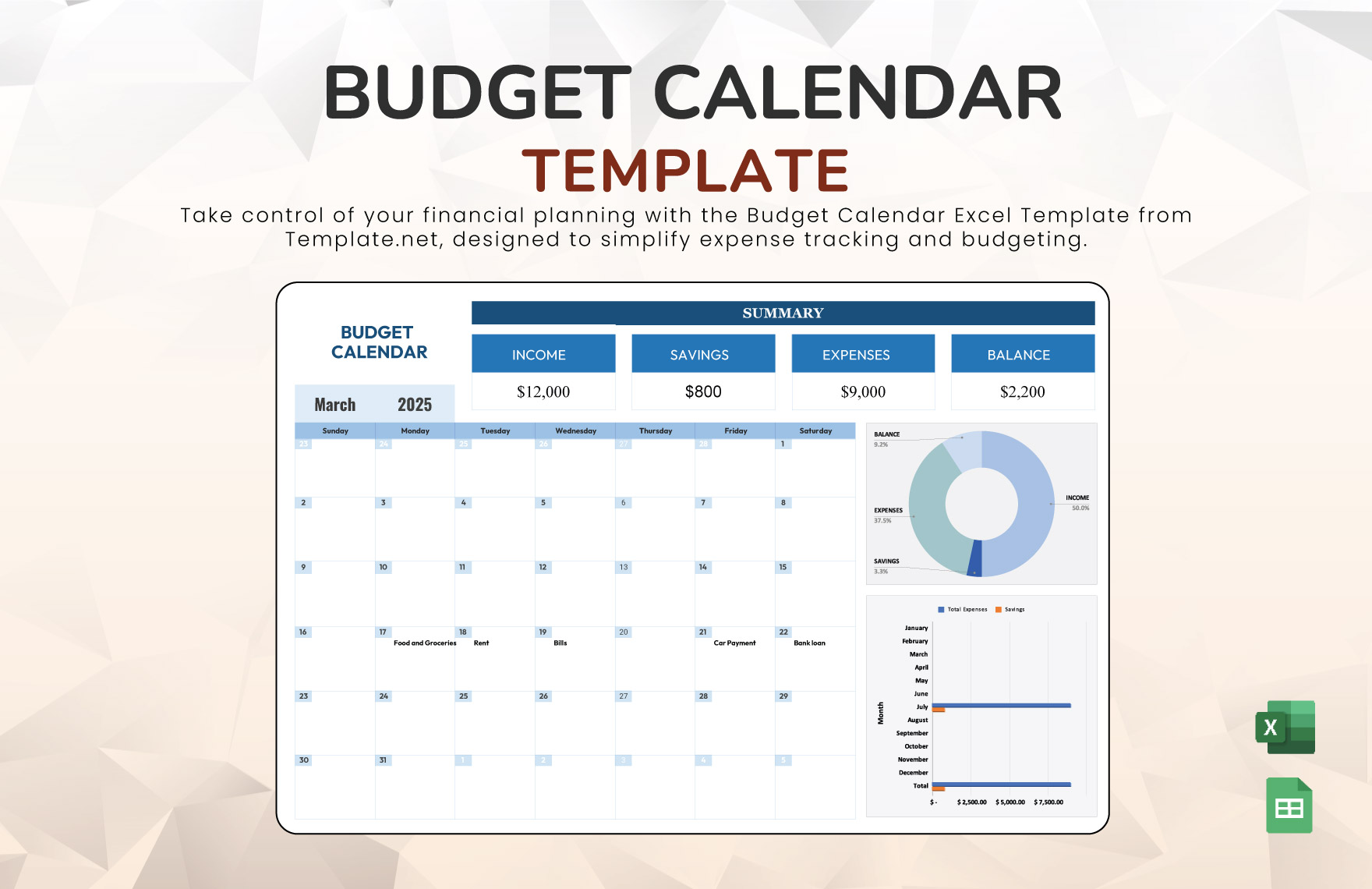
A visual calendar also makes the distribution of financial activity easier to scan. A reader can quickly notice weeks with many transactions, dates with large bills, or periods when little income is expected. The following example illustrates how calendar-oriented budget layouts differ from ordinary category-only worksheets.
Monthly calendar layouts commonly place the days in a Sunday-to-Saturday grid and provide room inside each day for a short description and amount. More advanced versions may add a daily balance, bill checklist, income area, or summary dashboard.
When selecting a design, prioritize readability over decoration. A calendar that uses large writing areas and clear headings may be more useful than one with extensive graphics but very little space for actual entries.
The most useful fields usually answer four questions: what happens, when it happens, how much it affects cash, and whether the transaction is planned or completed.
A strong calendar can also distinguish income from expenses. This can be done with separate columns, symbols, labels, or formatting. The important point is that the distinction remains understandable when the calendar is printed or viewed on a small screen.
Core Components of a Budget Planning Calendar Template
1. Month and year
Every calendar should identify the month and year prominently. This seems obvious, but dated records become confusing when multiple pages or spreadsheet tabs are used. If the template is undated, add the period before entering financial information.
2. Starting balance
A starting balance establishes the amount available at the beginning of the planning period. For a cash-flow calendar, it can be more informative than simply listing income because the balance represents the starting point from which scheduled inflows and outflows are calculated.
3. Income dates and amounts
Include regular paychecks, freelance income, benefits, transfers that are genuinely available for spending, or other predictable sources. When income is uncertain, label it as estimated rather than presenting it as guaranteed.
4. Bill due dates
Recurring bills are among the most important calendar entries. Record the bill name, due date, expected amount, and payment status where practical. The amount can be a fixed figure for stable bills or an estimate for bills that fluctuate.
5. Variable expenses
Groceries, transportation, dining, personal purchases, entertainment, and other variable costs can be planned by day or by week. A calendar should not force every small purchase into a separate cell if that makes the system burdensome. Weekly allowances can be used when daily precision is unnecessary.
6. Savings and sinking funds
Savings transfers can be placed on the date they are intended to occur. A sinking fund entry can represent money being set aside for a future known expense, such as an annual renewal or planned repair.
7. Notes and status fields
A notes field is useful for changes, reminders, estimated amounts, or follow-up items. A simple “planned,” “paid,” or “moved” status can make the calendar much more useful during the month.
8. Summary area
The summary should show a small number of useful measures, such as starting balance, total income, total expenses, planned savings, and projected ending balance. Avoid adding metrics simply because a spreadsheet can calculate them.
Choosing the Right Format
There is no single best file type for every budgeting situation. A spreadsheet is useful when calculations, recurring transactions, and adjustments matter. A PDF is convenient when the priority is consistent printing. A paper calendar can be excellent for users who prefer handwriting and want the financial plan physically visible.
A spreadsheet is usually the strongest option when the calendar needs automatic calculations. It can calculate totals, compare planned and actual amounts, roll balances from one date to the next, and produce summaries. It is also easier to duplicate for multiple months.
A printable template is often preferable when simplicity is the priority. A paper calendar can sit near a desk, planner, or household filing system. It does not depend on opening an application, and handwriting can make the financial plan more visible during daily routines.
A PDF is useful when you want the appearance of a document to remain consistent across devices. However, a PDF can be less flexible than a spreadsheet unless it contains fillable fields. Some current resources offer standard PDFs, typeable PDFs, and editable formats, so the exact capabilities should be checked before relying on a particular file. :contentReference[oaicite:3]{index=3}
Google Sheets can be useful for people who want browser-based access and easy sharing. Excel is especially useful when you want extensive spreadsheet formulas and local workbook control. Both can support calendar-style budgeting, but the quality of the template depends more on its structure than on the software name.
When comparing formats, consider five practical questions: Will you update the calendar frequently? Do you need automatic calculations? Will more than one person edit it? Do you need a printed copy? Do you need to preserve a historical record?
A good format should reduce work rather than create another administrative task. If a sophisticated workbook takes longer to maintain than the financial decisions it supports, a simpler format may be better.
The visual difference between spreadsheet dashboards and paper-oriented planners is substantial. Spreadsheet designs tend to emphasize formulas, summaries, and charts, while printable designs generally emphasize writing space and quick visual reference.
Before selecting a template, inspect whether the daily cells are large enough to contain the information you actually intend to record. A visually attractive calendar can become frustrating if each day has room for only a few characters.
Also check whether the template separates planned figures from actual figures. That distinction is valuable because a budget is a plan, while actual spending is a record. Comparing the two helps reveal where the plan needs adjustment.
If the template includes formulas, review how the calculations work before entering important information. A template should be understandable enough that you can troubleshoot an unexpected total instead of treating the spreadsheet as a black box.

How to Build a Budget Planning Calendar Template from Scratch
Step 1: Define the planning period
Start with one month. A monthly period is usually long enough to capture recurring bills while remaining easy to review. Once the system works for one month, you can extend it to quarterly or annual planning.
Step 2: Gather financial information
Collect recent account statements, bills, pay schedules, subscription information, debt payment schedules, and records of recurring expenses. The purpose is not to create a perfect historical database; it is to establish realistic inputs for future planning.
Step 3: Record expected income
Enter each expected income date and amount. If the amount varies, use a conservative estimate rather than assuming an unusually strong month will repeat.
Step 4: Record fixed bills
List housing, utilities, insurance, debt payments, subscriptions, tuition, and other predictable obligations. Place each payment on its expected due date.
Step 5: Add variable spending
Estimate categories such as food, transportation, personal spending, and entertainment. You can use daily entries if you want precise cash-flow visibility or weekly allowances if that is easier to maintain.
Step 6: Add savings and planned irregular costs
Enter planned savings transfers and contributions to sinking funds. Add known irregular expenses to the date when the money will actually be needed.
Step 7: Calculate the projected balance
A basic daily balance can be calculated as the previous balance plus income minus expenses. For example, if the opening balance is $1,200, a $2,000 deposit arrives, and $850 of payments occur afterward, the projected balance becomes $2,350. The numbers here are hypothetical and demonstrate the calculation rather than reporting a real financial result.
Step 8: Review the crowded dates
Look for periods when several large expenses occur before the next expected income. These are the dates where planning has the greatest practical value.
Step 9: Compare the calendar with the monthly budget
Confirm that the calendar totals match the broader budget. A calendar should complement the budget rather than become a separate system with contradictory numbers.
Step 10: Review and update
During the month, mark bills as paid and replace estimates with actual amounts when appropriate. At month-end, review differences and use what you learned to improve the next period.
Using a Spreadsheet Effectively
A spreadsheet version can be simple. At minimum, create columns for date, description, category, income, expense, and balance. A separate recurring-bills table can store bill names, due days, and expected amounts.
If you want automation, keep input cells separate from formula cells. This makes the workbook easier to understand and reduces the risk of accidentally overwriting a calculation.
For a daily balance, the general logic is straightforward: beginning balance plus income minus expenses equals ending balance. The balance for the next date begins with the previous date’s ending balance.
Recurring bills can be entered once in a dedicated table and referenced by formulas. Vertex42’s calendar demonstrates this type of approach by allowing monthly bills to be scheduled and incorporated into daily calculations. :contentReference[oaicite:4]{index=4}
Use data validation where it genuinely improves consistency. For example, a category dropdown can prevent “Groceries,” “grocery,” and “Food groceries” from being treated as unrelated labels. Consistent categories make later analysis easier.
Conditional formatting can also highlight dates where the projected balance falls below a chosen planning threshold. The threshold should be a personal planning parameter, not a universal financial rule.
Keep formulas transparent. If the workbook contains complicated logic that nobody using it understands, troubleshooting becomes difficult. A smaller number of reliable formulas is usually preferable to unnecessary automation.
Finally, preserve an untouched master copy. Duplicate it for each month or create a structured workbook with separate monthly tabs. This prevents accidental changes to the original layout and makes historical comparisons easier.
Several spreadsheet templates available online illustrate different levels of complexity. Some focus on monthly totals, while others combine calendar dates with dashboards, daily balances, income tracking, and expense categories. The important lesson is to select features based on actual planning needs rather than choosing the template with the greatest number of features.
A workbook that calculates daily balances can answer questions that a category summary cannot. It can show when the account is expected to be strongest, when several obligations coincide, and how a planned purchase changes the projected balance.
Budget Planning Calendar Template for Excel
A budget planning calendar template excel workbook can be especially useful when the user wants formulas, recurring bills, projected balances, and monthly comparisons. Excel supports formulas, tables, charts, conditional formatting, and workbook structures that can grow with the budgeting system.
A practical Excel layout can use one sheet for setup, one for recurring transactions, one for the calendar, and optional sheets for monthly summaries. The calendar itself should remain readable rather than becoming a dumping ground for every financial detail.
The recurring-bill table might contain fields for bill name, due day, estimated amount, category, and payment status. The calendar can then display the transaction on the appropriate date. This approach reduces repetitive data entry.
An Excel calendar can also support planned-versus-actual analysis. For example, if groceries were planned at $450 and actual spending reached $510, the difference is $60. The useful question is not simply whether the number is higher, but whether the difference was caused by an unusual purchase, an unrealistic plan, or a recurring pattern.
Excel is also helpful for annual analysis. Twelve monthly calendar sheets can feed a summary sheet that compares income, expenses, savings, and major categories across the year. A yearly view should complement the detailed monthly calendars rather than replace them.
Budget Planning Calendar Template for Google Sheets
A budget planning calendar template google sheets format is useful when accessibility and collaboration matter. A browser-based workbook can be opened from different devices and shared with another person when joint planning is appropriate.
Google Sheets works well for calendar layouts because dates, formulas, dropdowns, and conditional formatting can be combined in one workbook. A shared sheet can also make it easier for household members to see the same planning information rather than maintaining separate versions.
However, collaboration requires clear conventions. Decide who enters transactions, how categories are named, whether estimates are updated, and how paid bills are marked. Without consistent rules, shared spreadsheets can become difficult to interpret.
Protect formula cells when appropriate and keep editable input areas obvious. This reduces accidental changes to calculations and makes the template easier for a beginner to use.
Google Sheets is particularly useful when the calendar needs to be updated throughout the month. A user can record a changed bill amount, add an unexpected expense, or update a payday estimate without rebuilding the entire document.
Monthly, Weekly, and Yearly Calendar Approaches
Monthly planning
A budget calendar template monthly layout is the natural starting point for most households because many obligations are billed monthly. A single month can show the complete sequence of paydays, bills, planned spending, savings, and remaining funds.
A monthly calendar is also easy to print. A one-page design can provide enough context to see the entire period without switching between multiple views.
The strongest monthly calendars separate recurring bills from discretionary spending when possible. This lets the reader quickly distinguish obligations that must be funded from expenses that can be adjusted.
Weekly planning
A weekly budget calendar is useful when income arrives frequently or when daily spending requires closer attention. A weekly budget calendar template can divide the week into days and include planned spending, actual spending, income, and notes.
A weekly view can also work as a secondary layer. The monthly calendar provides the big picture, while the weekly sheet provides more detail for a short period. This is especially useful when daily expenses fluctuate substantially.
Weekly planning should not automatically replace monthly planning. Recurring bills and irregular annual costs can disappear from a purely weekly system, so a broader monthly or yearly review remains valuable.
Yearly planning
A yearly budget calendar template provides a longer horizon. It can show expected income, recurring expenses, savings targets, debt payments, and large seasonal expenses across twelve months.
The annual view is particularly useful for expenses that happen only a few times per year. Rather than discovering an annual payment when it becomes due, the planner can record the expected month and begin setting aside money in advance.
A yearly view should remain high level. The detailed transaction work belongs in the monthly or weekly calendar, while the annual sheet provides direction and helps identify seasonal patterns.
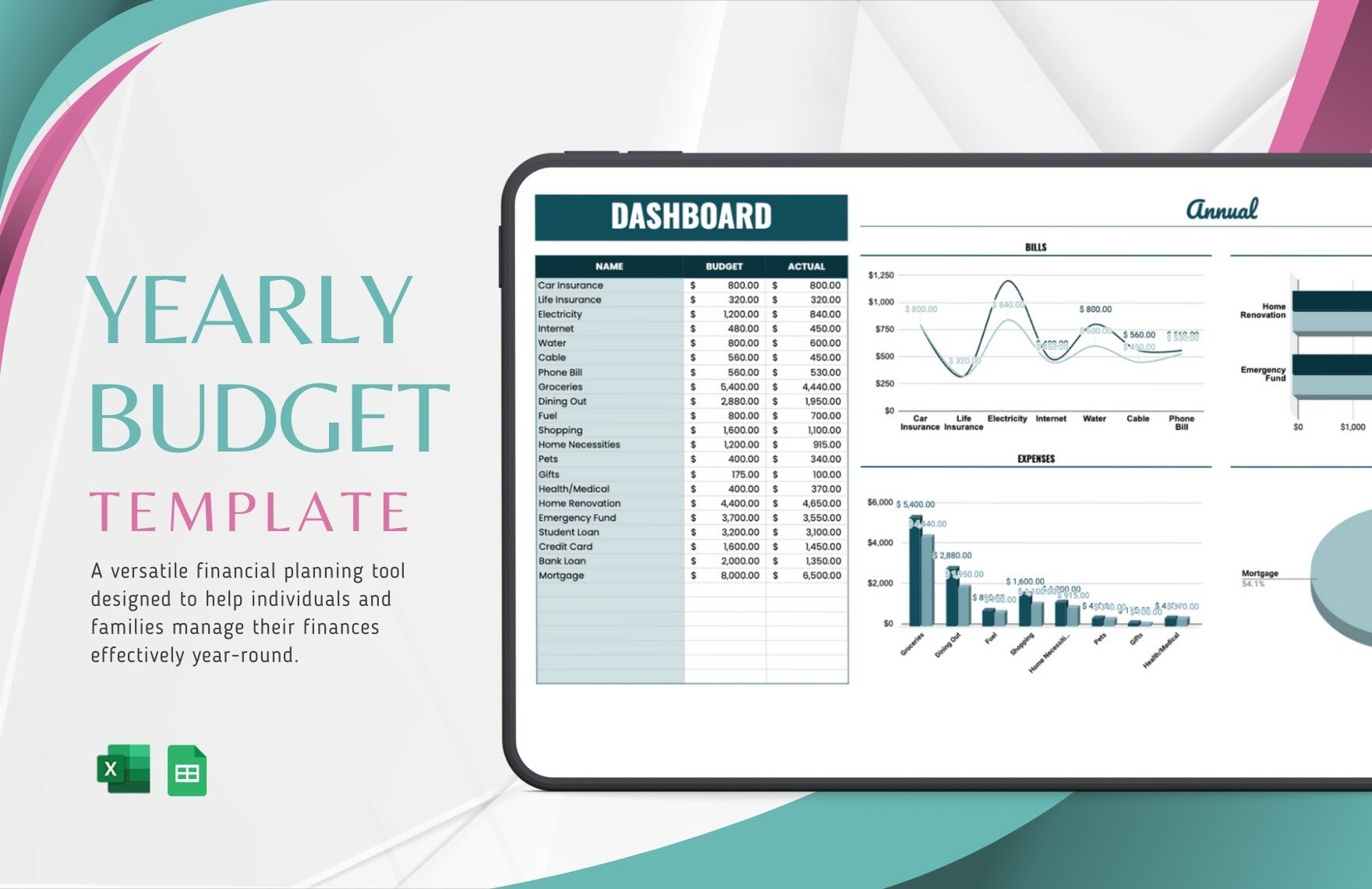
The following yearly design illustrates how annual budgeting can use monthly columns, categories, totals, and a longer-term perspective rather than individual daily cells.
Annual planning is also useful for setting savings targets. A goal can be divided into smaller monthly contributions so the calendar shows the timing of the required transfers.
When a large annual expense is known, record both the target date and the funding schedule. This separates “when the expense occurs” from “when the money should be prepared.”
That distinction is one of the biggest advantages of a calendar-based approach. The calendar does not have to wait until a payment is due; it can show the preparation period before the payment.
For people with irregular income, the annual calendar can also provide a conservative planning framework. Strong months can be identified as opportunities to build reserves for periods when income may be lower.
A yearly calendar should be reviewed at least monthly so that changes in income, recurring costs, or major plans are reflected rather than allowing an outdated annual projection to drive decisions.
How to Use a Free Template Without Losing Control of the Numbers
Search results for a budget calendar free template can produce many different designs, so “free” should not be treated as the only selection criterion. A free template may be useful if it has a clear layout, appropriate fields, understandable formulas, and a practical workflow.
Before entering personal financial information, inspect the workbook or document. Look at the headings, formulas, sample data, instructions, and any locked areas. Remove sample numbers so they cannot accidentally become part of your actual totals.
Check whether the template is intended for personal use, educational use, or business use. A template can be technically useful while still having licensing conditions that should be understood before redistribution.
For printable resources, verify paper size and orientation. Letter and A4 are common, but the best choice depends on where and how the calendar will be used. A design with small cells may be difficult to read after printing.
For digital templates, make a personal working copy rather than modifying a master file. This preserves the original structure if you later discover that a formula or category needs to be restored.
Printable Budget Calendars and PDF Formats
A budget planning calendar template pdf is useful when a fixed, print-ready format is preferred. PDF documents can preserve the layout of a calendar and are convenient for printing or handwriting, provided the underlying resource permits the intended use.
A budget calendar template printable version should have enough room for the information users actually need. If each day is expected to contain several transactions, the cells must be large enough to accommodate them or the template should provide a separate transaction area.
A printable design can include an income section at the top, a calendar grid in the center, and a bills or notes section at the bottom. This structure keeps the most important information visible on one page.
Some resources provide blank calendars, while others include categories and calculations. A blank design can be more adaptable, while a structured form can save setup time. Current examples of free printable budget resources include monthly pages, income fields, expense areas, payment tracking, and notes. :contentReference[oaicite:5]{index=5}
A printable system can also be combined with a spreadsheet. Use the spreadsheet as the calculation engine and print a simplified calendar for daily visibility. This hybrid approach can provide both numerical detail and a convenient physical reference.
What Makes a Good Free Download?
When searching for a budget planning calendar template free download, look beyond the word “free.” The resource should be clearly described, accessible in the stated format, and appropriate for the intended purpose.
Check whether the download actually contains the format advertised. A page may show an Excel preview but provide a PDF, image, or document instead. Format matters when formulas or automatic calculations are required.
Check whether the resource is dated or undated. A dated calendar can be convenient for immediate use, while an undated template can be reused across future periods.
Check whether the template handles the number of days in a month appropriately. Spreadsheet-based calendars can often change automatically when the month or year changes, while paper templates may require a manual date setup.
Finally, verify whether sample values are clearly examples. Sample figures should be replaced before the calendar is used for real planning.
Using a Printable Monthly Design
A printable monthly calendar works best when the user wants a simple visual overview. A printable monthly budget calendar template can include bill dates, paydays, spending notes, savings transfers, and a small monthly summary.
The design should not attempt to reproduce a full accounting system on one sheet. Its purpose is to make timing visible. Detailed transaction records can remain in a separate worksheet or financial statement.
For handwriting, use short labels such as “Rent,” “Pay,” “Electric,” “Savings,” or “Groceries.” Longer descriptions can be recorded in a notes section or separate transaction log.
A color system can help distinguish income, bills, savings, and discretionary spending, but the calendar should remain understandable in grayscale if it will be photocopied or printed economically.
One advantage of paper is visibility. A calendar placed where it is regularly seen can become part of a weekly financial routine rather than a file that is opened only when something goes wrong.
Example: A Monthly Household Budget Calendar
Consider a hypothetical household with two monthly paydays. The first paycheck arrives on the 5th and the second on the 20th. Rent is due on the 1st, utilities around the middle of the month, and insurance near the end of the month.
The calendar should show the rent obligation before the first paycheck if the payment is normally funded from the prior period. That is a useful example of why a calendar can be more informative than simply listing “rent” as a monthly expense.
Suppose the household also plans $100 for savings on each payday. The calendar can show both transfers, allowing the user to see how they affect the balance before discretionary spending occurs.
If a $300 annual membership renewal is due in September, the annual planner can show September as the payment month while the monthly calendars from earlier months can include smaller sinking-fund contributions.
The figures are hypothetical, but the workflow demonstrates the central principle: place the financial event on the date it matters, then plan the funding before that date.
A calendar can also reveal when discretionary spending should be more conservative. If several fixed obligations cluster around one week, the user can choose to limit optional purchases during that period without necessarily changing the total monthly budget.
At the end of the month, compare planned amounts with actual amounts. If utilities were estimated at $120 but the actual amount was $145, update future estimates when the higher amount appears to be a recurring pattern.
The same process applies to variable categories. A grocery estimate that consistently falls short may indicate that the budget needs adjustment rather than proving that the calendar itself is ineffective.
Over several months, the calendar becomes a record of recurring timing patterns. This historical information can improve future estimates and make annual planning more realistic.
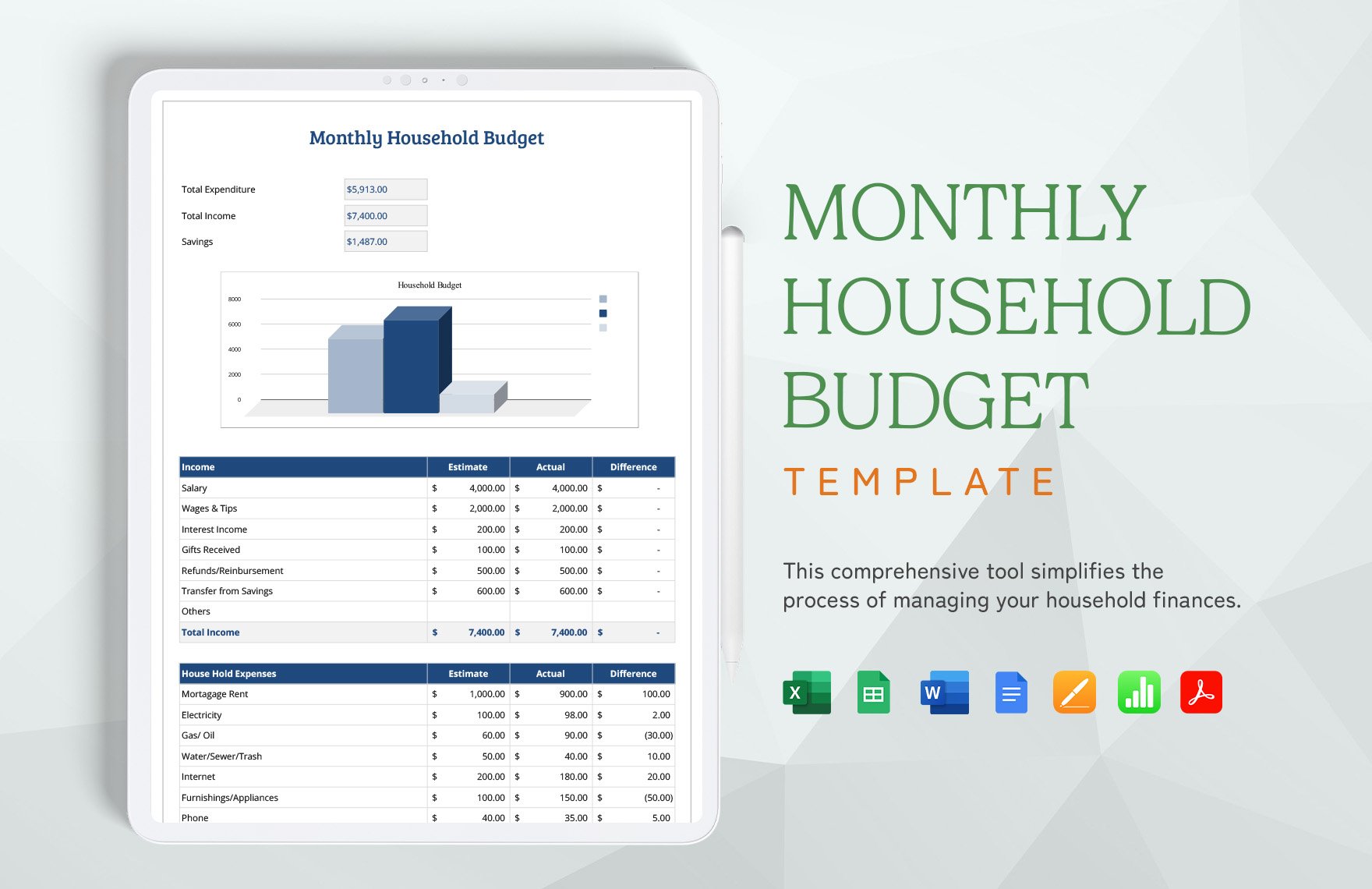
The following household-oriented worksheet demonstrates how income, expenses, savings, and other categories can be grouped into a broader financial planning document.

Using a Calendar for Bill Management
Bill management is one of the simplest and most practical applications of a budget calendar. Start by creating a complete list of recurring bills. Include the bill name, usual amount, due date, payment method if useful, and status.
Place each bill on the calendar according to its due date. If a due date changes because of a weekend or another policy, record the date that actually matters for your payment plan rather than relying on memory.
After paying a bill, mark it as paid. This creates a distinction between obligations that are scheduled and obligations that have actually been completed.
Review the calendar weekly. The CFPB specifically recommends checking a bill calendar regularly and using the overall budget as a guide for progress. :contentReference[oaicite:6]{index=6}
If several bills arrive close together, consider whether your budget should include a separate sinking fund or whether the bills should be mentally assigned to particular pay periods. The goal is not to change payment dates without authorization, but to plan the funding around them.
Data Collection and Review
A reliable calendar depends on reliable inputs. Begin with actual recurring bills and recent spending records rather than guesses. A short review of previous months can reveal expenses that are easy to forget, such as annual subscriptions, school costs, maintenance, gifts, or irregular medical and transportation expenses.
Separate fixed and variable expenses. Fixed expenses are generally easier to schedule because their amounts are predictable. Variable expenses require estimates and should be reviewed more frequently.
When collecting information, use consistent names for categories. This matters particularly in spreadsheets because inconsistent labels make totals and comparisons less reliable.
Do not create unnecessary categories. If five categories produce no useful decision-making information, combine them into a broader category. A budgeting system should support decisions, not merely produce more rows.
Record the date and amount with enough precision to reproduce the monthly total. For recurring items, record the expected amount and then replace it with the actual amount when appropriate.
Good data collection also means documenting uncertainty. If an expense is an estimate, label it as such. A projected balance should not be interpreted as a guaranteed account balance.
Once the information is collected, compare the calendar against statements or other records at the end of the period. Differences can identify missed transactions, incorrect estimates, or changes that should be incorporated into the next calendar.
A spreadsheet dashboard can make this analysis easier by comparing budgeted and actual amounts, but the calendar remains the foundation for understanding timing.
For users who prefer a visual dashboard, a budget spreadsheet can show category charts alongside a calendar. This is helpful when the goal is to connect individual dates with broader spending patterns.
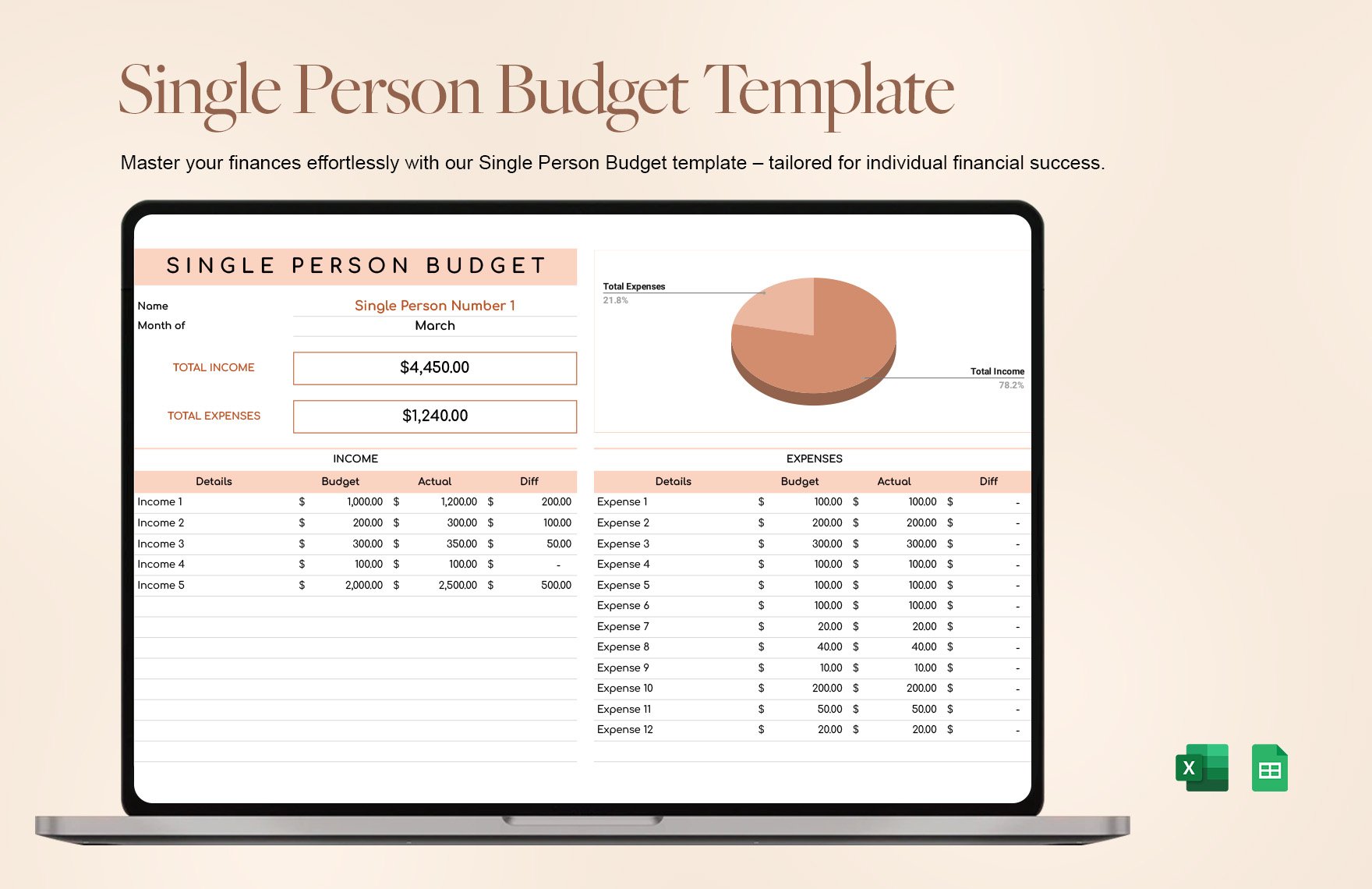
The following example demonstrates how a more detailed spreadsheet can combine budget categories, actual values, summaries, and charts in one financial planning view.
Data Analysis: Turning Calendar Entries Into Decisions
The calendar itself is only the first layer of analysis. Once a month is complete, examine where planned and actual amounts differed. The purpose is not to criticize every variance, but to identify patterns that should influence the next plan.
Look at timing first. Were expenses concentrated around certain dates? Did a particular week regularly create pressure? Did income arrive later than expected? Timing patterns can sometimes be more actionable than monthly totals.
Next, examine categories. A repeated overspend in one category may indicate that the planned amount is unrealistic or that spending behavior needs attention. A repeated underspend may indicate that the allocation can be redirected toward another priority.
Then review irregular expenses. If a large expense appeared unexpectedly but is actually annual or seasonal, add it to the yearly calendar and consider a sinking-fund contribution.
Finally, examine the relationship between spending and goals. If planned savings repeatedly disappear because of variable expenses, the calendar can show exactly when that pressure occurs.
Common Mistakes to Avoid
Ignoring timing
The most important mistake is treating monthly income as if it were available at the beginning of the month. A calendar exists specifically to prevent this assumption from hiding cash-flow pressure.
Using unrealistic estimates
Very optimistic expense estimates make the projected balance look better than it is. Use recent experience, known bills, and conservative assumptions where uncertainty is significant.
Mixing planned and actual figures
A planned bill of $100 and an actual bill of $117 are different pieces of information. Keep both when the template supports them. Otherwise, it becomes difficult to learn from the difference.
Overcomplicating the template
Too many formulas, categories, charts, and dashboards can make the system difficult to maintain. Add features only when they help answer a real question.
Forgetting irregular expenses
Annual or seasonal expenses should not be ignored simply because they do not occur every month. Put them on the yearly calendar and plan for them.
Failing to review the calendar
A calendar that is created once and never updated becomes obsolete. A short weekly review is often more useful than an elaborate system that is rarely maintained.
Leaving sample data in place
Templates often contain example numbers. Delete or replace them before using the workbook for actual planning. Otherwise, sample transactions can distort totals.
Professional Considerations for Business and Freelance Users
A personal calendar and a business cash-flow calendar can use similar structures, but their purposes differ. A business version may track customer receipts, payroll, supplier payments, taxes, subscriptions, project costs, and operating expenses.
For a freelancer, the calendar can be especially useful because income may not arrive on a uniform schedule. Expected invoices can be placed on anticipated receipt dates, while recurring operating expenses can be placed on their due dates.
Business users should distinguish projected income from contracted or collected income. A forecast is not the same as cash actually received. The calendar should make that difference visible.
For project-based work, planned expenses can be attached to milestones. This can help identify periods when a project requires significant spending before the associated revenue is expected.
Business calendars should also preserve appropriate records and follow the organization’s accounting and tax processes. A budget calendar is a planning tool, not automatically a substitute for accounting records or professional financial advice.
Practical Solution: Build a Calendar You Can Maintain Every Week
The most practical solution is to build the smallest calendar that answers your most important cash-flow questions. Begin with the current balance, expected income dates, recurring bills, major variable expenses, savings transfers, and known irregular costs. Do not add advanced features until the basic system works consistently.
Next, create a recurring-items table. Record each predictable bill once with its usual due date and expected amount. For spreadsheet users, use formulas to place recurring items on the calendar when appropriate. For printable users, copy the recurring items onto each new monthly page.
Then add paydays and other reliable income dates. Compare the sequence of income and expenses rather than looking only at the monthly total. Identify any period where obligations are unusually concentrated.
After that, establish a weekly review routine. Look seven to fourteen days ahead, confirm upcoming bills, update expected amounts, record recently completed payments, and check whether the projected balance still makes sense. This turns the calendar into an active planning tool.
At month-end, conduct a short review. Compare planned and actual spending, identify recurring variances, record newly discovered annual expenses, and carry useful information into the next month. The goal is continuous improvement, not perfect forecasting.
For a spreadsheet, keep the original template unchanged and create a working copy. For a printable system, keep completed pages together in chronological order. Either approach creates a useful history without requiring a complicated financial application.
If your income is irregular, use conservative expected income and avoid treating uncertain payments as guaranteed. If your expenses are irregular, use recent history and known future obligations to create estimates. The calendar should represent planning assumptions honestly.
If two people share financial responsibilities, agree on categories and status labels before both begin editing. Consistency prevents duplicated entries and makes the calendar easier to interpret.
If the template becomes difficult to maintain, simplify it. Remove fields that are never used, combine categories that do not influence decisions, and reduce automation that creates more troubleshooting than value.
Finally, remember that the calendar is a planning instrument, not a promise about the future. Actual income, bills, and spending can change. Its value comes from making assumptions visible early enough that you can respond thoughtfully.
Reference Examples
The following examples represent different approaches to calendar-based budgeting, including spreadsheet dashboards, printable worksheets, monthly layouts, weekly planning, and annual views. Availability, licensing, and file formats should always be checked on the original source before use.
budget planning calendar template excel
Source: Template.net
budget planning calendar template google sheets

Source: Template.net
budget planning calendar template free

Source: CalendarLabs
budget planning calendar template pdf
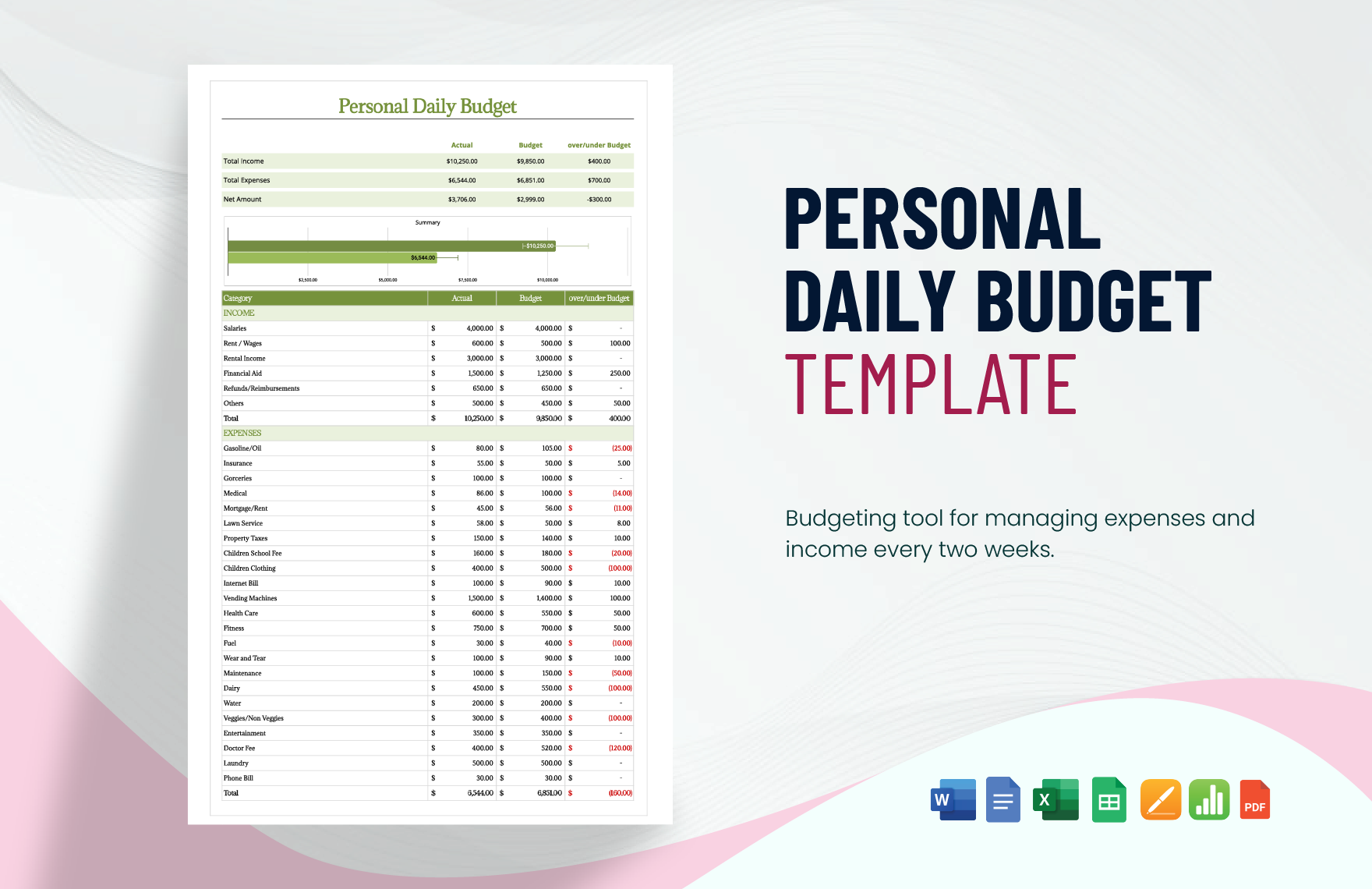
Source: Template.net
budget planning calendar template free download
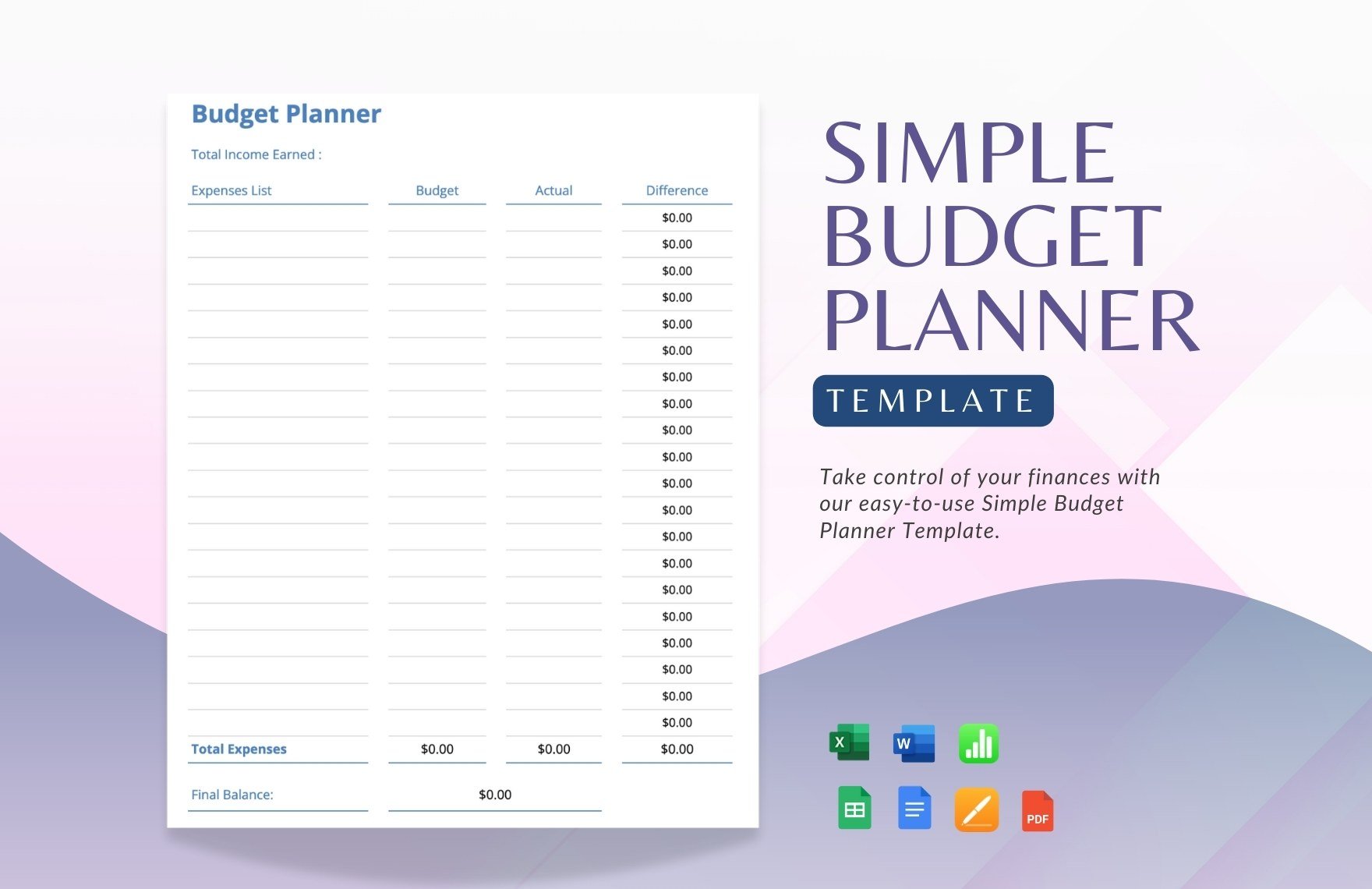
Source: Template.net
budget planning calendar template printable

Source: Printables for Life
budget calendar free template

Source: Template.net
budget calendar template monthly
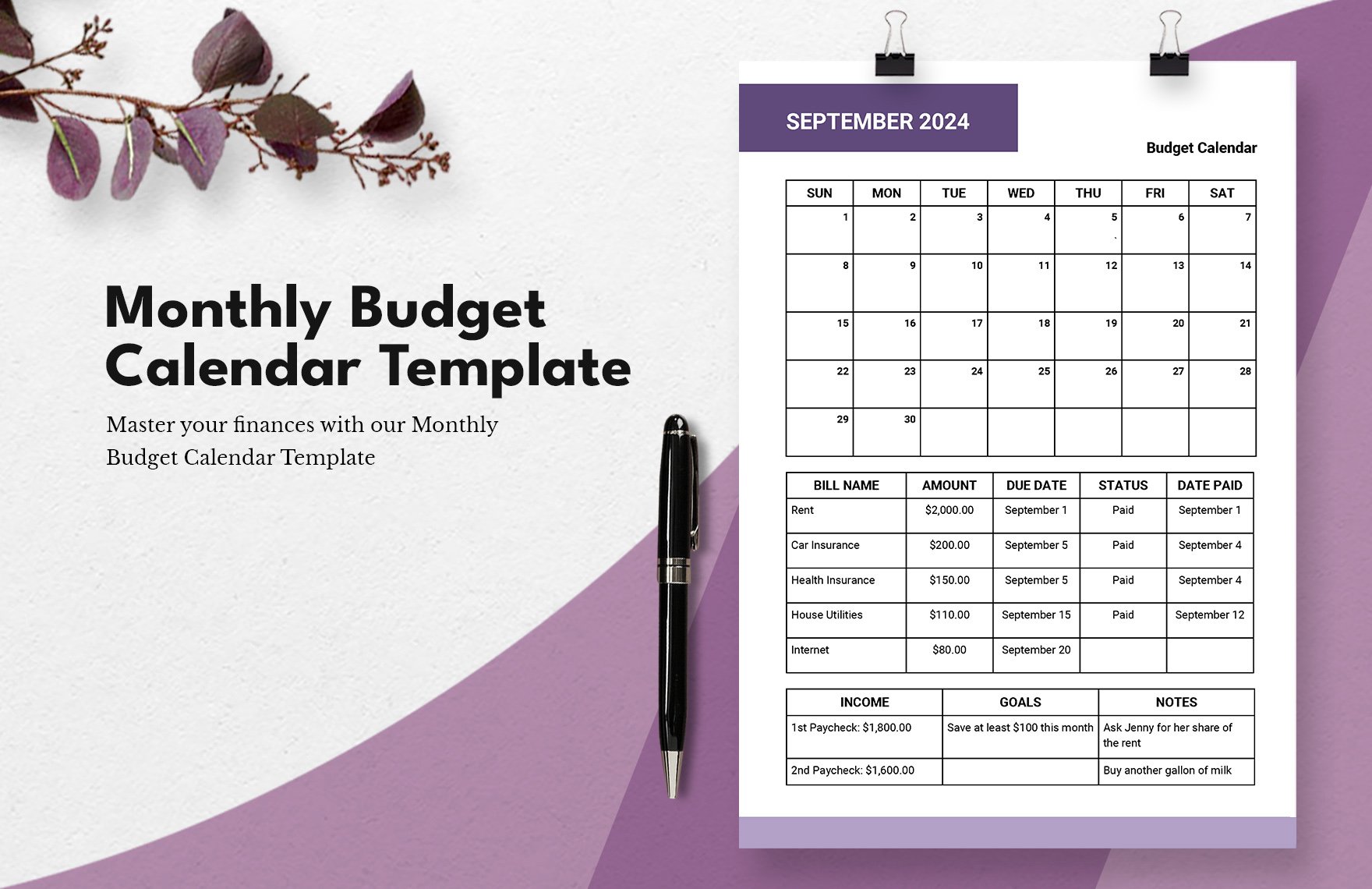
Source: Template.net
yearly budget calendar template
Source: Template.net
weekly budget calendar template
Source: Template.net
printable monthly budget calendar template
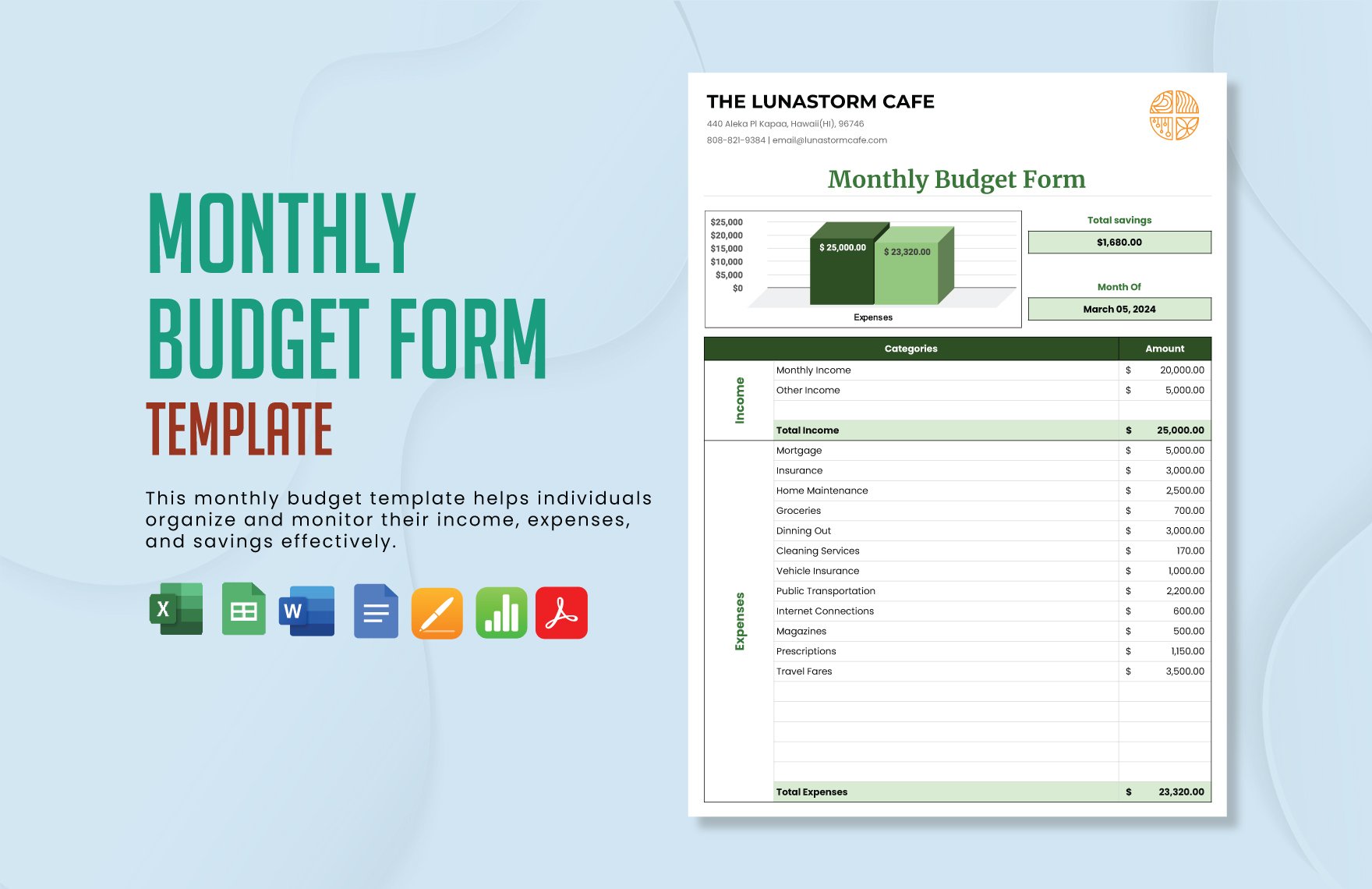
Source: Template.net
budget calendar template excel
Source: Template.net
calendar budget template google sheets

Source: YouPlanners
free printable budget calendar template
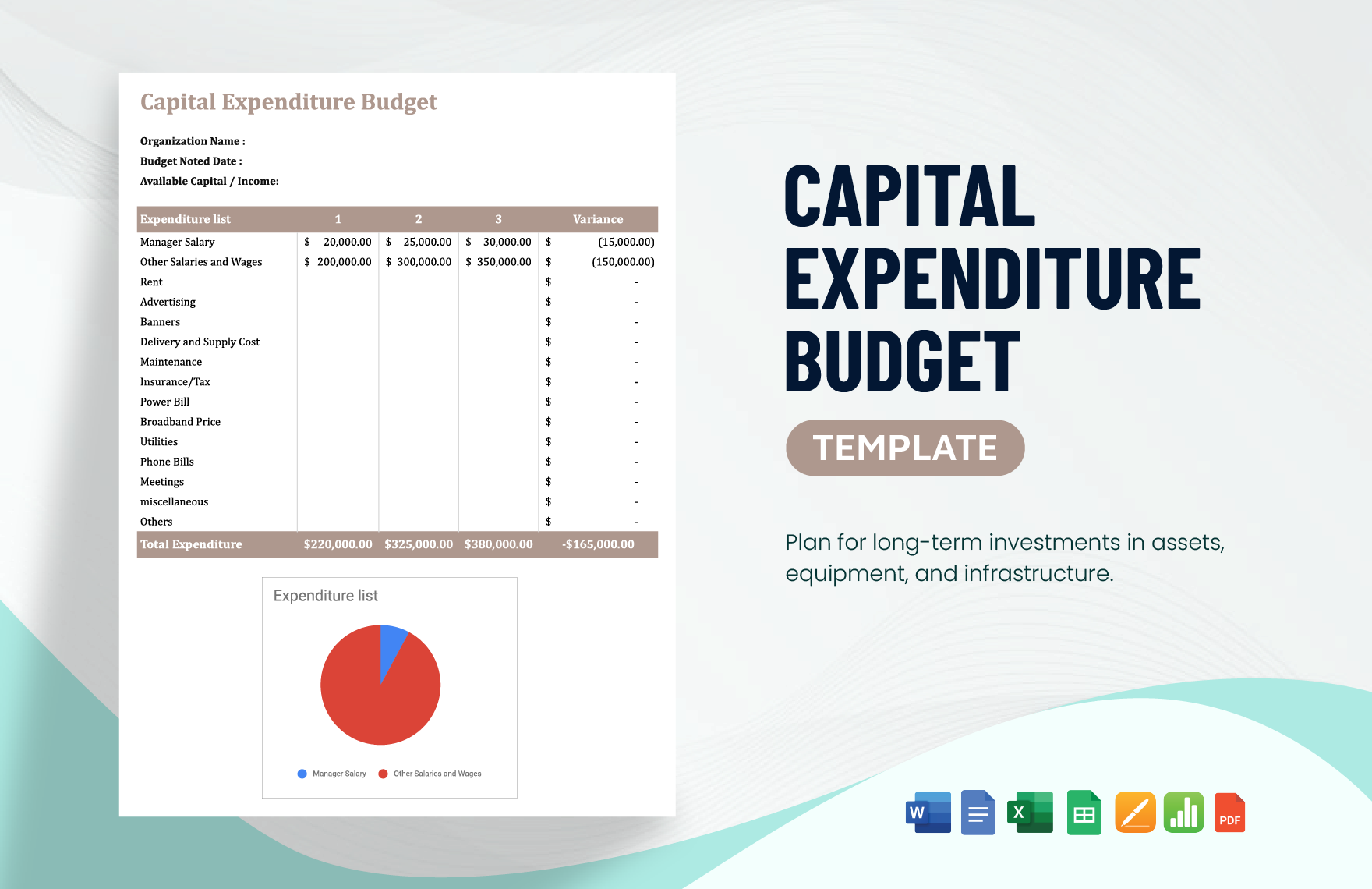
Source: Template.net
free monthly budget calendar printable
Source: Template.net
Frequently Asked Questions
What is the main purpose of a budget planning calendar template?
Its main purpose is to organize expected income and expenses by date so you can see the timing of cash movements alongside your broader budget. It can make bill-heavy periods, paydays, savings transfers, and irregular expenses easier to anticipate.
Is a calendar budget the same as a normal budget?
No. A normal budget primarily organizes income and spending by category or period. A calendar budget adds the timing dimension by showing when specific transactions are expected to occur.
Should I use Excel or Google Sheets?
Use Excel when you prefer extensive spreadsheet features and local workbook control. Use Google Sheets when browser access or collaboration is more important. Either platform can support an effective calendar-based budget.
Can a printable budget calendar work without a spreadsheet?
Yes. A printable calendar can be effective for recording paydays, bills, spending, savings transfers, and notes by hand. It is particularly useful when the user wants a simple visual system.
How often should a budget calendar be updated?
A short weekly review is a practical starting point. Update it whenever a major income amount or expense changes, and complete a more thorough review at the end of each month.
Should recurring bills be entered every month?
On paper, recurring bills may need to be copied to each new monthly page. In a spreadsheet, they can often be stored in a recurring-items table and displayed automatically, depending on how the template is designed.
What should I put in each calendar day?
Record meaningful money events: income, bills, savings transfers, planned purchases, and significant variable expenses. You do not need to document every minor detail in the calendar if a separate transaction log already exists.
How can I use a yearly calendar with monthly calendars?
Use the yearly calendar for large or seasonal expenses, annual goals, and high-level planning. Use monthly calendars for detailed dates, transactions, bills, and projected balances.
Is a free budget calendar template enough for serious planning?
It can be. The important factors are whether the template accurately represents your financial situation, is easy to maintain, and provides the information needed for your decisions. Price alone does not determine usefulness.
What is the biggest benefit of calendar-based budgeting?
The biggest benefit is visibility into timing. You can see not only how much money is planned for the month but also when it is expected to arrive, when obligations occur, and where the projected balance may become tight.
Conclusion
A budget planning calendar template turns a conventional budget into a date-based financial plan. By placing income, bills, spending, savings, and irregular costs on actual dates, it becomes easier to understand how a month is likely to unfold rather than relying only on monthly totals.
The best system is one that matches your working style. Excel and Google Sheets are useful for calculations and automation, while printable and PDF formats can provide a simple physical overview. Monthly calendars are ideal for detailed planning, weekly views can provide closer control, and yearly calendars can help prepare for seasonal or annual expenses.
Keep the structure practical: record realistic income, schedule recurring bills, distinguish planned amounts from actual results, include irregular expenses, review the calendar regularly, and simplify anything that becomes unnecessarily difficult to maintain. A calendar does not need to be complicated to be useful.
Most importantly, treat the calendar as a living planning document. Update assumptions when circumstances change, learn from differences between planned and actual spending, and use the information from one month to make the next month more realistic. When maintained consistently, a simple budget planning calendar template can become a clear, repeatable system for understanding financial timing and making more informed everyday decisions.
