The best schedule is not necessarily the most complicated one. A useful template should make important information visible without turning planning into another administrative burden. Depending on the business, the same framework can be adapted for daily operations, weekly priorities, employee coverage, project milestones, management meetings, customer appointments, or recurring administrative responsibilities.
Modern scheduling can be handled in spreadsheets, cloud documents, printable forms, project-management applications, or a combination of these formats. Microsoft Excel, Google Sheets, Word, Google Docs, and PDF files each have different strengths. The right choice depends on whether the schedule needs calculations, collaboration, printing, editing, or long-term record keeping.
This guide explains how to design a practical management schedule, what information to include, how to choose the right format, how to build a reusable workflow, and how to avoid common scheduling problems. It also provides examples that can be adapted to service businesses, offices, project teams, consultants, retailers, agencies, and other organizations.
A strong management business schedule template should ultimately answer five questions: what work is planned, when will it happen, who owns it, what priority does it have, and what happens if the plan changes. When those questions are visible in one system, scheduling becomes a management tool rather than merely a calendar.

What Is a Management Business Schedule Template?
A management business schedule template is a pre-structured planning document used to organize business activities across a defined period. The period may be a single day, a week, a month, a quarter, or an entire project. The template provides the framework while the manager supplies the actual tasks, dates, owners, priorities, and notes.
The distinction between a schedule and a simple task list is important. A task list tells you what needs to be done, while a schedule connects work to time. A management schedule therefore adds timing, sequencing, availability, deadlines, and sometimes dependencies to otherwise separate responsibilities.
For example, a sales manager may use a weekly schedule to reserve time for customer calls, pipeline reviews, coaching, reporting, and planning. An operations manager may use the same basic structure to coordinate staffing, supplier deliveries, equipment checks, inventory reviews, and recurring administrative work.
Project managers often require more detail. Their schedule may include phases, milestones, task owners, start dates, end dates, status fields, dependencies, and review points. In that environment, a schedule can become a lightweight project-control document rather than simply an appointment calendar.
The most useful templates are reusable. Once the structure is established, the manager can duplicate the document for the next period, update dates and assignments, review unfinished work, and make controlled adjustments. This repeatability reduces the amount of effort required to maintain a consistent planning process.
Why Business Scheduling Matters for Management
Management scheduling is fundamentally about allocating limited time and attention. A manager may have more potential work than available working hours, so the schedule must distinguish important activities from optional activities. Without that distinction, urgent requests can easily consume time that should have been reserved for strategic or high-impact work.
A well-designed schedule also improves visibility. When responsibilities are documented, team members can see upcoming deadlines and understand where their work fits into a larger plan. This reduces reliance on memory and makes handoffs easier, particularly when several people contribute to the same project.
Scheduling can also reveal conflicts before they become operational problems. A calendar review may show that two meetings require the same person, that a deadline falls during a planned absence, or that several high-priority tasks have been assigned to one employee at the same time.
Another benefit is consistency. Recurring activities such as weekly reporting, inventory reviews, staff meetings, customer follow-ups, and management check-ins can be incorporated into a standard schedule rather than recreated manually every period. The template becomes part of the organization’s operating rhythm.
Finally, a schedule creates a reference point for review. Managers can compare planned work with completed work, identify recurring delays, and adjust future planning. The objective is not to create a rigid calendar that can never change; it is to create enough structure that changes can be made deliberately.

Key Components of an Effective Business Schedule
1. Planning Period
Start by defining the period covered by the schedule. A daily schedule may focus on hours and appointments, while a weekly schedule may emphasize workload distribution. Monthly and quarterly schedules are more appropriate for campaigns, milestones, reporting cycles, and strategic reviews.
The planning period should match the decisions being made. A manager responsible for employee shifts may need a detailed weekly view, while an executive planning major initiatives may need a quarterly overview. Using a single overly detailed document for every planning horizon often creates unnecessary complexity.
It is often useful to maintain connected views rather than one giant schedule. A monthly overview can show milestones and major commitments, while a weekly schedule can contain the detailed work. The two views should support one another without forcing every small task into the long-range calendar.
The starting and ending dates should be obvious. If a schedule is shared electronically, include the period in the document title as well as within the sheet. For example, a filename might identify the department and week so that users can distinguish current information from older versions.
For recurring schedules, standardize the planning period. A consistent Monday-to-Sunday weekly structure, for example, makes comparisons easier and reduces confusion. The specific convention is less important than using it consistently across the organization.
2. Task or Activity Description
Every scheduled item should have a clear description. Avoid vague entries such as “work,” “admin,” or “meeting” when a more precise label would improve accountability. “Review supplier invoices” tells a team member much more than “admin” does.
Descriptions should be short enough to scan quickly. Detailed instructions can be stored in a separate project document, task record, or notes field. The schedule should communicate the action without becoming a long-form instruction manual.
Use consistent naming conventions for recurring activities. If a weekly management review always appears as “Weekly Operations Review,” keep that wording rather than changing it to several variations. Consistent labels make filtering and later analysis easier.
Where appropriate, distinguish between meetings, focused work, follow-up actions, approvals, and deadlines. Different activity types can then be identified through a category column or visual formatting.
A manager should be able to scan the schedule and understand the nature of the work without opening additional documents. Clarity at this level is one of the most valuable characteristics of a scheduling template.
3. Owner and Responsibility
A schedule becomes much more useful when each significant activity has an owner. The owner is the person responsible for ensuring that the task moves forward, even if other people contribute to the work.
For team schedules, an owner column can contain an employee, department, role, or project team. Avoid assigning responsibility to an entire organization when one accountable person can be identified.
Ownership should not be confused with attendance. A meeting may have ten attendees but one organizer. A project may have several contributors but one person responsible for the deliverable. Keeping those concepts separate improves accountability.
For recurring work, role-based ownership can be useful. A schedule might identify “Operations Manager” rather than a person’s name if responsibility belongs to a position and changes in staffing are expected.
Clear ownership also makes schedule reviews more productive. When an item is delayed, the manager can quickly determine who should provide an update rather than searching through messages or meeting notes.
4. Priority and Status
Priority helps distinguish important work from routine work. A simple High, Medium, and Low system is often sufficient. More complex organizations can use categories such as Critical, High, Normal, and Deferred if the distinctions are clearly defined.
Status shows where an activity stands. Typical values include Not Started, In Progress, Completed, Waiting, and Cancelled. A status system should remain small enough that employees can apply it consistently.
Priority and status answer different questions. Priority asks how important something is, while status asks what has happened to it. Combining them into one field can make reporting harder because an urgent task may still be incomplete, while a low-priority task may already be finished.
Color can reinforce status or priority, but color should not be the only source of meaning. A text label should remain available so that the schedule is understandable when printed in black and white or viewed by someone with different visual needs.
Managers should also review whether priorities remain accurate. A schedule created on Monday may contain a different set of priorities by Thursday. The template should make updates easy rather than encouraging people to preserve outdated information.
Choosing the Right Schedule Format
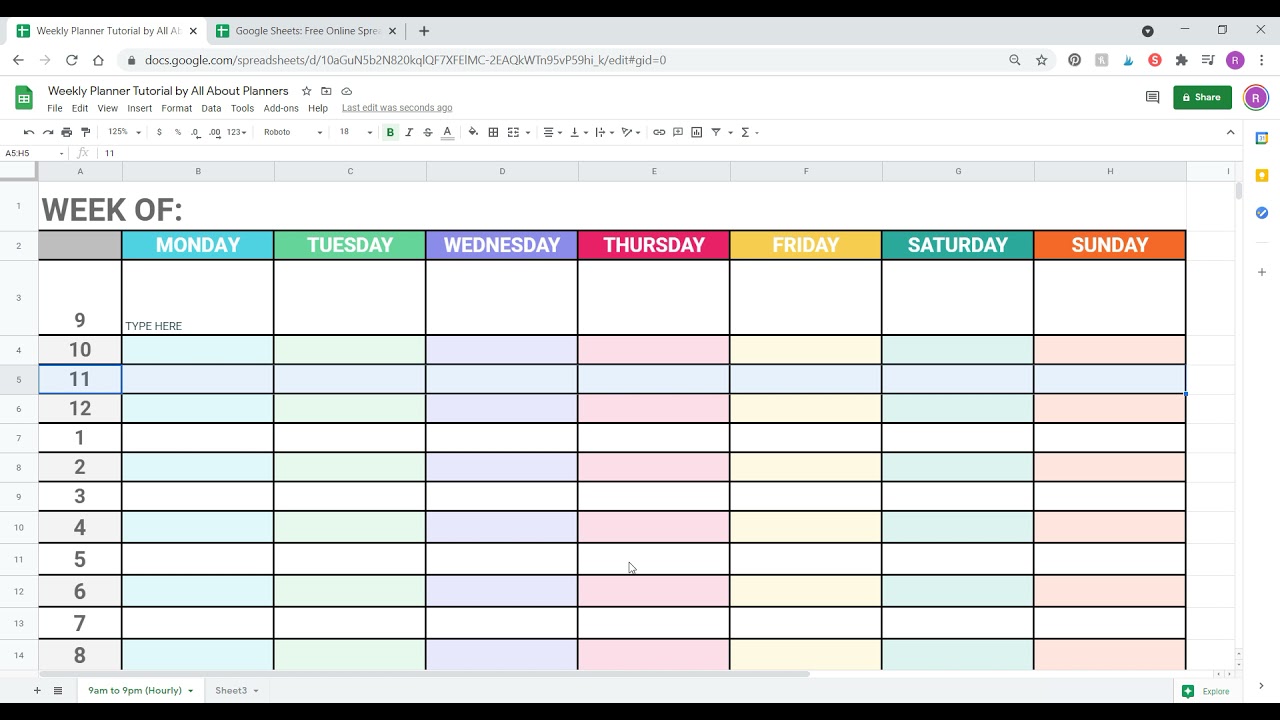
The format should be selected according to the job the schedule must perform. A spreadsheet is useful when calculations and structured data are important. A cloud-based sheet is useful when several people need to edit the same information. A document is useful when scheduling is combined with narrative instructions.
Printable schedules remain useful in environments where people need a physical reference. Operations teams, workshops, retail locations, field teams, and managers who spend limited time at a computer may benefit from a clean one-page schedule that can be posted or carried during the workday.
Digital schedules provide different advantages. They can be updated quickly, duplicated for future periods, filtered, shared, and connected to other information. They are especially useful when schedules change frequently or when several people need access to the latest version.
There is no universal best format. A small service company might use a weekly spreadsheet, while a larger project team might use a project-management system and export selected views for meetings. The important factor is whether the format supports the organization’s actual workflow.
Before choosing a template, identify the main job it needs to perform. If the answer is “calculate employee hours,” choose a spreadsheet structure. If the answer is “share responsibilities in real time,” choose a collaborative system. If the answer is “print a weekly overview,” prioritize readability and page layout.
Using an Excel-Based Schedule
An Excel-based schedule works particularly well when the business needs structured rows and columns, formulas, totals, filtering, or printable views. Excel can also support more advanced project schedules where dates and task information drive visual timelines.
A useful spreadsheet can separate input data from presentation. For example, one sheet may contain a task register while another sheet presents a weekly calendar. This approach allows managers to maintain detailed records without overcrowding the schedule used for daily review.
When building a spreadsheet, keep the main fields stable. Typical columns include Date, Start Time, End Time, Activity, Owner, Department, Priority, Status, Location, and Notes. Add specialized fields only when they support a real decision or workflow.
Formulas can automate useful calculations such as duration, total hours, remaining workdays, or completion percentages. However, automation should be tested before a template becomes operational. A sophisticated workbook with fragile formulas can be less reliable than a simple schedule that everyone understands.
Excel also makes it practical to create different views from the same information. A manager may use one worksheet for a master schedule, another for weekly planning, and another for a summary. This creates flexibility without requiring separate versions of the underlying data.

Using a Google Sheets Schedule
Google Sheets is especially useful when schedule information needs to be shared and updated collaboratively. A team can work from the same document rather than maintaining multiple copies that may become inconsistent.
A Google Sheets schedule can be structured with separate tabs for a master task list, weekly view, employee assignments, project milestones, and notes. This structure works well when different levels of detail are needed by different users.
Shared editing also changes the management process. Instead of collecting updates through separate messages and manually copying them into a master schedule, team members can update agreed fields directly. Managers should still define who is allowed to change dates, ownership, priorities, and other sensitive fields.
Version control remains important even with cloud collaboration. Establish a naming convention, archive completed periods, and avoid creating multiple unofficial copies. A schedule is only useful when the team knows which version represents the current plan.
Google Sheets is also practical for teams that need a simple schedule but do not require dedicated project-management software. The key is to design the sheet for quick scanning and limit unnecessary formatting that can make shared documents difficult to maintain.
When a Business Schedule Should Be a Document
A document-based schedule can be appropriate when scheduling information must be presented alongside instructions, policies, meeting notes, or explanatory context. This is common for management calendars, event plans, training schedules, and formal operating documents.
A document can also work well when the schedule is intended for printing. A carefully formatted page can show the planning period, major activities, responsibilities, notes, and approval information without requiring the reader to navigate spreadsheet tabs.
Word-based schedules are useful when managers expect frequent textual editing. They can contain tables with dates and activities while leaving space for comments or instructions. The trade-off is that calculations and dynamic updates are generally less convenient than in a spreadsheet.
Google Docs offers similar document-oriented advantages in a collaborative environment. Teams can review a shared schedule and add comments or contextual notes. It is particularly suitable when the schedule is part of a larger management document rather than a data-heavy tracking system.
PDF is best treated as a distribution or presentation format rather than the primary working format. A manager can export a finalized schedule to PDF when a stable, printable snapshot is needed. The editable source should normally remain in the original working application.

Daily, Weekly, Monthly, and Project Scheduling
Daily Scheduling
A daily schedule is appropriate when work is highly time-sensitive. It can divide the day into hourly or half-hour blocks and identify meetings, focused work, customer appointments, administrative tasks, breaks, and urgent responsibilities.
Daily planning should not attempt to fill every minute. A schedule with no buffer becomes fragile because even a small interruption can cause several later activities to move. Include realistic transition time between meetings and reserve capacity for unexpected work.
Managers can also use a daily schedule to protect periods for focused work. Important planning, analysis, writing, review, or decision-making tasks may require uninterrupted time that would otherwise be consumed by meetings.
The daily schedule should be reviewed at the beginning and end of the day. Morning review establishes priorities, while end-of-day review captures unfinished work and determines what should be moved to a future period.
When used consistently, a daily template creates a simple record of how time is being allocated. That record can help identify recurring interruptions, excessive meetings, or tasks that consistently take longer than expected.
Weekly Scheduling
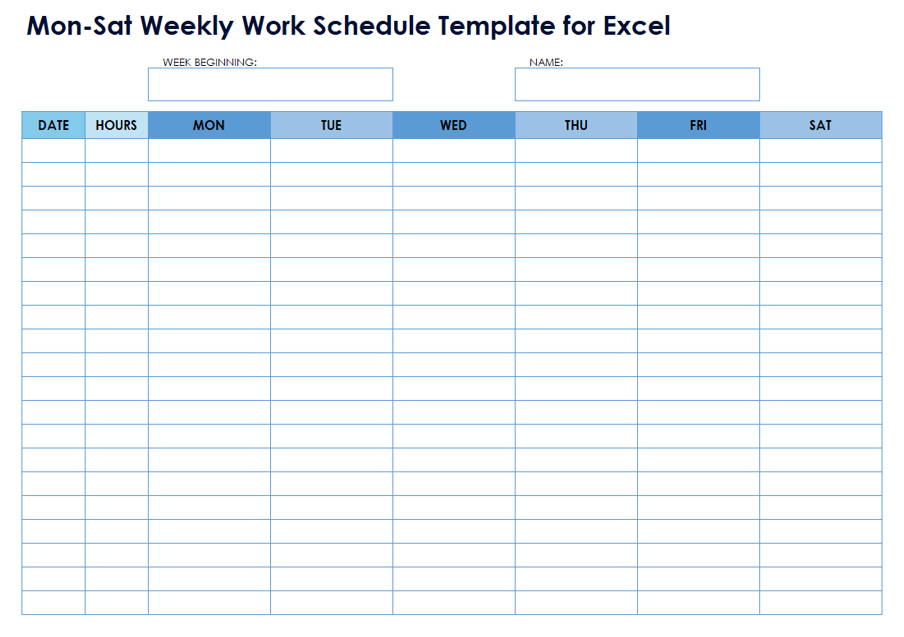
A weekly schedule provides a balance between detail and perspective. It is long enough to show workload patterns while still being short enough to remain actionable. This makes it one of the most practical formats for managers and small business owners.
A weekly view can include meetings, deadlines, recurring tasks, staff coverage, project milestones, customer commitments, and personal management blocks. It can also include a short list of the most important outcomes expected by the end of the week.
The weekly review should begin with fixed commitments. After those are placed, flexible work can be assigned to available periods. This reduces the risk of planning important work into time that is already occupied.
Managers should also examine workload balance. If one employee has many high-priority assignments while another has substantial capacity, the schedule may reveal an opportunity to redistribute work before delays occur.
A weekly schedule should be updated as circumstances change, but not constantly redesigned. A stable planning rhythm is more valuable than endlessly optimizing individual time slots.
Monthly Scheduling
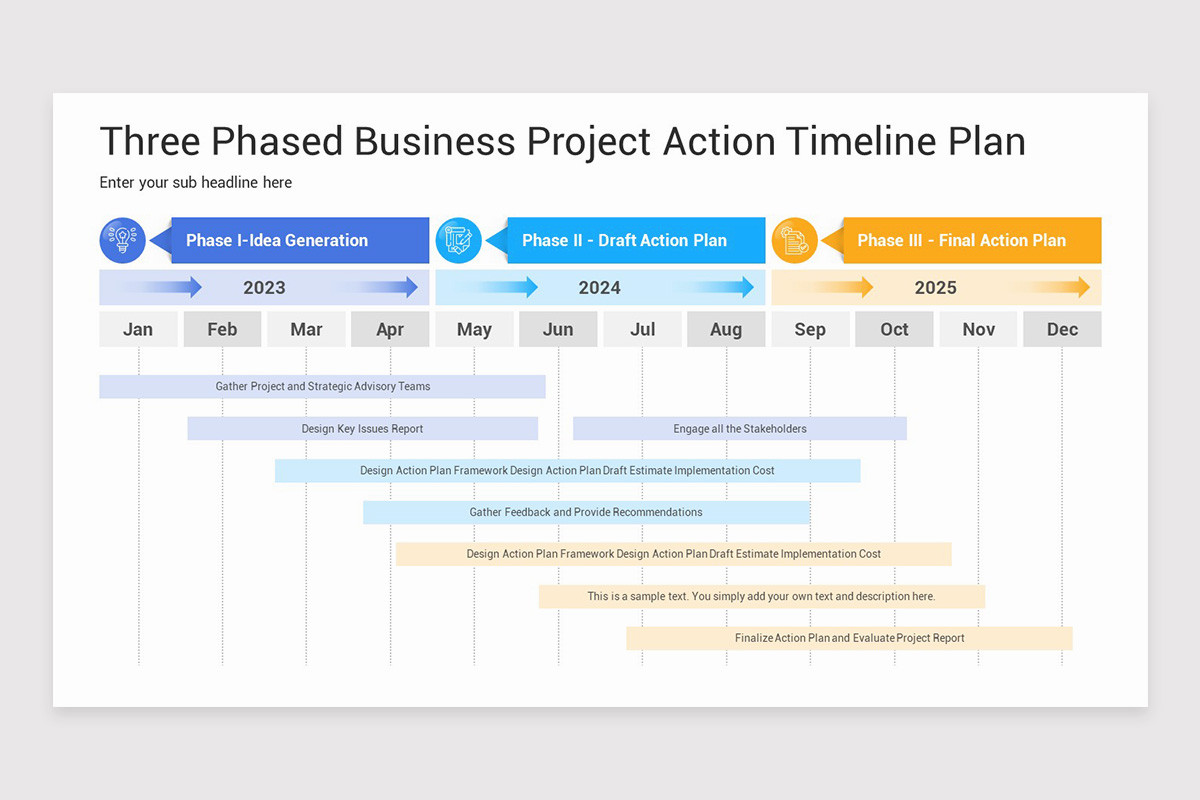
Monthly schedules are useful for seeing major deadlines, recurring business cycles, campaigns, reporting dates, training, holidays, planned absences, and milestone events. They provide context that is difficult to obtain from a single week.
However, monthly schedules should generally remain less detailed than weekly schedules. A manager does not need every minor task on a monthly overview. The purpose is to identify major commitments and capacity issues early.
For businesses with seasonal demand, monthly planning can be particularly valuable. Managers can mark promotional periods, expected busy periods, supplier deadlines, inventory activities, and staffing changes so that weekly schedules are created with appropriate context.
A monthly view can also support management meetings. Leadership can review what was completed during the previous period, what is scheduled next, and where decisions or resources are required.
When monthly and weekly views are connected, managers can move from strategic overview to practical execution without maintaining unrelated planning systems.
Project Scheduling
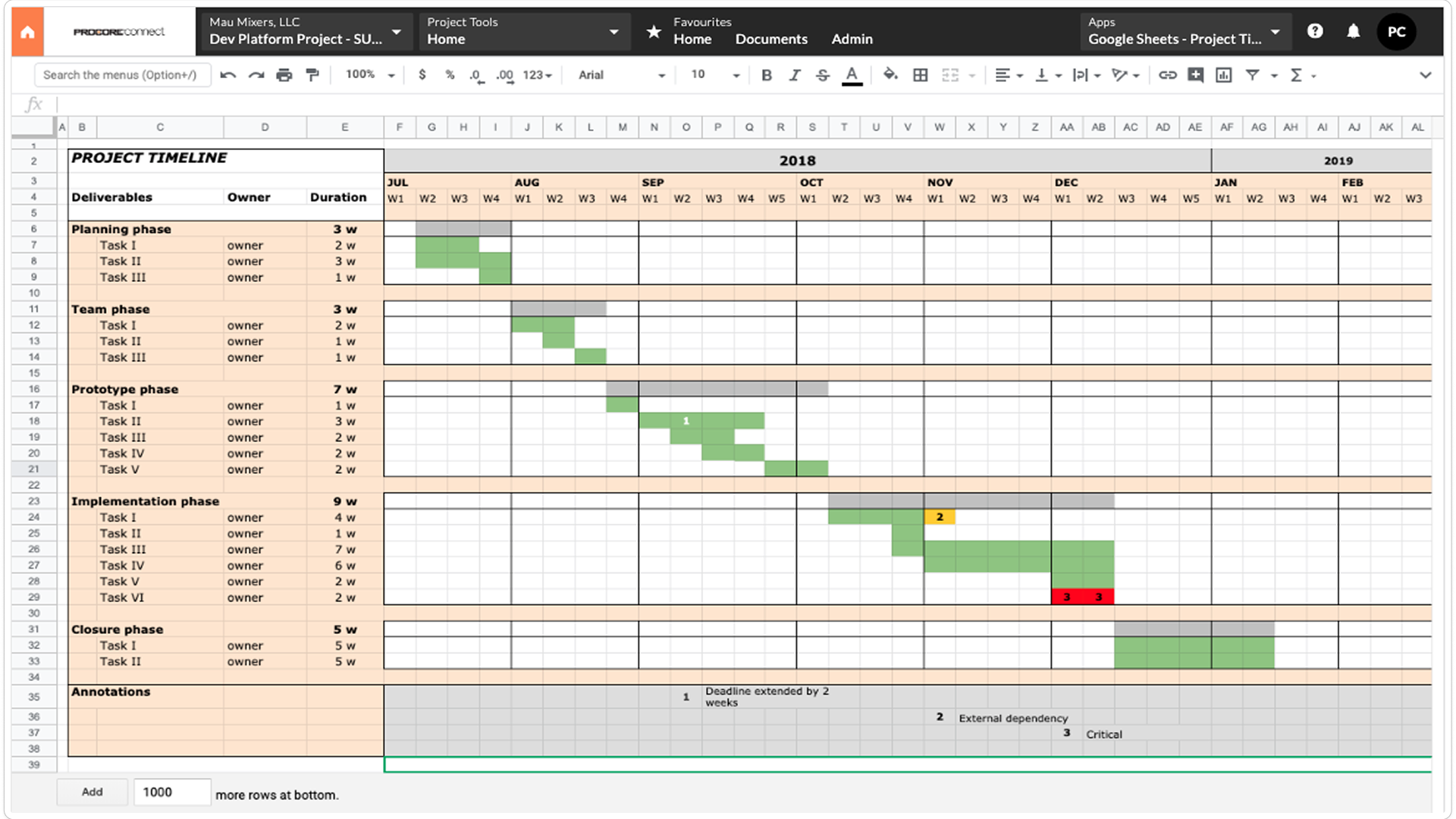
Project schedules are different because tasks often have dependencies. One activity may need to finish before another can begin. A project schedule therefore benefits from start dates, end dates, owners, milestones, status, and dependency information.
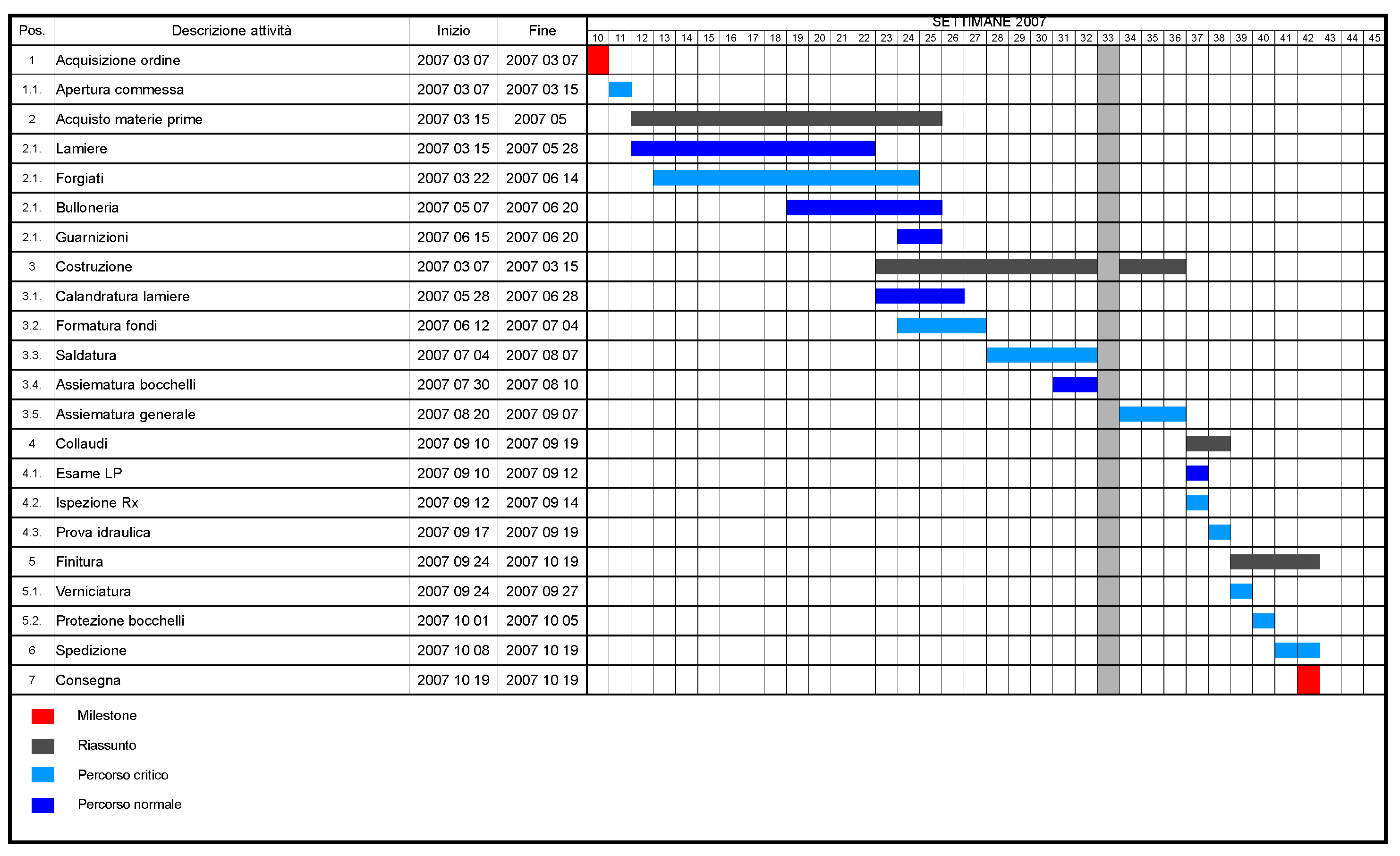
Gantt-style views can make these relationships easier to understand. A horizontal timeline shows when tasks occur and how long they are expected to take. This is especially useful when several workstreams overlap.
Project schedules should also distinguish planned dates from actual dates when progress needs to be analyzed. That distinction makes it easier to identify recurring sources of delay without rewriting the original plan.
Milestones are valuable because they create clear review points. Instead of asking whether a large project is “on track,” managers can examine whether specific deliverables or phases have been completed by their intended dates.
The schedule should remain connected to project objectives. A detailed timeline is not automatically useful if it contains hundreds of activities that nobody reviews. The level of detail should support decisions rather than create administrative work.
How to Build a Management Business Schedule Template
Step 1: Define the Scheduling Objective
Start by stating what the schedule is supposed to control. Is it intended to manage a manager’s time, coordinate employees, track project tasks, plan meetings, manage customer appointments, or combine several operational activities?
A schedule with multiple purposes may require separate sections. For example, a manager’s weekly calendar can contain meetings and focused work, while a separate team schedule handles employee coverage. Trying to place unrelated information into one grid can make both views difficult to use.
Write down the decisions the schedule needs to support. A staffing schedule may need to answer whether every shift is covered. A project schedule may need to answer whether milestones are on track. A management calendar may need to answer whether enough time has been reserved for strategic work.
Once the objective is clear, remove fields that do not help answer those questions. A lean template is usually easier to maintain and more likely to be used consistently.
The result should be a schedule that solves a specific management problem rather than simply looking like a professional calendar.
Step 2: Choose the Time Horizon
Choose daily, weekly, monthly, quarterly, or project-based planning based on the objective. If the schedule is primarily about appointments, a daily or weekly view may be best. If it is about milestones, a monthly or project timeline may be more appropriate.
For recurring business operations, consider using multiple horizons. A monthly overview can establish important dates, while a weekly schedule turns those dates into specific assignments and activities.
Do not force long-term information into an hourly grid. Conversely, do not expect a monthly calendar to provide enough detail for employee shift allocation. Each planning horizon has a different purpose.
When multiple horizons are used, give them consistent terminology. A manager should understand how the weekly schedule relates to the monthly plan without needing a separate explanation every time.
The goal is to create a connected planning system in which each level provides the appropriate amount of detail.
Step 3: Establish the Core Fields
A basic template may need only Date, Time, Activity, Owner, Priority, and Status. Additional fields can include Department, Location, Client, Project, Duration, Dependencies, Notes, and Approval.
Do not add every possible field at the beginning. Start with the information that managers actually use during planning and review. If a field is rarely completed or never influences a decision, it may not belong in the core schedule.
Use standardized values wherever possible. Dropdown-style status values, consistent department names, and standardized priority labels make information easier to filter and summarize.
For printable schedules, reduce the number of columns and move detailed information into notes or a supporting document. A printed page must remain readable from a normal viewing distance.
For digital schedules, fields can be more detailed because users can filter, sort, freeze columns, or open related information as needed.
Step 4: Add Recurring Work
Recurring work is one of the best candidates for standardization. Weekly meetings, monthly reports, equipment inspections, invoice reviews, inventory checks, and staff planning can be incorporated into the schedule structure.
Recurring activities should have clear ownership and expected timing. If a report is normally reviewed every Monday morning, the schedule can reserve that period rather than relying on someone to remember it each week.
Recurring work should still be reviewed periodically. A task that was once necessary may become obsolete, or its frequency may need to change as the business grows.
Templates should make recurring work easy to duplicate without creating unnecessary copies. In a spreadsheet, this might mean maintaining a clean master layout. In a project-management system, it might mean using recurring tasks.
Standardization is most valuable when it removes repetitive administrative work while preserving enough flexibility for exceptions.
Step 5: Add Deadlines and Dependencies
Not every activity has a strict deadline, but important deliverables should. A deadline establishes the point by which work must be completed rather than merely the period in which someone hopes to work on it.
Dependencies should be recorded when sequencing matters. For example, a campaign cannot be launched until the final creative assets are approved. A client presentation may depend on the completion of an analysis.
When dependencies are visible, managers can identify the real cause of a delay. A task may appear late even though its owner completed everything possible; the actual blocker may be an earlier approval or missing input.
Schedules should therefore distinguish between tasks that can move independently and tasks that are constrained by other work.
This makes schedule management more realistic and helps managers focus attention on bottlenecks rather than simply reminding people about overdue items.
Step 6: Build a Review Routine
A template becomes valuable only when it is reviewed. Establish a regular review cycle that fits the business. A weekly management review may be enough for many small teams, while high-volume operations may require daily updates.
During the review, compare planned activities with actual progress. Look for unfinished work, repeated delays, conflicting assignments, missing owners, and activities that no longer deserve their original priority.
Do not treat schedule changes as failures. Business conditions change. Customers change requirements, suppliers miss dates, employees become unavailable, and priorities shift. A good scheduling system should accommodate these changes without losing visibility.
Record important changes when they affect other people. This creates a shared understanding of why a deadline moved or why an assignment changed.
The review process should end with a clear next step. Each important unfinished item should either remain scheduled, be reassigned, be rescheduled, or be deliberately removed.

Practical Business Schedule Example
Consider a hypothetical small digital marketing agency with a manager, three specialists, and several active client projects. The manager needs a weekly schedule that combines internal meetings, client work, reporting, approvals, and team development.
The weekly template begins with fixed commitments. Monday morning includes a short team coordination meeting. Tuesday contains a client review. Wednesday afternoon is reserved for reporting and performance analysis. Thursday includes project planning, while Friday contains weekly review and next-week preparation.
Each major task has an owner. Client reporting belongs to the account specialist, creative approval belongs to the manager, campaign implementation belongs to the advertising specialist, and analytics review belongs to the data specialist.
Priority is used only for work that needs management attention. Routine tasks do not require a special label, while high-impact deadlines or blocked deliverables are clearly marked.
At the end of the week, the manager reviews which planned activities were completed, which moved, and which should be removed. The following week’s schedule is then created from the updated information rather than from a blank document.
Using a Business Work Schedule for Employees
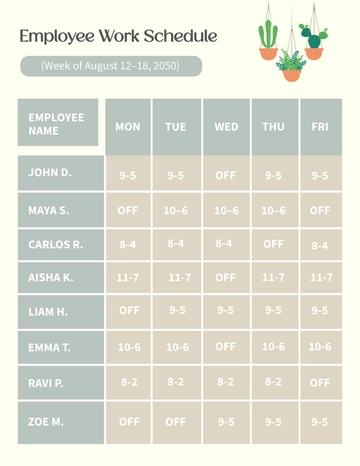
A business work schedule template is useful when management needs to coordinate people, shifts, working hours, assignments, or coverage. It can be structured by employee, day, time block, role, location, or department depending on the operation.
For shift-based businesses, the schedule should make coverage obvious. Managers need to see who is working, when they are working, what role they are performing, and whether any important period is understaffed.
For office teams, the schedule may focus less on shifts and more on responsibilities. It can show project assignments, meeting commitments, customer support periods, focused work, and availability.
Employee schedules should also account for approved leave and planned absences. The purpose is not merely to record working hours but to make staffing capacity visible before conflicts occur.
When schedules are shared, managers should establish a clear process for requesting changes. Employees should know where to submit availability changes, who approves swaps, and which version of the schedule is authoritative.

Schedule Management for Projects
A project-oriented schedule management plan template should connect activities to objectives, deadlines, ownership, dependencies, and milestones. The template should make it possible to understand the planned sequence of work and recognize when actual progress begins to differ from the plan.
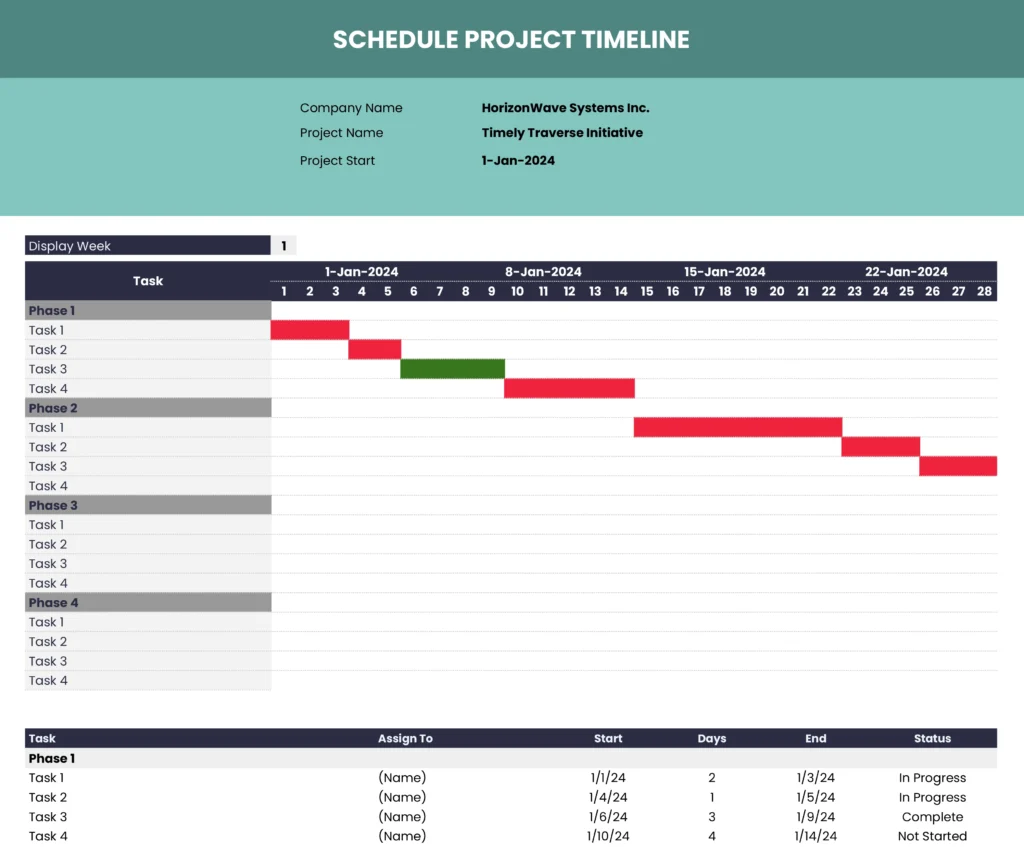
A practical project schedule can begin with a task register. Each task receives a unique name, an owner, a planned start date, a planned finish date, a status, and any relevant dependency. The task register becomes the underlying source for a calendar or timeline view.
Project managers should avoid estimating dates without considering dependencies. A task may require input from another team, an approval, a customer decision, or an external delivery. Those conditions can affect the realistic schedule more than the task’s own estimated effort.
Milestone reviews should be included at meaningful points. A milestone can represent a completed phase, an approved deliverable, a launch decision, or another event that requires management attention.
The schedule should also include a mechanism for handling change. If a milestone moves, related tasks may need to move with it. A controlled update process prevents the schedule from becoming a collection of outdated dates.
Time Management and Managerial Priorities
Time management is not simply about fitting more activities into a day. It is about ensuring that available time is directed toward meaningful outcomes. A schedule can help by making priorities visible before the workday becomes crowded with requests.
A manager can divide scheduled time into categories such as strategic work, people management, operational work, meetings, customer commitments, and administrative tasks. Reviewing the distribution can reveal whether the calendar reflects the manager’s actual responsibilities.
Time blocking can be useful for protecting important work. Instead of waiting for a free hour to appear, the manager reserves a defined period for a task. The block can then be moved when necessary without disappearing entirely.
It is also important to distinguish scheduled time from estimated effort. A task estimated at two hours does not necessarily need a continuous two-hour block if it can be completed in shorter sessions. Conversely, some tasks require uninterrupted concentration and should be scheduled accordingly.
A time management schedule template pdf can be particularly useful when a manager wants a printable planning sheet for manual completion. The same conceptual structure can be recreated in a digital spreadsheet when calculations or collaborative updates are needed.
Data Collection and Schedule Review
A schedule can become more valuable when managers use it as a source of operational information. Over time, repeated schedule entries can show where capacity is being consumed, which activities frequently move, and where planning assumptions may be unrealistic.
For example, if a recurring report is scheduled for one hour but routinely requires three hours, the manager may need to adjust the schedule, simplify the reporting process, automate part of the work, or change the responsibility.
Similarly, frequent meeting changes may indicate that meeting durations are too long, the wrong participants are invited, or the meeting lacks a clear purpose. The schedule itself does not solve those problems, but it can make patterns visible.
Data should be collected consistently if it will be used for analysis. Changing definitions every week makes comparisons difficult. If “completed” means something different in different periods, status reports become less useful.
Managers should collect only information they are prepared to review. Excessive tracking creates administrative work without necessarily improving decisions. The strongest schedule systems collect a small amount of reliable information and use it regularly.
Analyzing Schedule Performance
Schedule analysis can be simple. A manager might review the number of completed activities, overdue items, rescheduled tasks, open dependencies, or hours assigned to different categories of work.
For project teams, planned-versus-actual dates can reveal schedule variance. A task that repeatedly finishes later than expected may require better estimation, additional resources, a changed process, or a revised dependency.
For employee schedules, analysis may focus on workload distribution and coverage. A manager can examine whether certain employees consistently receive more assignments, whether critical shifts lack coverage, or whether the schedule creates unnecessary gaps.
For management calendars, analysis can examine the balance between meetings, operational work, strategic work, and unplanned requests. The objective is not to maximize time spent working but to ensure that important responsibilities receive adequate attention.
Charts can be useful when a team needs to see trends quickly, but the underlying data should remain accessible. A polished chart is not a substitute for accurate schedule records.
Reporting and Management Meetings
Schedules can support reporting by providing a common reference point for planned activities and actual progress. Before a management meeting, the schedule can be reviewed to identify completed work, delays, upcoming deadlines, and decisions that require attention.
A useful management report does not need to reproduce every line of the schedule. Instead, it should summarize the information that matters to the audience. Senior managers may need milestones and risks, while team leaders may need individual assignments and next actions.
Meeting agendas can be connected to schedule items. If a project milestone is approaching, the meeting can review readiness rather than discussing the entire project from scratch.
This approach reduces repetitive status conversations. The schedule becomes the shared record, while the meeting focuses on decisions, obstacles, priorities, and changes.
After the meeting, decisions should be reflected in the schedule when they affect dates, responsibilities, priorities, or dependencies. Otherwise, the schedule quickly becomes outdated.

Common Mistakes to Avoid
Making the Template Too Complicated
One of the most common problems is adding too many fields. A schedule with dozens of columns may look comprehensive but can become difficult to complete. Users may skip fields, enter inconsistent information, or stop using the template entirely.
Start with the minimum information required for good decisions. Add fields only when there is a clear reason for them.
Planning Every Minute
A schedule that fills every minute leaves no room for interruptions, transitions, communication, or unexpected work. It may look efficient but can be unrealistic in a changing business environment.
Use buffers and flexible blocks where appropriate. The exact amount of buffer depends on the work environment, but the principle is universal: a practical schedule needs room to absorb change.
Ignoring Dependencies
Scheduling tasks independently can create impossible plans. If a deliverable requires an approval, that approval must be considered in the timeline. Otherwise, downstream tasks may appear late even though the actual cause occurred earlier.
Leaving Ownership Unclear
Tasks without owners often become everyone’s responsibility and therefore nobody’s immediate responsibility. Assign clear ownership for meaningful activities and distinguish the accountable person from supporting contributors.
Failing to Update the Schedule
An outdated schedule can be worse than having no schedule because people may make decisions based on incorrect information. Establish a routine for updating dates, status, ownership, and priorities.
Using Color Without Meaning
Color should communicate something useful, such as priority, activity type, or status. If every row has a different color simply for decoration, the schedule becomes harder to interpret rather than easier.

Best Practices for a Reliable Schedule
Keep the template simple enough that a new employee can understand it quickly. Labels should be clear, dates should follow one consistent convention, and status values should have defined meanings.
Separate planning from reporting when necessary. The working schedule may contain detailed assignments, while a management summary can display only milestones, exceptions, and important decisions.
Use a master source whenever possible. Multiple independent spreadsheets create a risk that different people will work from different information. If separate views are necessary, establish which document is authoritative.
Review recurring activities periodically. Businesses change, and a recurring meeting or report that made sense several months ago may no longer provide enough value to justify its scheduled time.
Protect important work. A schedule dominated by meetings and reactive requests can leave no time for planning, analysis, improvement, or strategic work. Management schedules should deliberately reserve time for activities that protect the future performance of the business.
How to Keep the Template Flexible
Flexibility begins with separating fixed commitments from movable work. A customer appointment or regulatory deadline may be difficult to move, while an internal planning task may be shifted to another day without major consequences.
Use categories that help managers make this distinction. Fixed, Flexible, Recurring, Deadline, and Waiting are examples of useful classifications when they match the organization’s workflow.
It can also help to include a notes area for schedule exceptions. If a task is moved because a customer requested a new date, a short note can prevent confusion during the next review.
Templates should be easy to duplicate. A manager should not need to rebuild formatting every week. Clear formulas, reusable headings, and consistent layouts make recurring scheduling much easier.
Flexibility should not mean lack of discipline. The purpose of a flexible schedule is to make changes visible and controlled, not to allow priorities to change without documentation.

Practical Solution
The most practical way to implement a management business schedule template is to begin with one repeatable weekly system rather than attempting to build a complex business-wide framework immediately. Start with the information managers already use and make that information easier to organize.
First, create a master list containing the activity, owner, priority, status, planned date, deadline, and notes. Then create a weekly view that displays the items most relevant to the current week. Keep detailed project information in supporting records rather than overcrowding the weekly view.
Second, identify fixed commitments such as customer appointments, recurring meetings, deadlines, staffing requirements, and scheduled deliveries. Put these into the calendar before assigning flexible work. This creates a realistic picture of available capacity.
Third, assign owners to every important task. If several people contribute, identify one accountable owner and list other contributors in a separate notes or team field. This prevents responsibility from becoming ambiguous.
Fourth, add a small status system such as Not Started, In Progress, Waiting, Completed, and Cancelled. Keep the definitions consistent. If a task is waiting on another person, record the dependency rather than simply marking the task as late.
Fifth, perform a short weekly review. Look at unfinished work, approaching deadlines, workload imbalance, recurring delays, and newly emerging priorities. Move tasks deliberately rather than carrying everything forward automatically.
Sixth, preserve completed schedules when they have business value. Historical schedules can help explain when work occurred, how responsibilities were allocated, and why certain projects or commitments changed. Archive them in an organized location rather than mixing old and current plans.
Seventh, choose the working format according to the workflow. Use a spreadsheet when calculations and structured tracking matter. Use a collaborative sheet when multiple people update information. Use a document when context and narrative are important. Use PDF when a stable printable or shareable version is needed.
Finally, improve the template only after it has been used. Real usage will reveal which fields are valuable, which are ignored, and where managers repeatedly encounter confusion. This evidence-based approach produces a better system than trying to anticipate every possible requirement in the first version.
Reference Examples
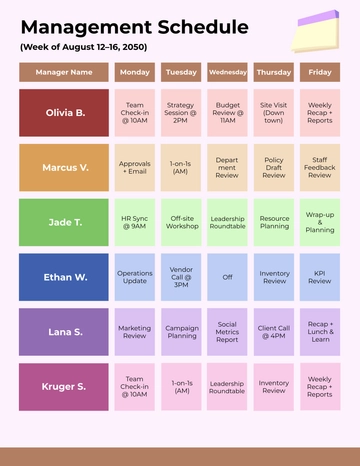
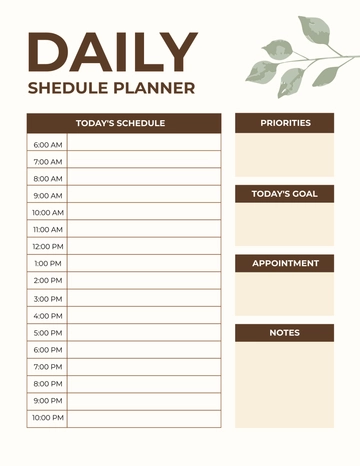
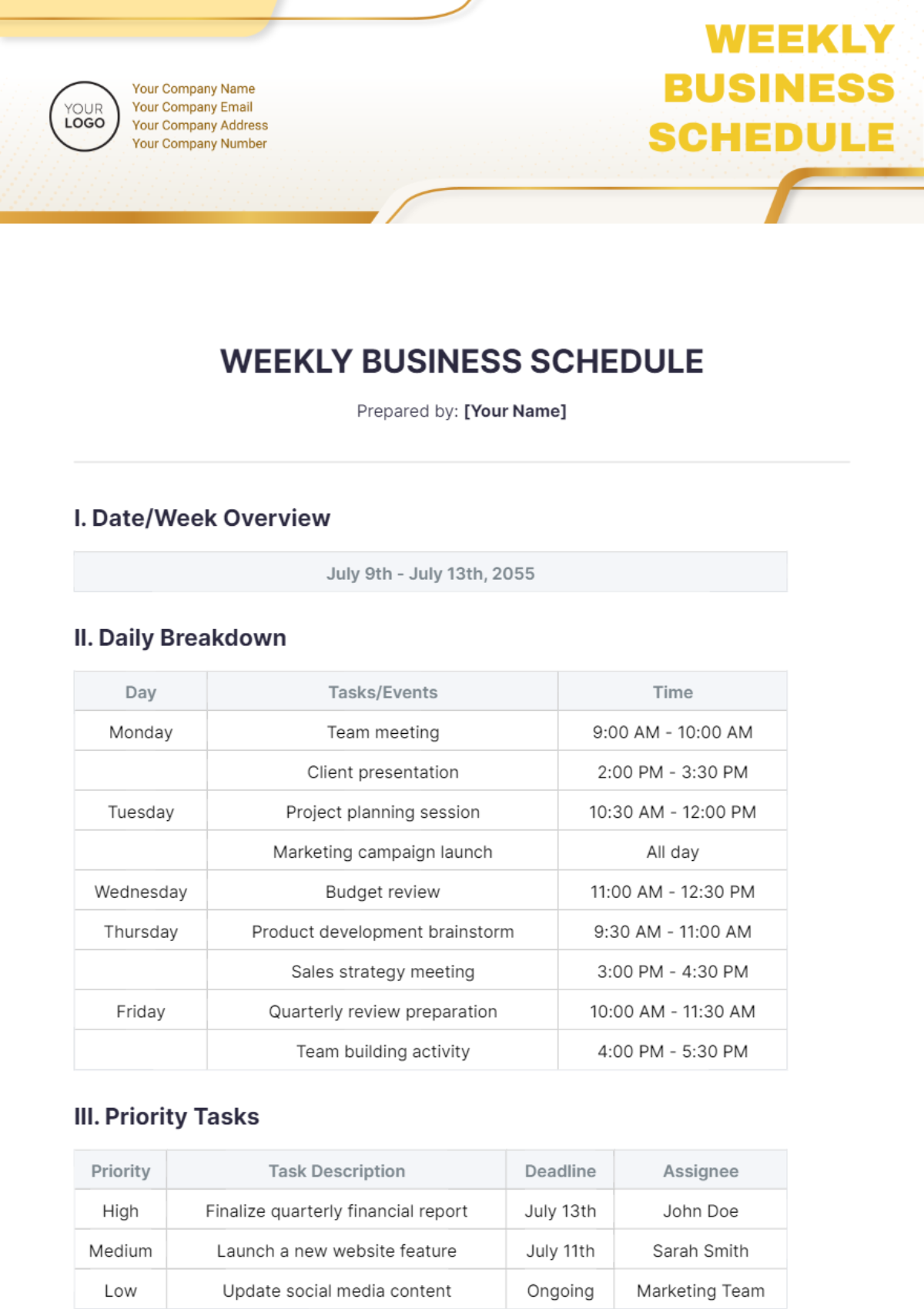
The following reference examples illustrate different schedule formats and document approaches. They are intended as visual examples of how scheduling information can be organized rather than as claims that every pictured template is suitable for every business.
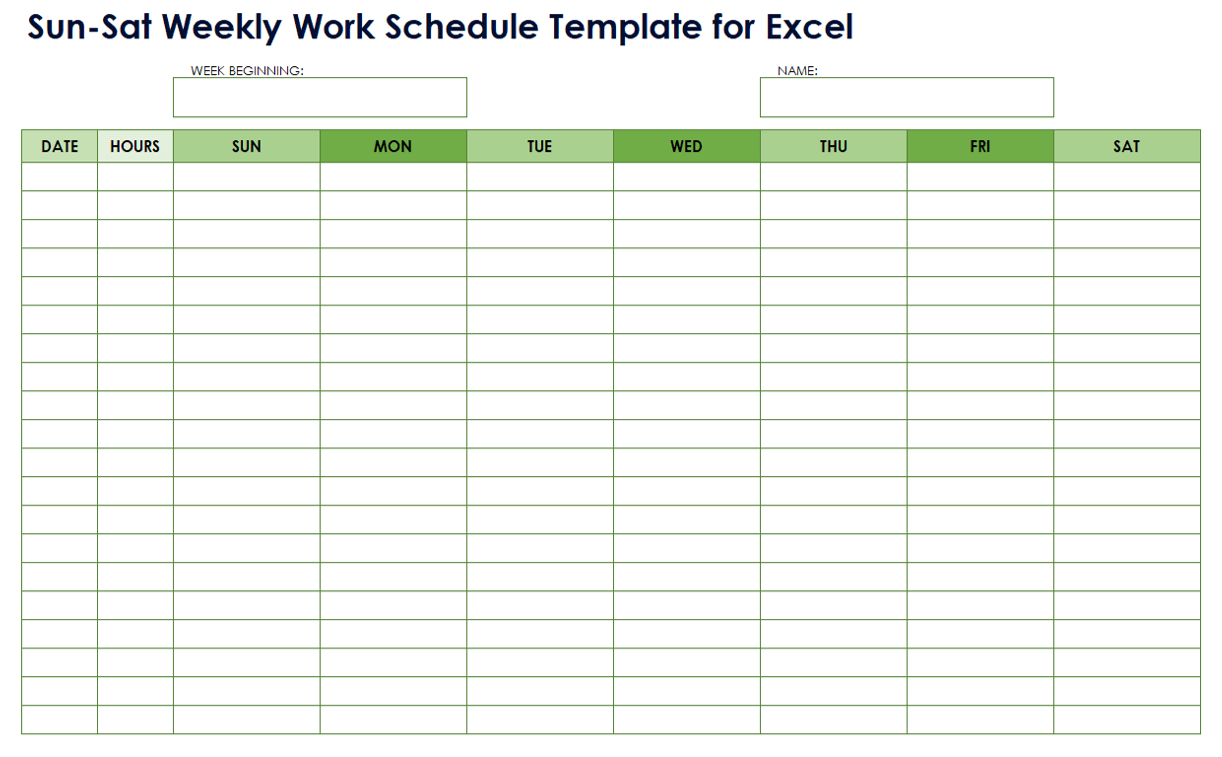
management business schedule template excel
Source: Template.net
management business schedule template google sheets

Source: KJUN Studio
management business schedule template free
Source: Template.net
management business schedule template free download
Source: Template.net
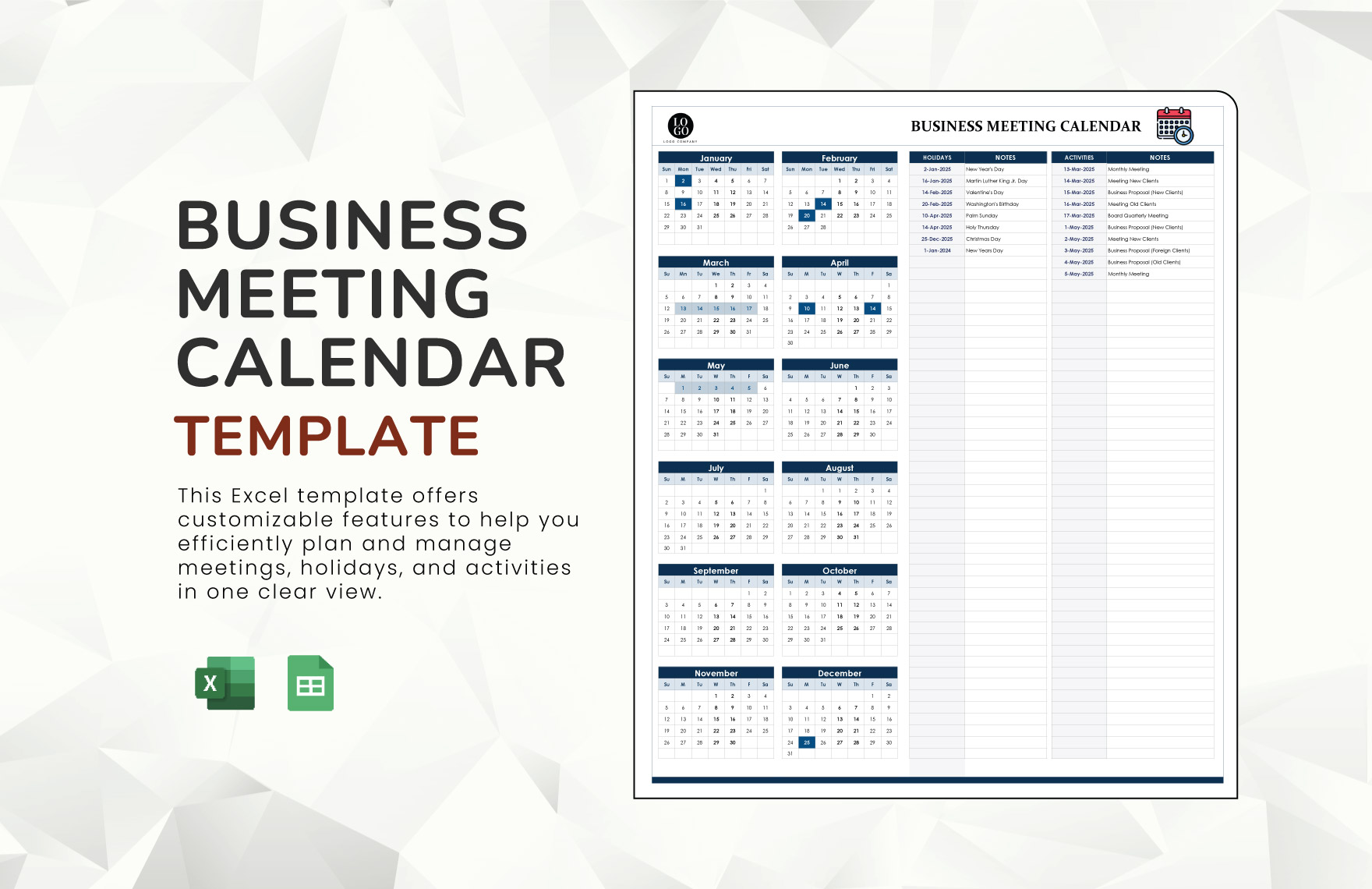
management business schedule template google docs
Source: Template.net
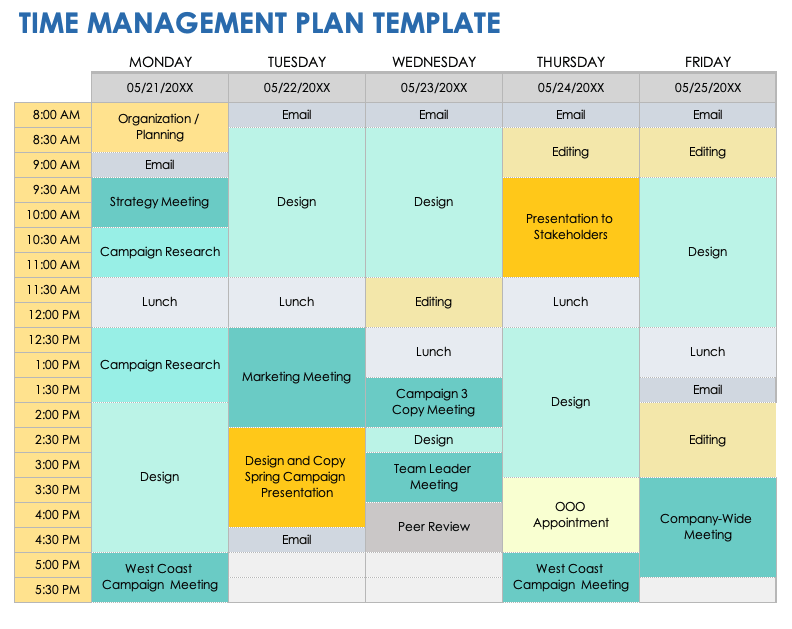
management business schedule template pdf
Source: Smartsheet
management business schedule template excel free
Source: Smartsheet
management business schedule template word

Source: Template.net
schedule management plan template
Source: Coefficient
business work schedule template
Source: Template.net
time management schedule template pdf

Source: Worksheeto
weekly business schedule template
Source: YouTube
Frequently Asked Questions
What should a management business schedule template include?
A practical template normally includes a planning period, activity or task description, date, time, owner, priority, status, and notes. Project-focused versions may also include dependencies, milestones, start dates, end dates, and completion information.
Is Excel a good format for business scheduling?
Yes. Excel is useful when the schedule needs structured tables, formulas, calculations, filtering, printable views, or project timelines. It is particularly effective when managers need to calculate hours, durations, totals, or other values from schedule data.
Can a schedule be shared with a team?
Yes. A schedule can be shared through collaborative spreadsheet or document systems, project-management platforms, or printed copies. The team should have a clearly defined source of truth so that everyone knows which version represents the current plan.
Should a weekly schedule include every task?
Not necessarily. A weekly schedule should contain enough information to coordinate important work without becoming overcrowded. Detailed task instructions can remain in a project tracker or supporting document while the weekly view focuses on dates, owners, priorities, and major commitments.
What is the difference between a schedule and a task list?
A task list primarily records what needs to be done. A schedule adds time, sequencing, availability, and often ownership. A task can exist on a list without a specific time, while a scheduled task is connected to a defined period or deadline.
Is a PDF schedule better than a spreadsheet?
They serve different purposes. A spreadsheet is generally better for editing, calculations, filtering, and ongoing management. A PDF is useful when the schedule needs to be distributed as a stable, printable snapshot that should not be casually changed.
How often should a business schedule be updated?
The frequency depends on how quickly the work environment changes. A high-volume operation may need daily updates, while a small business with stable weekly activities may review its schedule once or twice a week. The key is consistency rather than a universal update interval.
How can managers prevent scheduling conflicts?
Use one reliable schedule, record fixed commitments first, identify owners, review dependencies, and check for overlapping assignments before finalizing the plan. A shared calendar or spreadsheet can make conflicts easier to identify before they affect operations.
What makes a schedule easy to use?
Clear labels, limited fields, consistent dates, readable formatting, simple status values, and a predictable review process make schedules easier to use. The document should allow someone to understand the important information quickly without studying the entire file.
Can the same template be used every week?
Yes. Reusability is one of the main advantages of a template. Keep the structure stable, update the planning dates, refresh recurring activities, carry forward only relevant unfinished work, and review priorities before publishing the next period.
Conclusion
A management business schedule template is most valuable when it creates a clear connection between responsibilities, time, priorities, and business objectives. Whether it is built in Excel, Google Sheets, Word, Google Docs, or a printable format, the underlying principles remain the same: define the planning horizon, assign ownership, make deadlines visible, account for dependencies, and review the plan regularly.
The strongest scheduling systems are practical rather than complicated. They give managers enough structure to coordinate work while preserving enough flexibility to respond to changing customer needs, staffing conditions, project requirements, and operational priorities. A reusable template can turn scheduling from a repetitive administrative task into a consistent management process.
For most businesses, the best starting point is a simple weekly structure supported by a broader monthly or project view when necessary. As the organization learns which information actually improves decisions, the template can be refined. The result is a scheduling system that is easier to maintain, easier to share, and more useful for turning plans into completed work.
When implemented consistently, a well-designed management business schedule template can become a central reference for planning, coordination, workload management, project tracking, and managerial review without requiring unnecessary complexity.
For a business that needs a practical scheduling system, start with the smallest structure that reliably answers what must happen, when it must happen, who owns it, what priority it has, and what needs to change when circumstances shift.
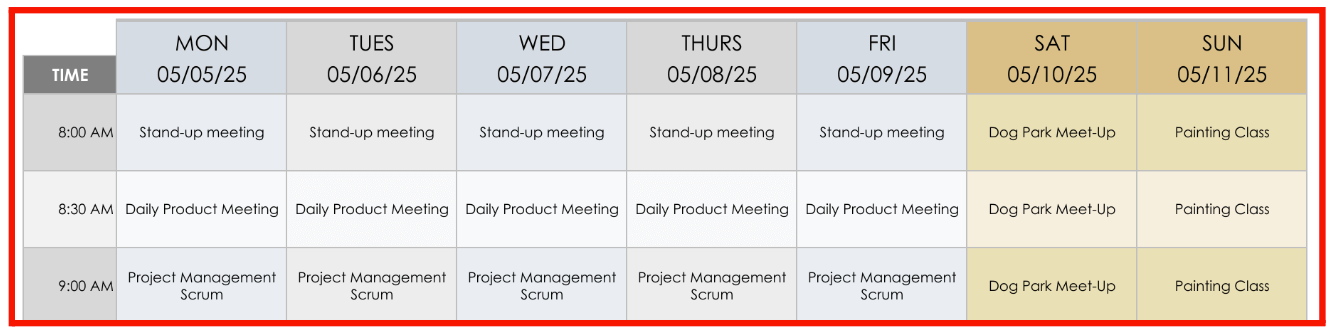
A management business schedule template works best when it becomes part of the normal operating rhythm: plan the period, assign the work, review progress, adjust deliberately, and carry useful information forward. That simple cycle gives managers a practical foundation for better organization, clearer accountability, and more dependable execution.
