A corporate litigation management database Template is most useful when it acts as a controlled record of every active and closed dispute, rather than as a simple list of case names. In-house legal teams need a consistent way to connect parties, jurisdictions, counsel, deadlines, procedural stages, financial exposure, documents, and internal ownership. A well-designed structure turns scattered matter information into a dependable operating view that can support daily follow-up and management reporting.
The search intent behind corporate litigation management database Template is practical. Readers usually want to know what fields belong in a litigation register, how to organize them, which format is appropriate, and how to avoid building a spreadsheet that becomes difficult to maintain. The strongest template is therefore not the one with the most columns. It is the one that captures the information the legal team actually uses, defines each field clearly, and makes important changes visible.
Current legal matter-management guidance emphasizes consistent matter identity, ownership, timing, records, progress, and financial information. Thomson Reuters Legal Tracker separates required matter identifiers from many optional fields and supports litigation-specific information such as trial dates and financial exposure. Practical Law similarly describes litigation tracking around case name, court, judge, status, parties, deadlines, exposure, reserves, expenses, budgets, and notes. These sources reinforce a central principle: the database should mirror the decisions the legal department must make.

What a corporate litigation management database should accomplish
A litigation database gives the legal department a common information layer for disputes. Each matter should have a unique identifier and a concise name, while the record should also make clear which corporate entity is involved, who owns the matter internally, which outside firm is engaged, and where the dispute sits procedurally. The purpose is not merely storage. The purpose is reliable retrieval and consistent review.
The database should also separate stable facts from information that changes frequently. Case caption, docket number, jurisdiction, matter type, and opposing party are relatively stable identifiers. Status, next action, upcoming hearing, budget position, exposure estimate, and resolution forecast can change repeatedly. Keeping these categories distinct makes updates easier to audit and reduces the chance that a reviewer mistakes an old note for the current position.
The database should support two audiences at the same time. Counsel and legal operations staff need enough detail to manage matters day to day. Senior leadership usually needs a smaller set of signals: how many disputes are open, where material exposure sits, which deadlines are approaching, what has changed since the last review, and whether external spend is within expectations. A good design lets the same underlying record serve both views without forcing executives to read every case note.

Core fields to include
A strong corporate litigation register begins with matter identity. Include a unique matter ID, full case name or caption, short matter name, corporate entity, business unit, matter type, jurisdiction, court, docket or claim number, and date opened. These fields establish the record’s identity and make duplicate entries easier to detect. Thomson Reuters describes a matter ID and short matter name as core matter-identification concepts, while litigation records may also use the full case caption and docket number.
Ownership fields should show who is accountable for the matter. Useful fields include lead in-house lawyer, supporting lawyer, legal operations owner, business contact, outside counsel, local counsel, and responsible law firm partner. Avoid relying on a single text field for all of these roles. Separate role fields make filtering and reporting more reliable, especially when one law firm handles several disputes for different business units.
Procedural fields should describe where the dispute is in its lifecycle. A practical status list might include intake, pre-claim, filed, pleadings, discovery, motion practice, mediation, trial preparation, trial, appeal, settlement, judgment, and closed. The exact list should match the organization’s workflow. The important point is to define each status so different users interpret it consistently.
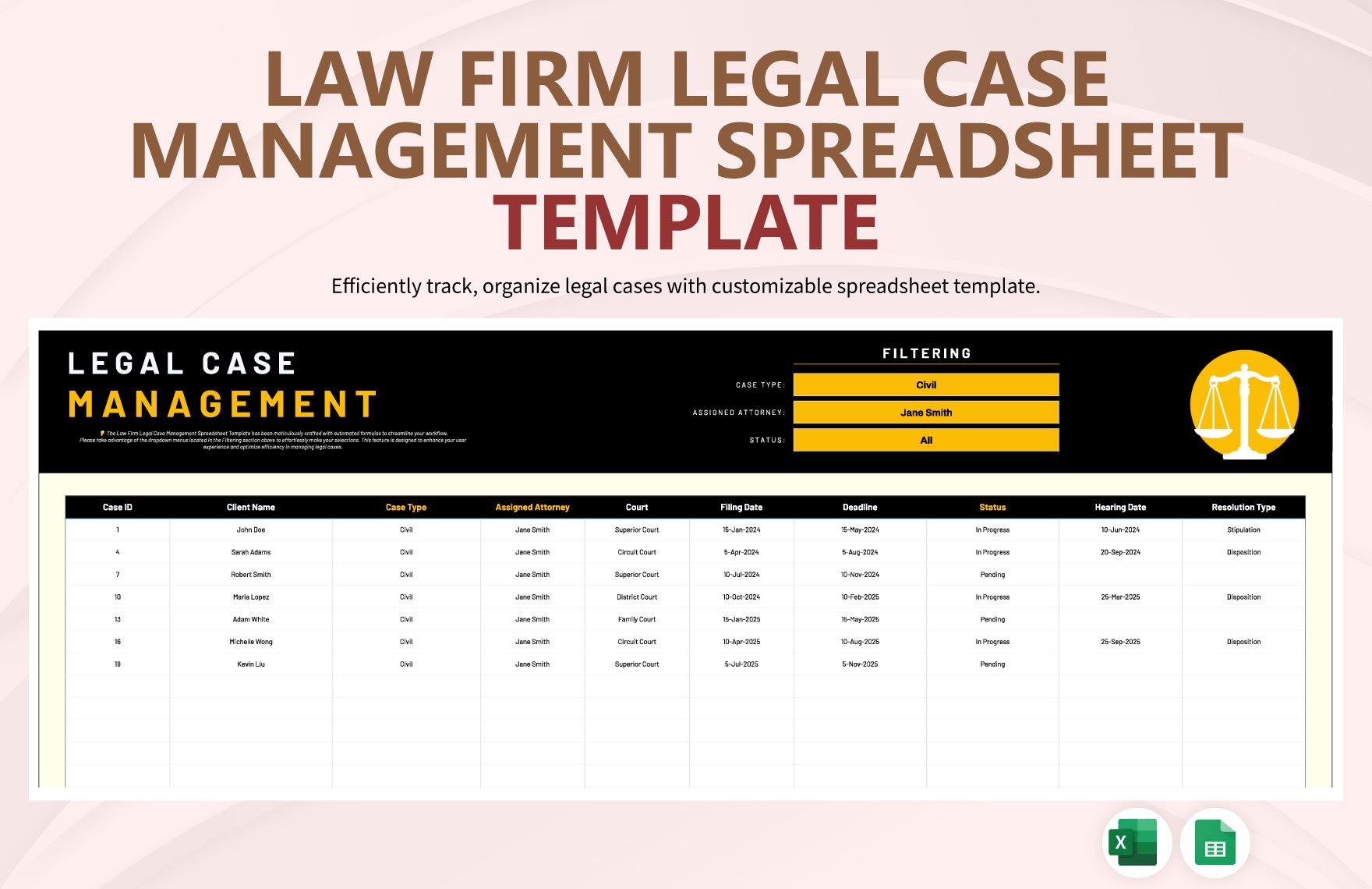

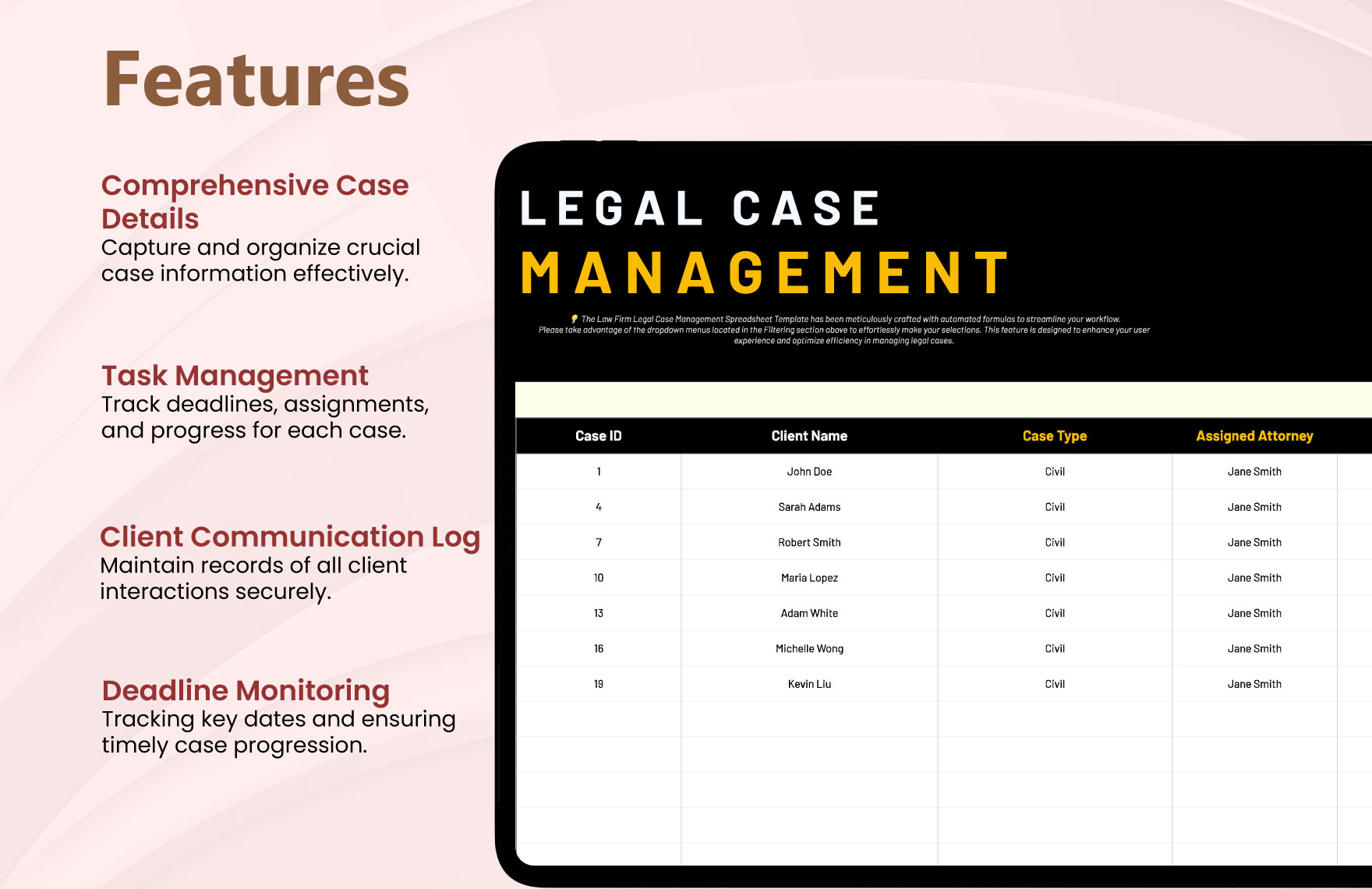
Deadlines, hearings, and procedural milestones
Deadlines deserve their own structure because a single “next deadline” column quickly becomes inadequate. A matter may have several important dates at once: filing deadlines, discovery cutoffs, hearing dates, mediation dates, expert deadlines, trial dates, appeal deadlines, settlement milestones, and internal review dates. A dedicated event log can hold many dates while the main matter record displays only the next critical event.
Each event should ideally have a date, event type, description, owner, source, status, and completion date. A useful status vocabulary can distinguish planned, confirmed, completed, postponed, and cancelled. If the database supports formulas or conditional formatting, it can highlight overdue and approaching events, but the underlying record should remain understandable without relying on color alone.
For larger departments, a separate event table linked by matter ID is preferable to placing dozens of date columns on one worksheet. For a smaller team, a structured sheet with one row per matter and a carefully chosen set of high-value dates may be sufficient. The choice depends on volume, reporting needs, and the team’s ability to maintain linked records consistently.
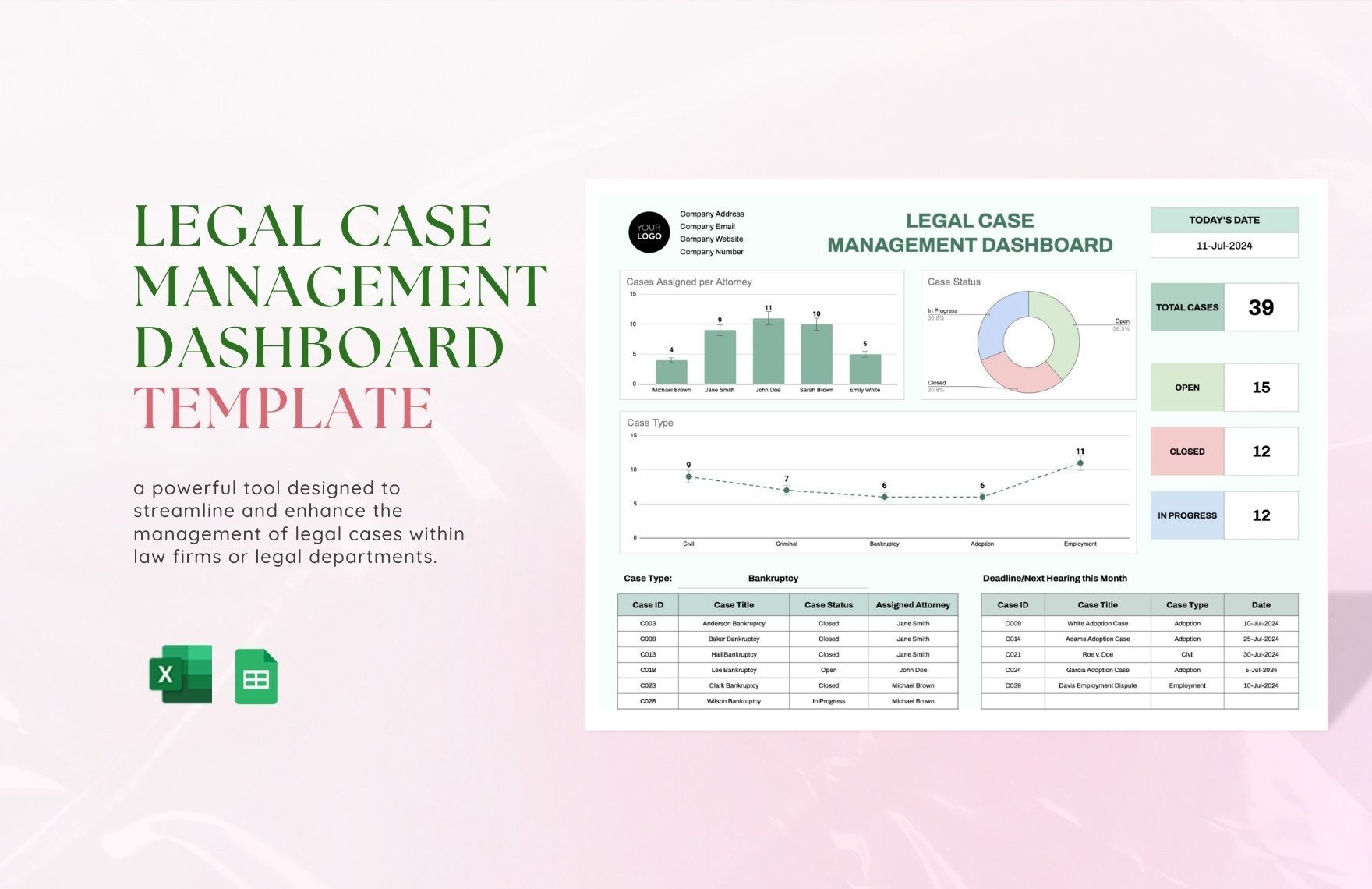


Parties, counsel, and contact records
Litigation records become difficult to maintain when every matter repeats the same contact details. A better structure separates the matter from its people and organizations. The matter record can identify the opposing party, while a contacts register can store names, roles, organizations, telephone details, email addresses, and relationship types.
Relationship types are important. A contact might be opposing counsel, client representative, judge, expert, insurer, mediator, local counsel, or internal stakeholder. One person can also appear in several matters. Linking contacts to matters reduces repeated typing and makes it easier to answer questions such as which matters involve a particular outside firm or expert.
Confidentiality should also influence the design. Do not place sensitive attorney-client communications or privileged legal analysis into a broadly accessible tracking sheet merely because there is a notes column. A matter register should contain operational information needed to manage the dispute, while privileged material should remain in an appropriately controlled repository. Practical Law guidance also highlights the importance of separating privileged information from non-sensitive matter information.


Financial exposure and legal spend
Corporate litigation management often requires a financial view because disputes can affect reserves, forecasting, insurance, settlement strategy, and business decisions. Useful fields can include amount claimed against the company, amount claimed by the company, estimated liability, expected recovery, reserve amount where appropriate, outside counsel budget, fees incurred, expenses incurred, and estimated remaining spend. These values should be clearly labeled so that a claim amount is not mistaken for an internal estimate.
Financial fields need definitions. For example, “amount claimed” should describe the claim asserted by a counterparty, while “estimated liability” should represent the organization’s current assessment under its internal methodology. Those concepts are not interchangeable. Thomson Reuters distinguishes claimed amounts, company liability estimates, recovery estimates, and estimated timing of resolution in litigation matter records.
A database should also preserve the date and owner of significant financial estimates. A figure without a timestamp can be misleading because litigation positions change. If a reserve or exposure estimate is revised, consider retaining the prior value in a history log rather than overwriting it without trace. This gives reviewers a clearer view of how the assessment developed.


Documents, evidence, and records
A litigation database should tell users where relevant records are located without becoming the records repository itself. A document index can include document type, matter ID, document date, owner, location, confidentiality classification, and review status. Typical categories might include pleadings, correspondence, orders, expert materials, settlement documents, and internal reports.
For electronic discovery and litigation holds, the structure needs additional care. Practical Law describes tracking information such as the date a litigation hold was issued and acknowledged, custodian interviews, data-collection status, reminder notices, and escalation steps. These are operational records that can be tracked separately from the main case register. :contentReference[oaicite:4]{index=4}
The key distinction is between a matter-management record and the underlying evidence. The database can point to the controlled location of a record and summarize its status, but it should not encourage users to place sensitive evidence into a general-purpose worksheet. Permissions, retention practices, legal holds, and records-management rules should be established by the responsible legal and information-governance teams.


Choosing the right format
An Excel-based structure can work well when the number of matters is manageable and the legal team already has strong spreadsheet discipline. It offers familiar sorting, filtering, formulas, validation lists, and charts. A well-built workbook can therefore be a practical starting point for a small or medium-sized legal department.
A cloud spreadsheet can be useful when several authorized users need to update a shared register. The key issue is not the brand of the spreadsheet service but whether the organization can enforce appropriate permissions, version history, controlled sharing, and consistent data entry. Collaboration is helpful only when access controls and governance match the sensitivity of the records.
A document-oriented format is better suited to a printable matter profile, executive briefing, or standardized case summary than to a high-volume live register. A PDF can preserve a point-in-time report, while a word-processing format can support narrative case summaries. A presentation format can be useful for a portfolio review, but it should normally be generated from the underlying matter data rather than maintained as a second source of truth.


How to design the database step by step
Start by defining the business questions the database must answer. Examples include which disputes require action this week, which matters exceed budget, which business units have the greatest litigation exposure, which outside firms handle the largest caseload, and which cases have not received a recent review. These questions determine which fields are genuinely necessary.
Next, create a controlled data dictionary. For every field, record its name, purpose, data type, allowed values, owner, update frequency, and whether it is required. This simple discipline prevents one user from entering “Open,” another from entering “Active,” and a third from entering “In progress” when all three mean the same thing.
Then build the matter register and supporting logs. A practical structure may contain a matter register, contacts register, event or deadline log, financial log, outside-counsel log, document index, and review history. If the organization is small, several of these can be combined, but the conceptual separation should remain clear.
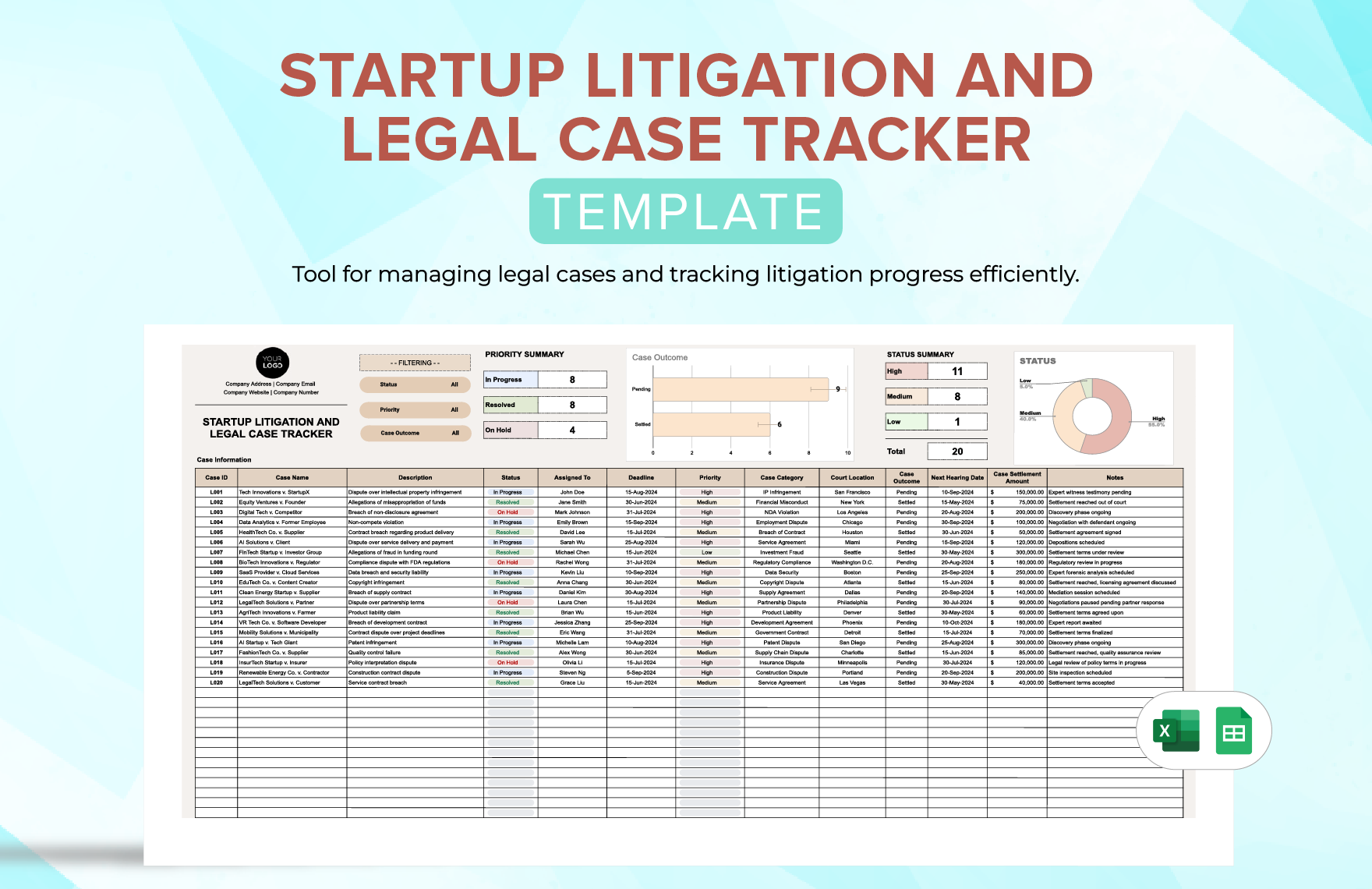

Data validation and maintenance
Validation is one of the most important differences between a professional database template and an ordinary list. Use controlled choices for fields such as matter type, status, jurisdiction category, business unit, priority, and resolution type. Use consistent date formats and currency formats. Require a matter ID before dependent records can be added.
Create a clear update routine. For example, each active matter can have a designated owner who reviews status, next action, critical dates, financial position, and recent developments at a defined interval. The exact cadence should be set by the legal department according to its workload and risk profile rather than treated as a universal rule.
Quality checks should look for missing owners, duplicate matter IDs, past dates still marked as upcoming, closed matters with unresolved tasks, financial values without a review date, and records with no recent update. A simple exception report can be more valuable than a complex dashboard because it directs attention to data that needs correction.


Dashboards and management reporting
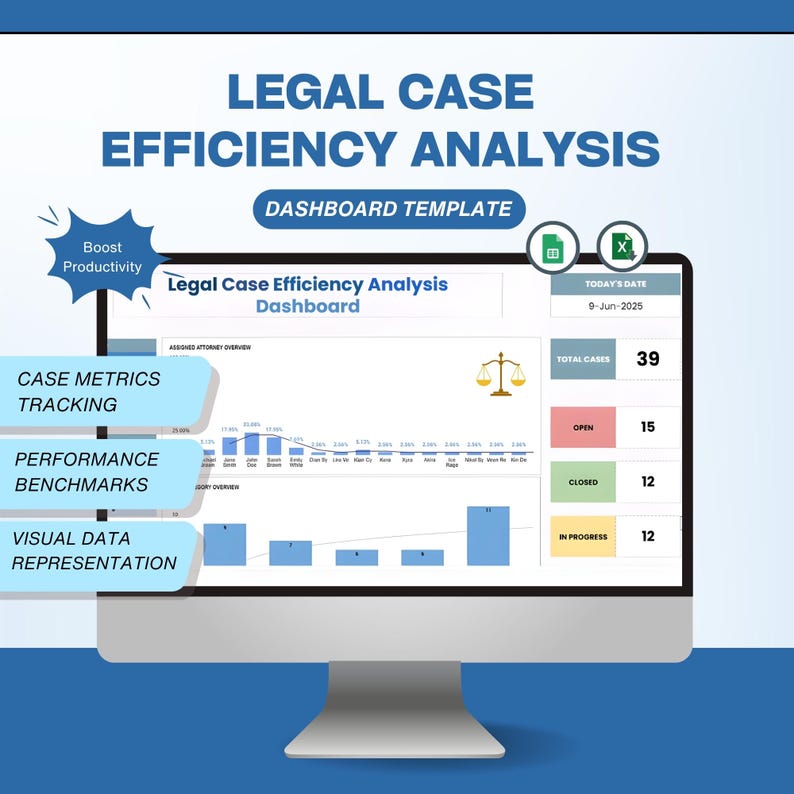
A litigation dashboard should answer management questions at a glance. Useful measures include open matters by status, matters by business unit, upcoming critical events, matters by jurisdiction, external counsel workload, spend against budget, and exposure by risk category. The dashboard should be driven by the same records used for matter management.
Avoid presenting every available metric. Too many charts can hide the few signals that require action. A better dashboard usually groups information into operational status, timing, financial position, risk, and workload. Each metric should have a clear definition and an identifiable source field.
Portfolio reporting also needs a refresh rule. If a dashboard is reviewed monthly, the underlying data should have a known update cutoff. If it is reviewed weekly, the team should understand which fields must be refreshed before the meeting. This prevents a polished report from creating false confidence.


Risk classification and prioritization
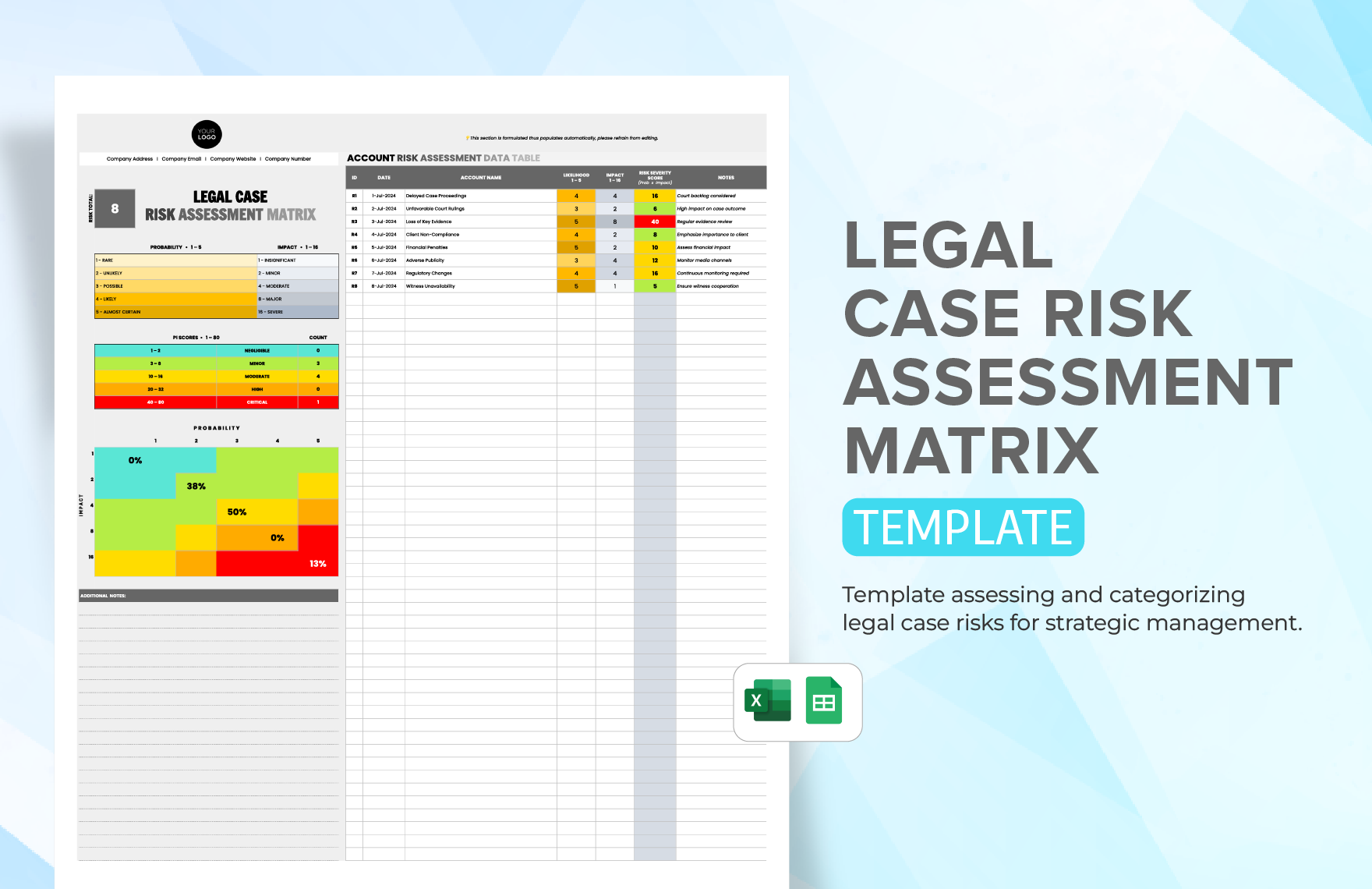
Risk fields can help a legal team prioritize attention, but they should not pretend to predict litigation outcomes with mathematical certainty. A practical model may classify impact, likelihood, urgency, business significance, and reputational sensitivity. The labels and scoring method should be defined internally.
A risk matrix becomes more useful when it connects to action. A high-risk matter might require a senior review, updated exposure assessment, closer deadline monitoring, or a specific business stakeholder. The database should record the action and owner rather than simply assigning a color or score.
Risk ratings should also be revisited when material facts change. New pleadings, expert evidence, rulings, settlement discussions, or changes in business circumstances can alter the assessment. A historical review field helps show why a matter moved from one category to another.


Common design mistakes
One common mistake is trying to make one worksheet contain everything. When matter data, contact information, deadlines, invoices, document notes, and detailed chronology are all mixed into one wide row, maintenance becomes cumbersome. Separate related records are easier to filter and less likely to create conflicting information.
Another mistake is using vague labels. “Value,” “Date,” “Owner,” and “Status” can mean different things to different users. Better labels explain the concept, such as “Estimated Company Liability,” “Next Court Event Date,” “Lead In-House Counsel,” or “Procedural Status.” Clear labels reduce training time and improve reporting accuracy.
A third mistake is treating the template as a substitute for governance. A technically attractive sheet cannot decide who may see privileged information, how long records should be retained, or which financial estimates require review. Those questions belong to the organization’s legal, records, security, and finance governance processes.


Practical Solution
The most practical solution is to build a lean matter register first and expand only when a genuine reporting or workflow need appears. Start with matter ID, case name, corporate entity, jurisdiction, opposing party, lead lawyer, outside counsel, status, next action, next critical date, financial exposure, budget, and last review date. This gives the team a useful operational view without creating a maintenance burden.
Add supporting logs only where they solve a recurring problem. If deadline tracking is difficult, create an event log linked by matter ID. If outside-counsel spend is difficult to reconcile, create a financial log. If contact details are repeated across rows, create a contacts register. If management meetings repeatedly require manual counting, build a dashboard from the structured fields.
Finally, establish ownership and review controls. Every active matter should have an accountable person, every critical event should have an owner, and material financial or risk fields should have a review date. Use validation lists, consistent identifiers, protected formulas, controlled access, and a documented data dictionary. The result is a corporate litigation management database template that remains useful because it is governed as an operational record, not treated as a static form.

Using different document formats without creating duplicate records
Teams often need the same matter information in several forms. An Excel workbook can provide the structured register, a word-processing document can provide a narrative matter profile, a PDF can preserve a review snapshot, a cloud spreadsheet can support controlled collaboration, and a presentation can summarize the portfolio for leadership. These formats should be viewed as different views of the same data rather than separate master records.
The most reliable approach is to designate one authoritative matter register and derive other reports from it. If a case name changes, for example, the master record should be updated first. Reports should then reflect the change. Maintaining separate manual copies creates a risk that one version contains an outdated deadline, exposure estimate, or status.
When a team evaluates a template, it should therefore ask more than whether the format looks attractive. It should ask whether fields can be standardized, whether records can be filtered, whether history can be preserved, whether permissions are appropriate, and whether the structure can grow with the caseload. A plain but disciplined design is usually more valuable than a visually elaborate sheet that nobody maintains.
When a spreadsheet is no longer enough
A spreadsheet may stop being suitable when the legal department has a large number of matters, many concurrent users, complex relationships, extensive audit requirements, or a need to connect billing, contacts, documents, and events in a relational structure. In those circumstances, a dedicated matter-management database can reduce duplication and improve data integrity.
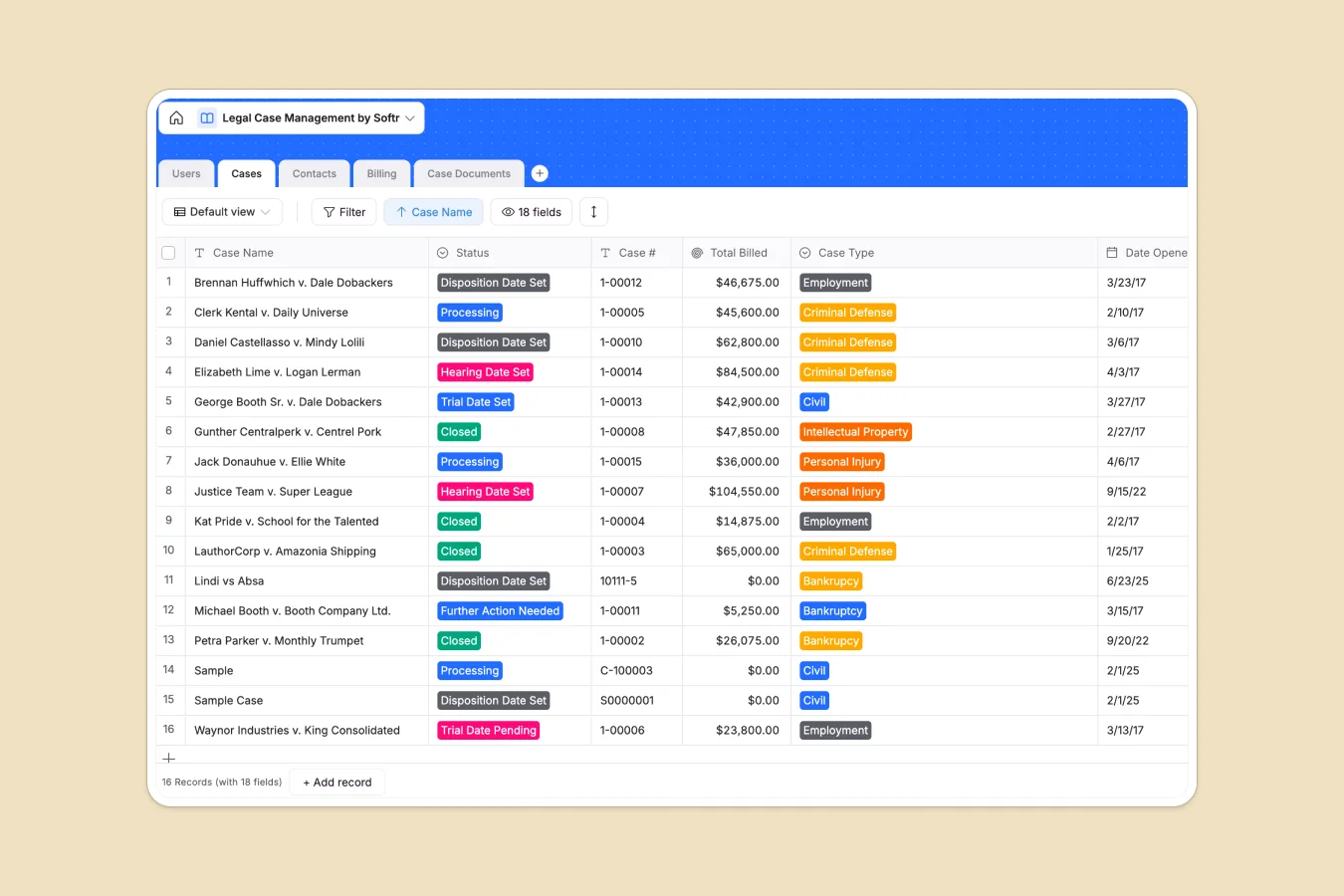
Softr’s legal case management example illustrates a relational approach with separate tables for cases, contacts, users, billing, and case documents. The broader lesson is not that one particular product must be chosen. It is that related information can be connected through stable identifiers instead of repeatedly copying the same data into separate sheets. :contentReference[oaicite:5]{index=5}
The transition should be driven by operational pain, not by novelty. If the current workbook is accurate, well governed, and easy for the team to use, a redesign may not be necessary. If staff routinely reconcile conflicting versions, search through multiple lists, rebuild reports manually, or struggle to preserve relationships between matters and supporting records, a more structured database becomes easier to justify.
Reference Examples
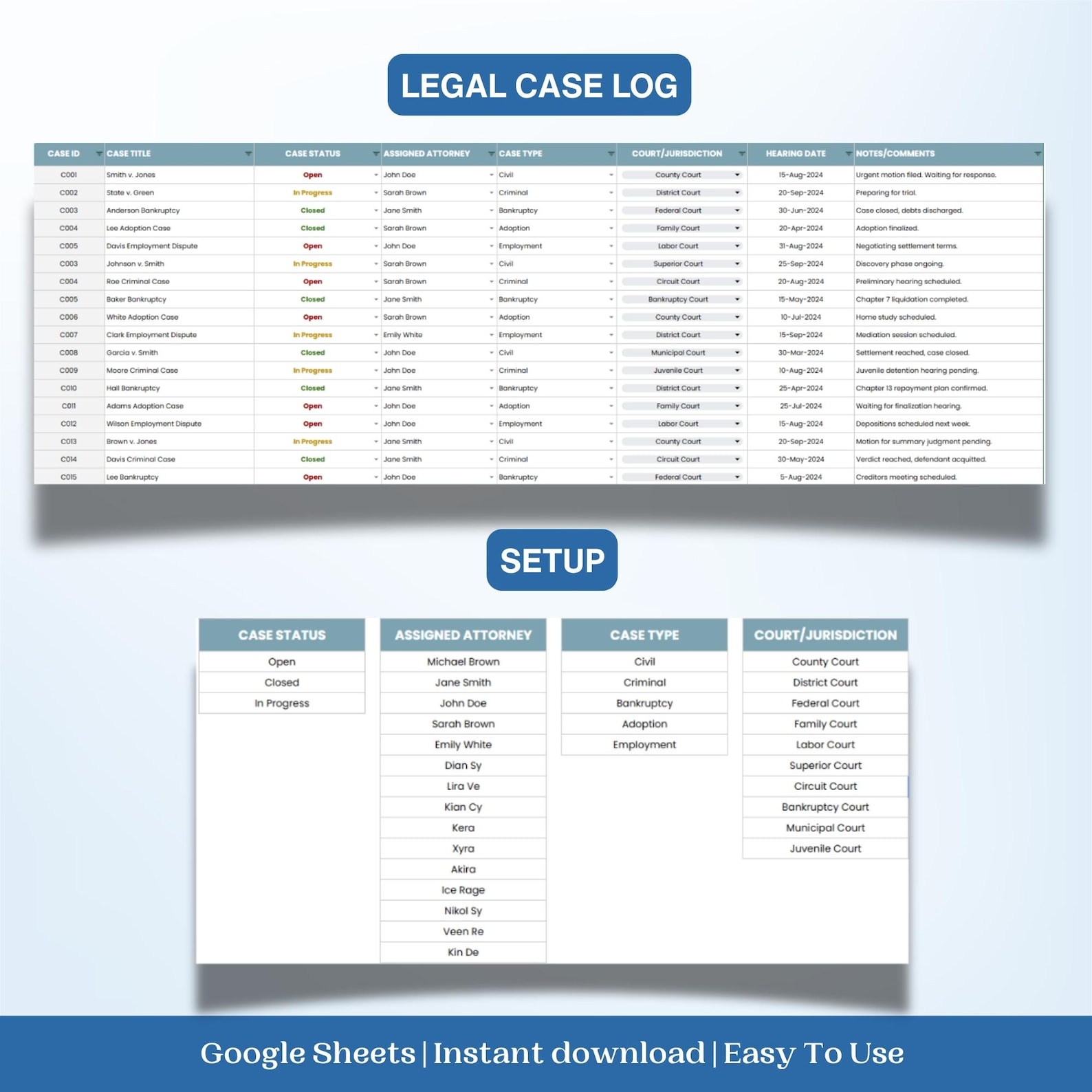
Corporate litigation management database Template examples are most useful when they are read as structural references rather than copied blindly. A strong visual should make it easy to recognize the relationship between a matter, its status, responsible counsel, important dates, financial information, and supporting records. It should also reveal whether the design is intended as a simple register, a dashboard, a timeline, a risk matrix, or a connected set of logs. These distinctions matter because the right structure depends on the size of the legal portfolio, the number of users, and the type of management reporting required.
The references below show several practical patterns that can inform a corporate litigation management database Template: a central matter register, separate case and client records, status dashboards, resolution tracking, compliance monitoring, risk scoring, and financial tracking. They are useful for comparing layouts and identifying fields that may be relevant to a particular legal department. Treat each visual as an example of structure and presentation, then adapt the underlying fields, definitions, permissions, and review practices to the organization’s own governance requirements.

Legal Case Closure Dashboard Template
Source: Template.net
Legal Case Billing and Expense Tracking Template
Source: Template.net
Legal Case Billing and Expense Tracking Template — Included Records
Source: Template.net
Legal Case Risk Assessment Matrix Template
Source: Template.net

Legal Case Risk Assessment Matrix Overview
Source: Template.net

Legal Case Risk Assessment Matrix Features
Source: Template.net
Legal Case Efficiency Analysis Dashboard Template for Law Firms Case Management Tracker Hearing Date Journal Court Cases
Source: Etsy — SNLDigiMart
Legal Case Log Dashboard Template
Source: Etsy — SNLDigiMart
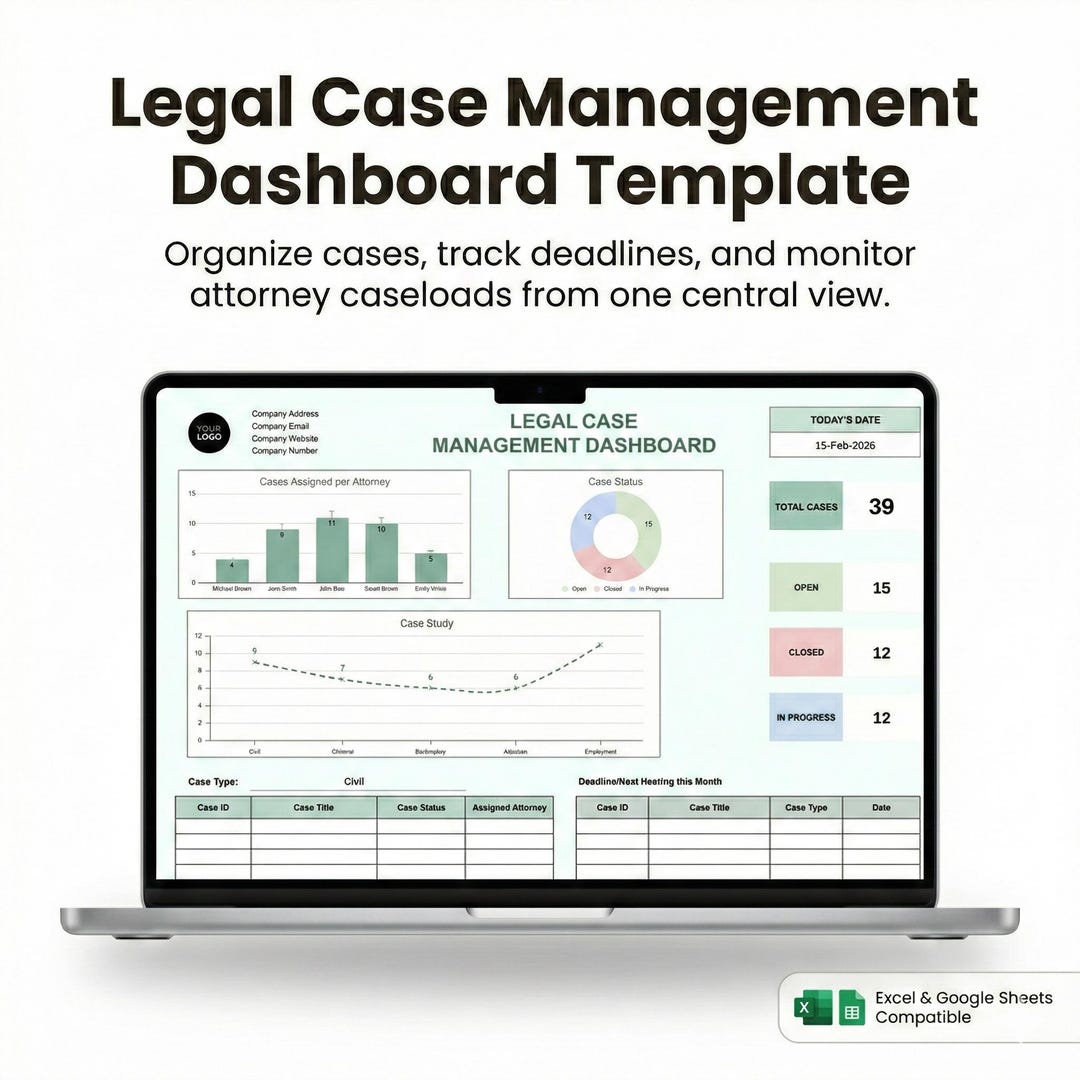
Legal Case Management Dashboard Template
Source: Etsy
